


How to complete the swtichboard with plates for PrismaSet Active in eDesign Small Building
Issue: Mounting all the components and plates in the switchboard to finish the project
Product Line: eDesign Small Building Small Building App
Cause: Basically, today after mounting all the components you think you have finished the project, but you must Add all the plates to finish the project.
Resolution:
- After configuring all your products, move to Front Face tab.
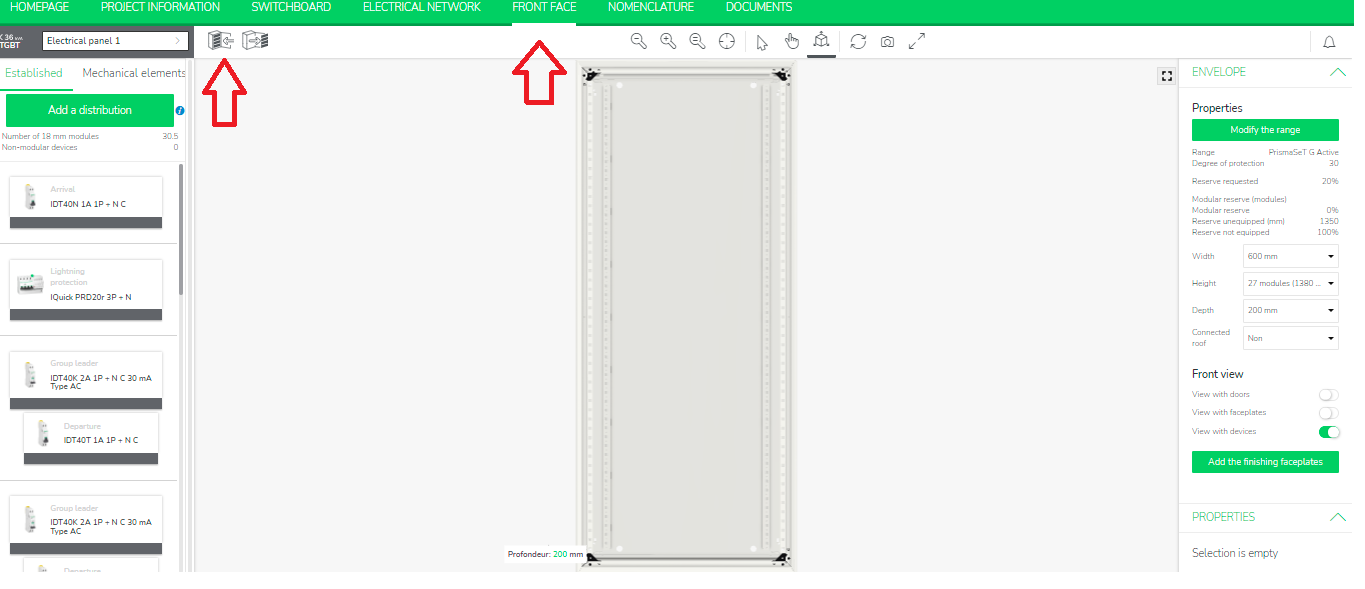
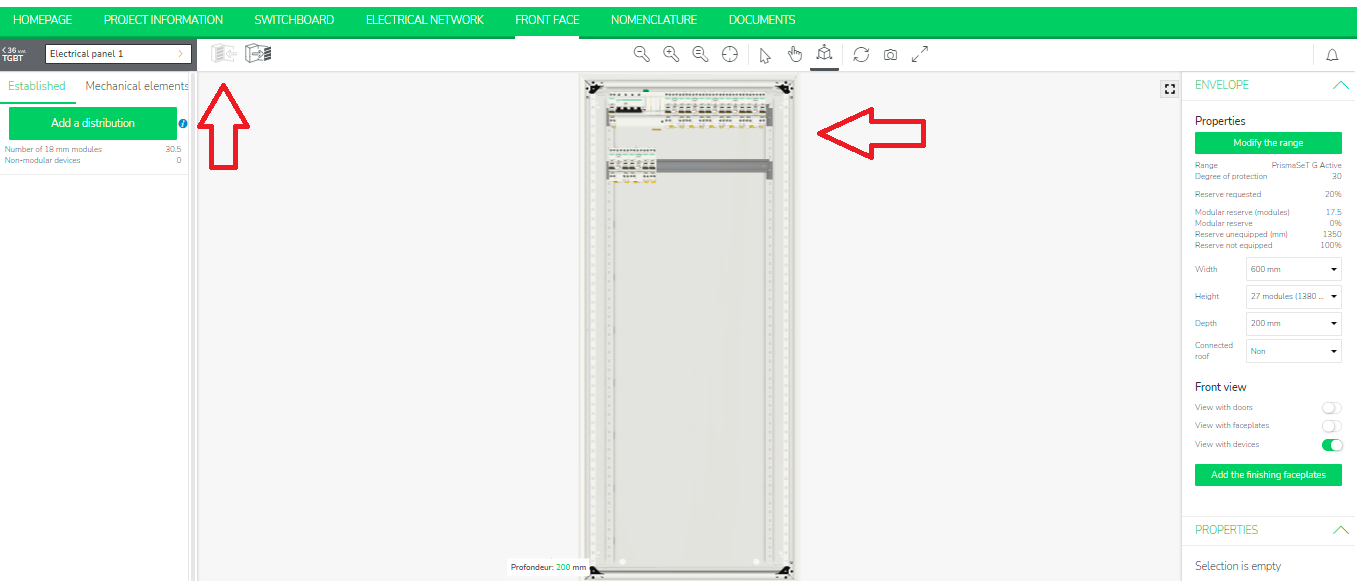
- Then Mount all your established products.
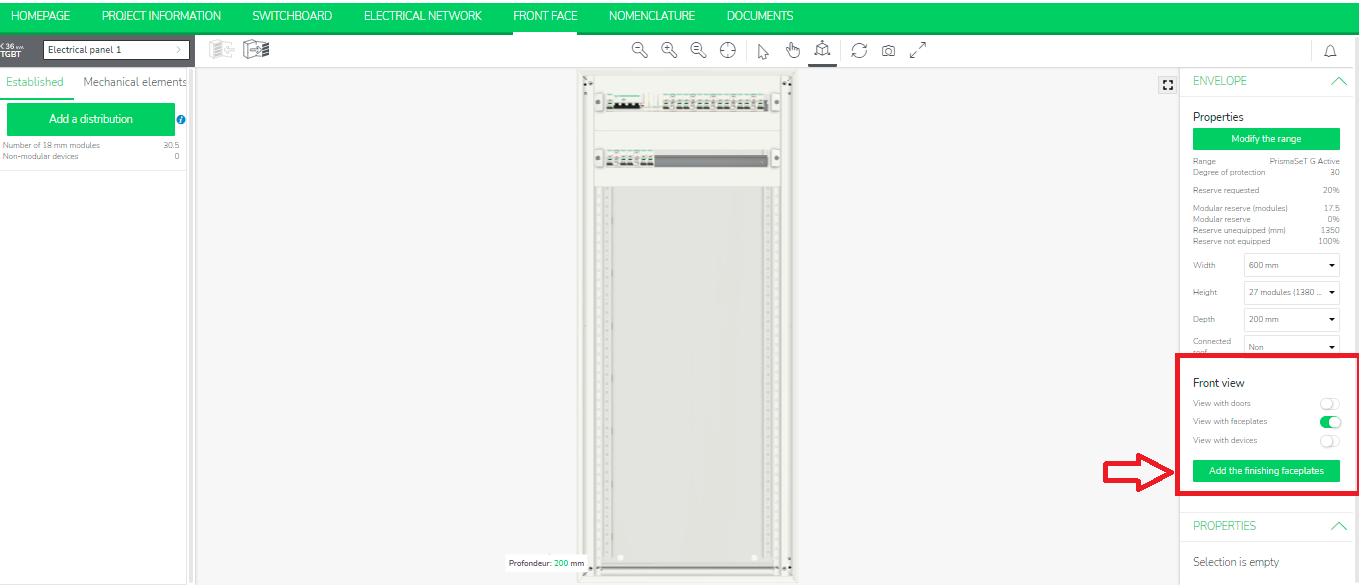
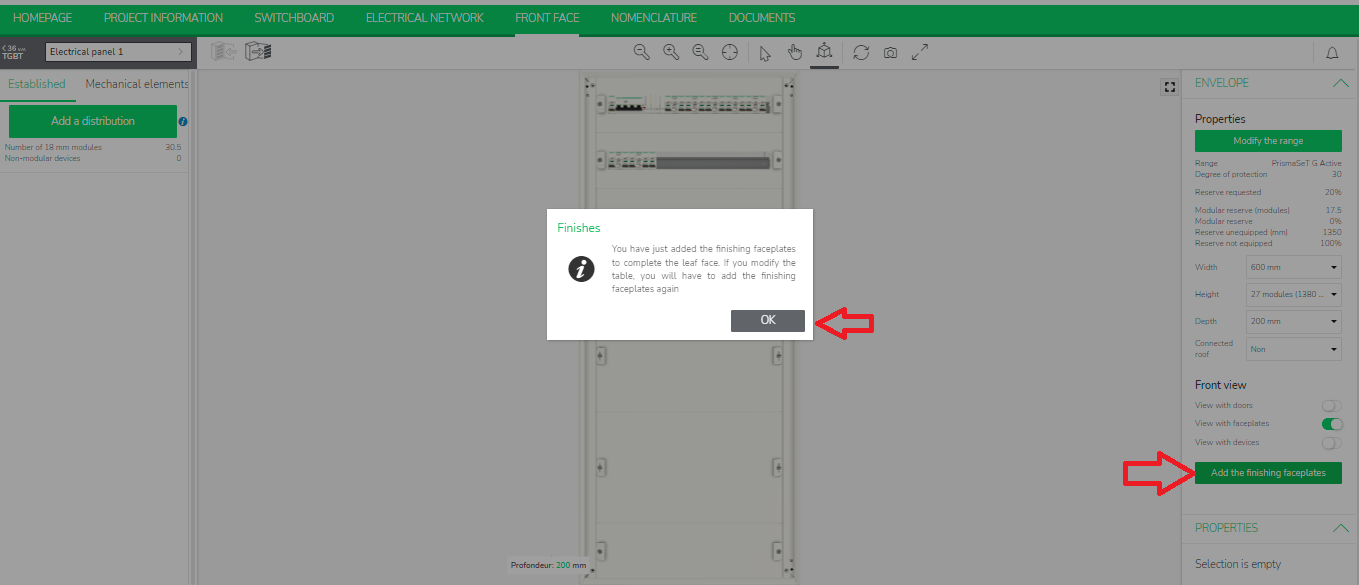
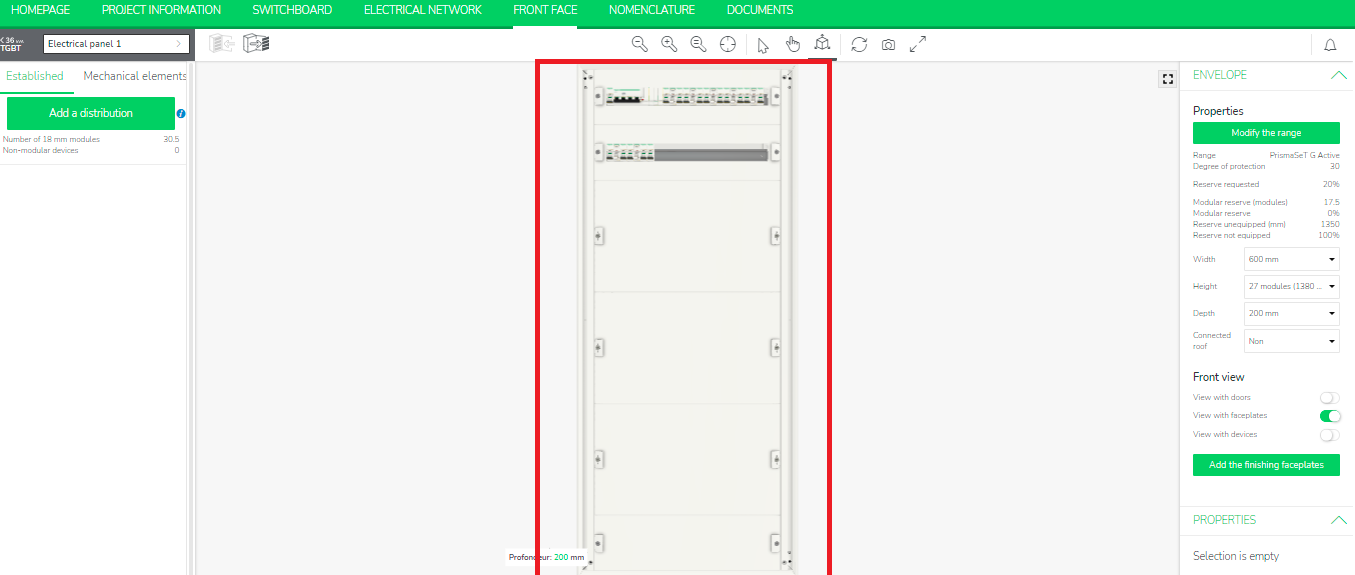
- Select the option View with faceplates from ENVELOPE section on the right side and click Add the finishing faceplates to complete your project.
Product Line: eDesign Small Building Small Building App
Cause: Basically, today after mounting all the components you think you have finished the project, but you must Add all the plates to finish the project.
Resolution:
- After configuring all your products, move to Front Face tab.
- Then Mount all your established products.
- Select the option View with faceplates from ENVELOPE section on the right side and click Add the finishing faceplates to complete your project.
- You can see the plates are added before you finish your project.