


How can you choose your Schneider or Non-Schneider electric Incomer for Limited Power option (Tarif Bleu) in eDesign Small Building
Issue: Choosing your circuit breaker options in order to be able to have a coherent project, a front view and a BOM.
Product Line: eDesign Small Building Small Building App
Cause: Today eDesign Small Building allows you to buy a mono phase circuit breaker, it allows you to represent the three-phase circuit breakers not available at SE, as well as the Single or three-phase circuit breaker supplied by the electrical distribution manager.
Resolution:
Step1: To configure SE circuit breaker: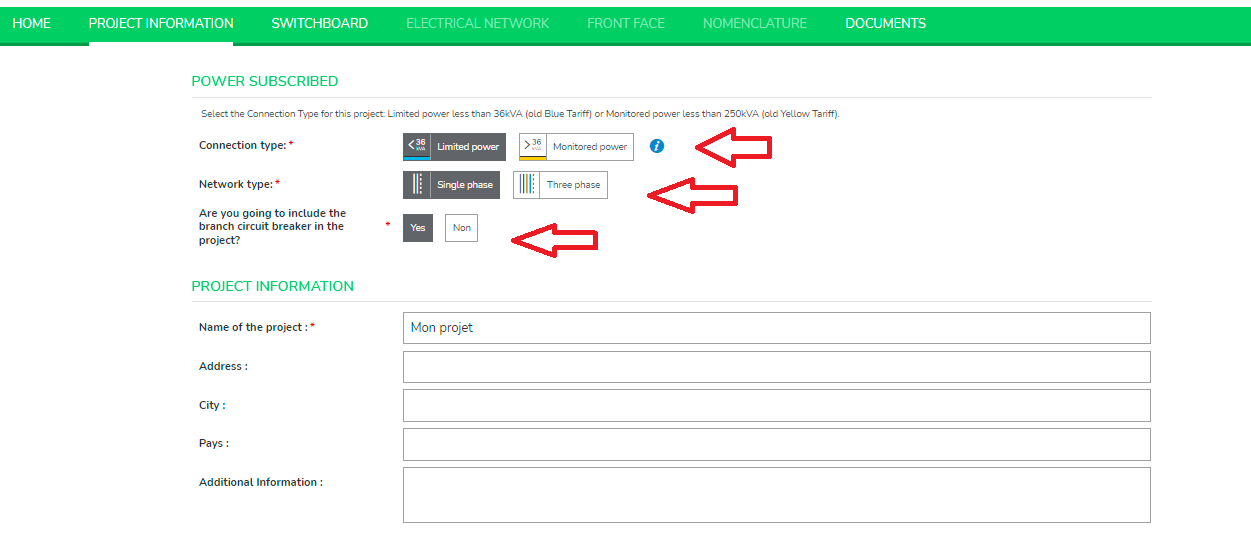
Step 2: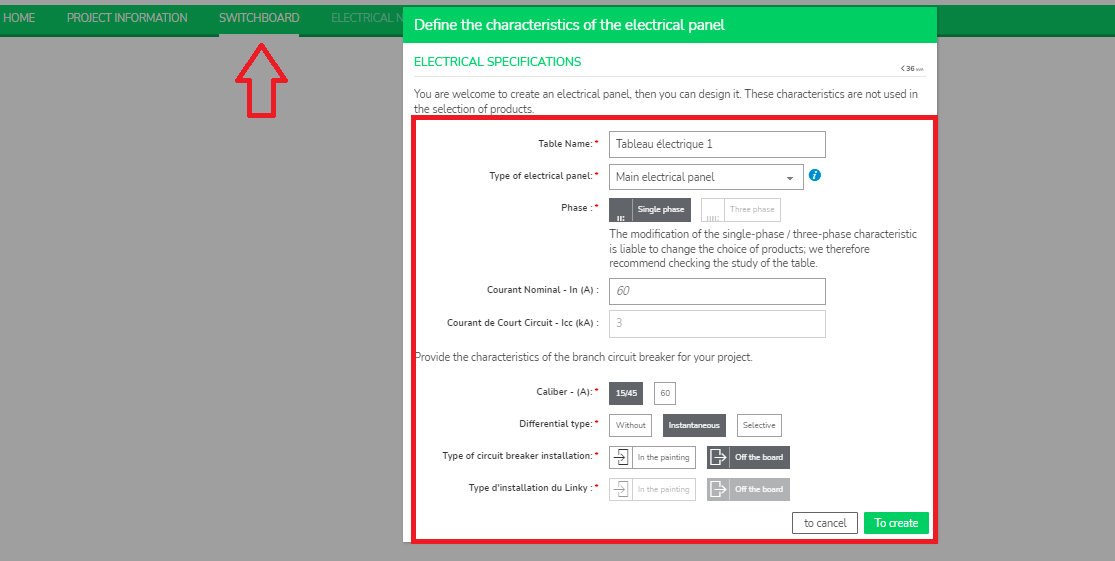
Step 3: To configure non-SE circuit breaker:
Product Line: eDesign Small Building Small Building App
Cause: Today eDesign Small Building allows you to buy a mono phase circuit breaker, it allows you to represent the three-phase circuit breakers not available at SE, as well as the Single or three-phase circuit breaker supplied by the electrical distribution manager.
Resolution:
Step1: To configure SE circuit breaker:
- Login to the applicationSmall Building App and click Create your project.
- Select Limited power in Connection type, select Single phase in Network type and keep branch circuit breaker as Yes.
Step 2:
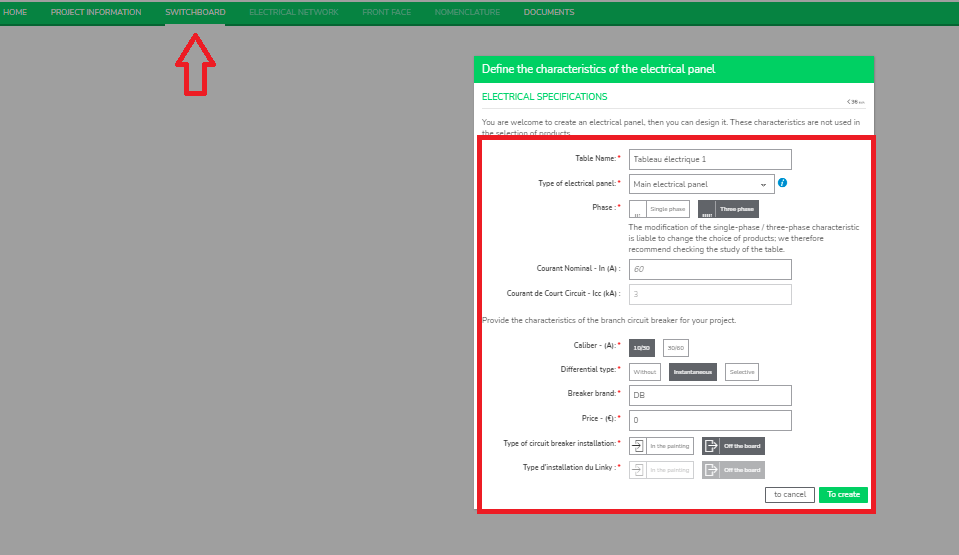
- Fill your specifications in Switchboard tab and save your project.
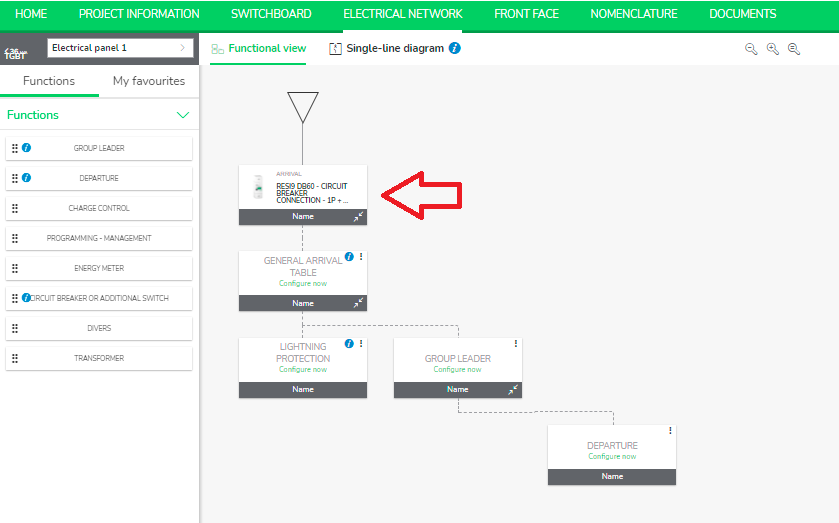
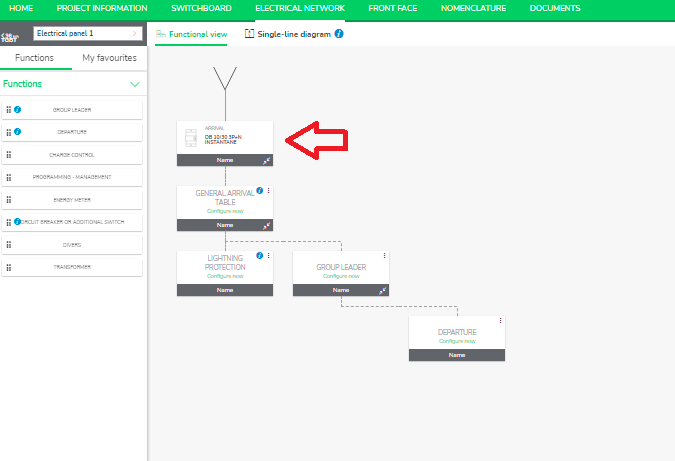
- You can see the SE product is being added under Electrical Network tab.
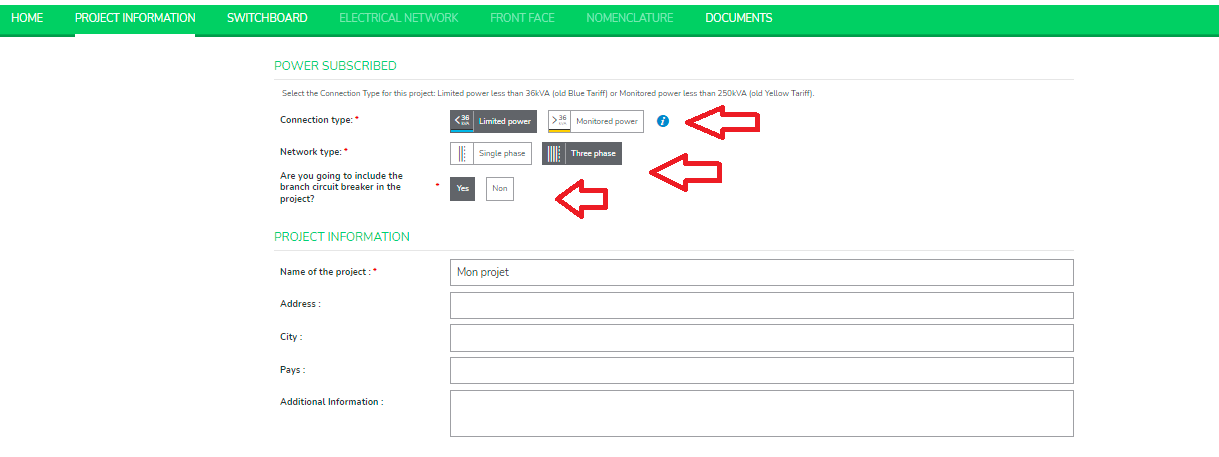
Step 3: To configure non-SE circuit breaker:
- Login to the applicationSmall Building App and click Create your project.
- Select Limited power in Connection type, select Three phase in Network type and keep branch circuit breaker as Yes and save your project.
- To include the branch circuit breaker, choose Yes.
- Move to Switchboard tab and select the characteristics and save.
- You can see the non-SE product is being added under Electrical Network tab.