

Discover Harmony ST6
Discover Harmony ST6
About Harmony ST6
Harmony ST6 is a cost-effective and best-in-class quality HMI panel with good graphics and stylish design. It is available in three models: Basic HMI, Basic Web HMI, Basic Modular HMI.• High-resolution widescreen format with 16M colors• Wide range of display size: 4W to 15W• Refined HW design with Aluminum front panel (Basic HMI, ST6)• Unique pushbutton 22mm mounting system (Basic Modular HMI, STM6)• Intuitive design powered by EcoStruxure Operator Terminal Expert software• Pre-installed browser to visualize all devices with HTML5 server (Basic Web HMI, STW6)
Remote visualization
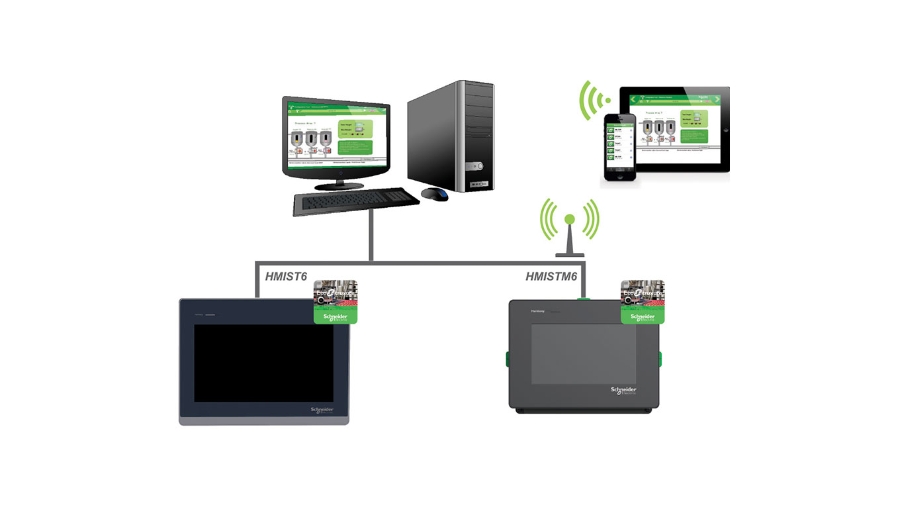
Web Viewer feature of EcoStruxure Operator Terminal Expert:
• Enables to watch/operate the HMI screen remotely with the mirroring function• Runs on a generic web browser for all devices• Easy to configure and allows up to 3 simultaneous remote connections
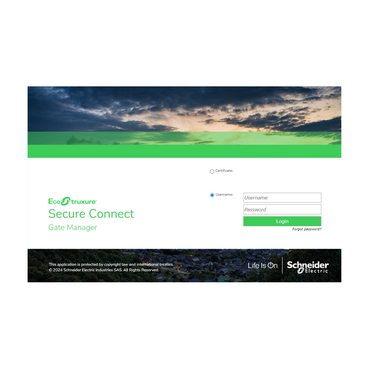
Pre-installed EcoStruxure Secure Connect Advisor allows remote access to the device via a private connection.
Video presentations
Video presentations
Easy like a push button
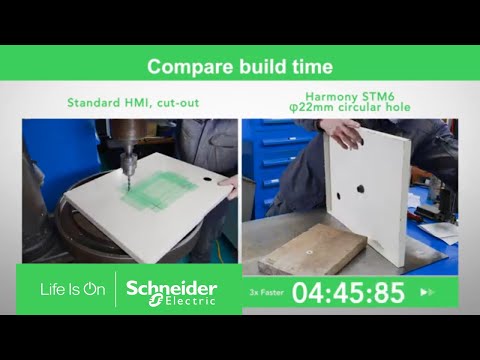
Basic Modular HMI, STM6 has a unique pushbutton 22mm mounting system to reduce installation time drastically.• Easy, quick, and tool-free mount on cabinet with 22mm hole• Easy for maintenance with modularity (spare part models)• Easy for specific applications with separation cable accessory
Easily displays HTML5 information on-site
Harmony STW6 is a special version that comes with a pre-installed browser. It provides a ready-to-use and agnostic terminal that enables visualization of all devices with an HTML5 server.
Benefits of Harmony ST6
Benefits of Harmony ST6
Efficiency
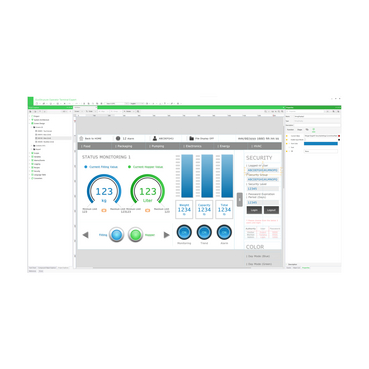
High-resolution screen and terminal ST6/STM6, with multi-screen and layout objects (Dock Panel) functions, combine more information in one page facilitating easy operation.
Flexibility
3 types of models to meet your needs- Basic HMI, Basic Web HMI, and Basic Modular HMI.
Digitization
Remote visualization of HMI application with Web Viewer feature and OPC-UA server communication to connect OT to IT.
Protection
End-to-end cyber security including remote connections.


How-to videos
How-to videos
Harmony STM6 22mm mounting video
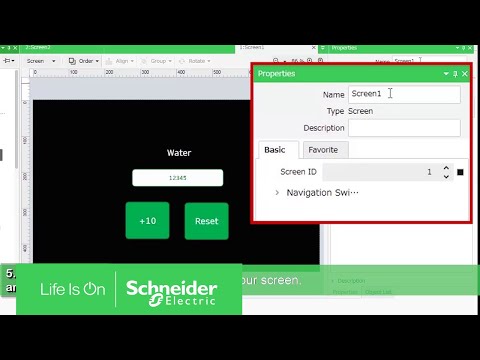
How to make a simple screen
Features
Features
Facts about Harmony ST6
• High-resolution screen powered by EcoStruxure Operator Terminal Expert software, with multi-screen and layout objects (Dock Panel) functions, to combine more information in one page for easy operation.
• Tool-free fastener for fast and easy mounting.
• Ability to access all HTML5 servers with Basic Web HMI, Harmony STW6 version.
• Availability of Web Viewer function on Harmony HMIST6 and HMISTM6 versions that allows remote visualization of the HMI application on PC/Tablet/Smartphone.
• Basic HMI, Harmony ST6, and STM6 with the best-in-class user interface for multi-device connection: 2 x Ethernet ports with Dual IP, 2x COM (except 4” model)/USB host and device.
• Basic Web HMI, Harmony STW6 with 2 x Ethernet ports with one IP address for daisy chain connection (except 4'' model).
• Enhanced cybersecurity from application to firmware level.
• EcoStruxure Secure Connect Advisor, pre-installed on Harmony HMIST6 and HMISTM6 versions, for secure remote maintenance of HMI and connected devices.
Additional resources
Additional resources
Similar products you might be interested in
Similar products you might be interested in

Models
Models
Basic HMI, ST6 | Basic HMI configured by EcoStruxure Operator Terminal Expert | 4”W ~ 15”W | Panel cut-out installation with tool free fastener | EcoStruxure Operator Terminal Expert |
Web HMI, STW6 | Ready-to-use terminal to visualize all devices with an HTML5 server | 4”W ~ 15”W | Panel cut-out installation with tool free fastener | N/A |
Basic Modular HMI, STM6 | Basic HMI with unique Push button 22mm mounting system | 4”W, 7”W, Faceless | Push button 22mm mounting | EcoStruxure Operator Terminal Expert |
