


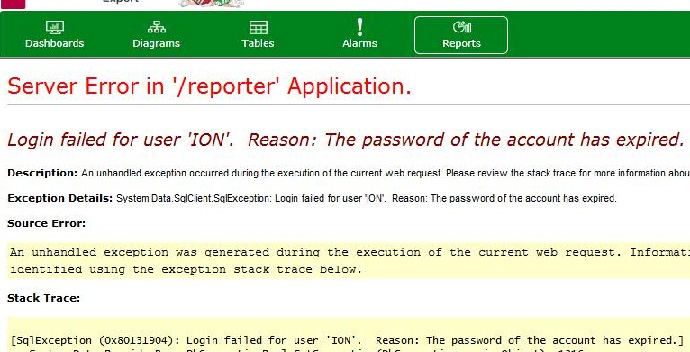
Server error in '/reporter' Application. Login failed for user 'ION'. Reason: The password of the account has expired.
Issue:
A customer is attempting to access web reports within PME and received the error message below:
Product Line:
Power Monitoring Expert 7.2.2
Power Monitoring Expert 8.0
Power Monitoring Expert 8.1
Environment:
Web Applications - Web Reports
Cause:
The password for the SQL ION account has expired.
Resolution:
1) Open SQL Server Management Studio on the PME server
2) Expand the Security < Logins section
3) Right-click on the 'ION' account and select 'Properties' from the menu
4) Uncheck 'Enforce password expiration' and click 'OK'
5) Open a command prompt window and run the command 'iisreset'
6) Once the reset completes log in to the PME web page and confirm that reports can now load successfully
A customer is attempting to access web reports within PME and received the error message below:
Product Line:
Power Monitoring Expert 7.2.2
Power Monitoring Expert 8.0
Power Monitoring Expert 8.1
Environment:
Web Applications - Web Reports
Cause:
The password for the SQL ION account has expired.
Resolution:
1) Open SQL Server Management Studio on the PME server
2) Expand the Security < Logins section
3) Right-click on the 'ION' account and select 'Properties' from the menu
4) Uncheck 'Enforce password expiration' and click 'OK'
5) Open a command prompt window and run the command 'iisreset'
6) Once the reset completes log in to the PME web page and confirm that reports can now load successfully
Released for: Schneider Electric United Arab Emirates
