


Viewing or updating the exec firmware of the '140CRP31200' by connecting to the Modbus port of the '140CPO65xxx' PLC and selecting 'Local Head', will cause the CPU to Halt.
Issue
Viewing or updating the exec firmware of the '140CRP31200' by connecting to the Modbus port of the '140CPO65xxx' PLC and selecting 'Local Head',
will cause the CPU to Halt.
Product Line
140CPU65860
Environment
Unity, Windows 10
Resolution
If you connect 'OS loader' to the Modbus serial port of a '140CPU65xxx' PLC and then select the local head to view or update the exec firmware version in a
'140CRP31200' module, the CPU will 'Halt' without prompting the user to stop the PLC. When this occurs, 'OS Loader' return a '8180hex' error code,
The reason the issue occurs is due the use of an improper method for viewing or updating the '140CRA31200' module.
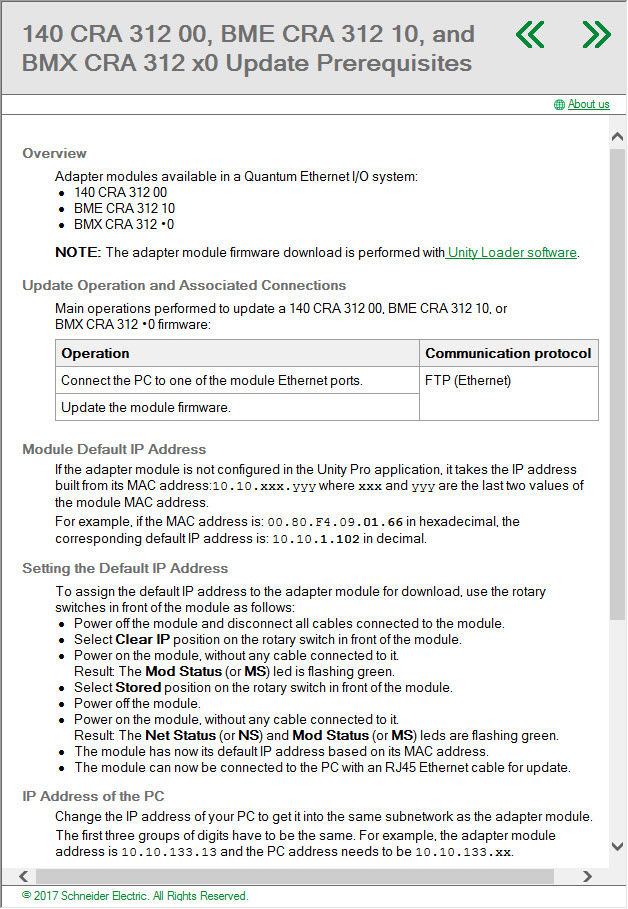
Per the Unity online help, the proper method for viewing or updating the exec firmware is to use 'OS Loader with an Ethernet connection to the
'140CPR31200' module.
Viewing or updating the exec firmware of the '140CRP31200' by connecting to the Modbus port of the '140CPO65xxx' PLC and selecting 'Local Head',
will cause the CPU to Halt.
Product Line
140CPU65860
Environment
Unity, Windows 10
Resolution
If you connect 'OS loader' to the Modbus serial port of a '140CPU65xxx' PLC and then select the local head to view or update the exec firmware version in a
'140CRP31200' module, the CPU will 'Halt' without prompting the user to stop the PLC. When this occurs, 'OS Loader' return a '8180hex' error code,
The reason the issue occurs is due the use of an improper method for viewing or updating the '140CRA31200' module.
Per the Unity online help, the proper method for viewing or updating the exec firmware is to use 'OS Loader with an Ethernet connection to the
'140CPR31200' module.
Released for: Schneider Electric Belgium
