


How can we help you today?
How do I deactivate/activate the UWF (Unified Writer Fiter) on Windows 10 Embedded iPC?
Issue:
File writes or program installation to the main drive of a Magelis iPC are not being kept before and after a restart because the disk volume is write-protected.
Product Line:
Magelis iPC, HMIG5U22, HMIG5U21
Environment:
Windows 10 IoT Enterprise 32bit
Resolution:
1. First, go to the Start Menu (aka Windows Icon) and navigate to Schneider Electric – Utilities -> UWF Change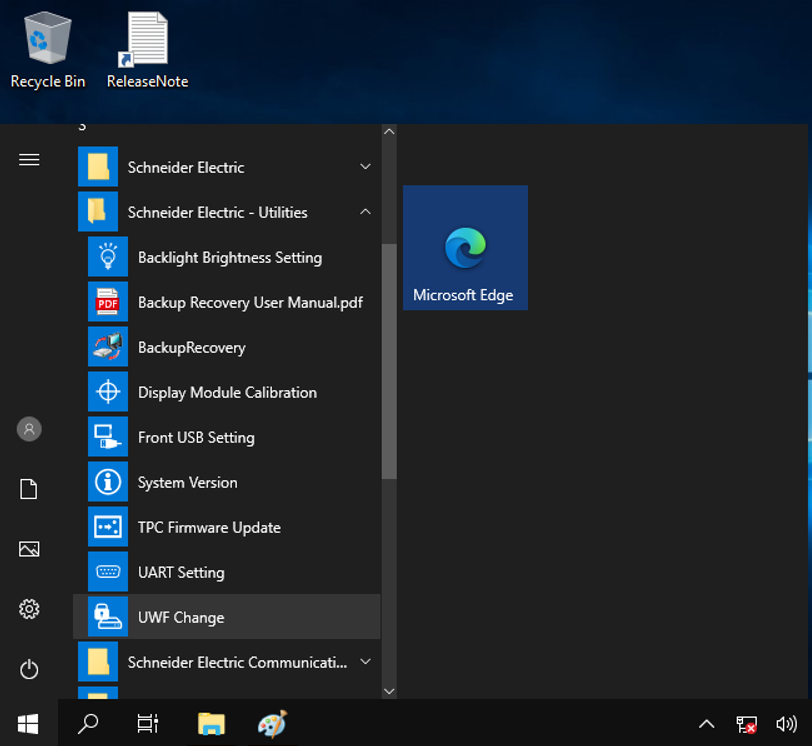
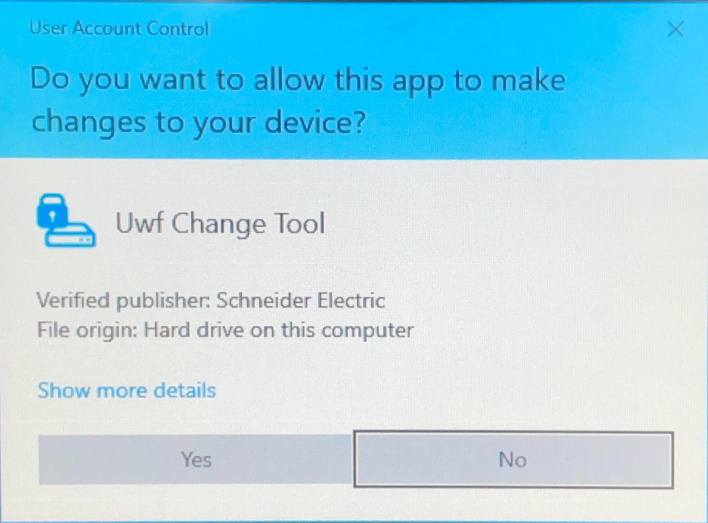
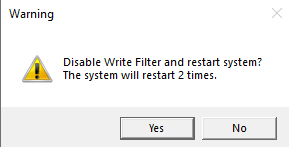
2. Press the YES Button.
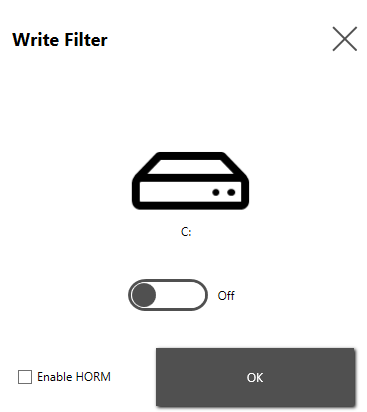
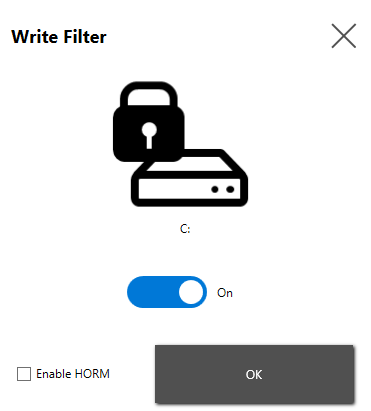
3. To deactivate/activate the UWF, toggle the off/on switch and press OK.
4. Press the YES Button
File writes or program installation to the main drive of a Magelis iPC are not being kept before and after a restart because the disk volume is write-protected.
Product Line:
Magelis iPC, HMIG5U22, HMIG5U21
Environment:
Windows 10 IoT Enterprise 32bit
Resolution:
1. First, go to the Start Menu (aka Windows Icon) and navigate to Schneider Electric – Utilities -> UWF Change
2. Press the YES Button.
3. To deactivate/activate the UWF, toggle the off/on switch and press OK.
4. Press the YES Button
Released for: Schneider Electric Belgium
Explore more
Product:

Explore more
Product:
Need help?
Get a Quote
Start your sales inquiry online and an expert will connect with you.
Where to buy?
Easily find the nearest Schneider Electric distributor in your location.
Help Center
Find support resources for all your needs, in one place.