


How to Terminate All Sessions Prior to Restoring a Database
Issue
Cannot restore a database. The Restore Database operation fails, reporting that exclusive access could not be obtained because the database is in use.
Product
Power Monitoring Expert 7.2.x
Power Monitoring Expert 8.x
Power Monitoring Expert 9.0
Power Monitoring Expert 2020
Power Monitoring Expert 2021
Power Monitoring Expert 2022
Power Monitoring Expert 2023
Power Monitoring Expert 2024
Environment
SQL Server
Cause
Before an existing database can be restored, there should be no connections using the database. If the database is currently in use the RESTORE command fails with below error:
Exclusive access could not be obtained because the database is in use.
Msg 3013, Level 16, State 1, Line 2
RESTORE DATABASE is terminating abnormally.
Resolution
To avoid this, we need to terminate all sessions that use the database. All sessions using the database can be obtained
by executing the system stored procedure sp_who2 or by querying the sys.dm_exec_sessions table as:
SELECT   session_id
FROM     sys.dm_exec_sessions
WHERE    DB_NAME(database_id) = 'RestoringDatabaseName'
You need to terminate each of the sessions returned individually by using KILL command.
If there are a large number of sessions to terminate, or you need to do this on a routinely,this can be a lengthy and tedious process.
You can *automate* this using below script, which takes the database name as input, and terminates all sessions connecting to it.
USE [master]
GO

DECLARE @dbName SYSNAME
DECLARE @sqlCmd VARCHAR(MAX)

SET @sqlCmd = ''
SET @dbName = 'RestoringDatabaseName' -- Change database name here

SELECT   @sqlCmd = @sqlCmd + 'KILL ' + CAST(session_id AS VARCHAR) +
         CHAR(13)
FROM     sys.dm_exec_sessions
WHERE    DB_NAME(database_id) = @dbName

PRINT @sqlCmd

--Uncomment below line to kill
--EXEC (@sqlCmd)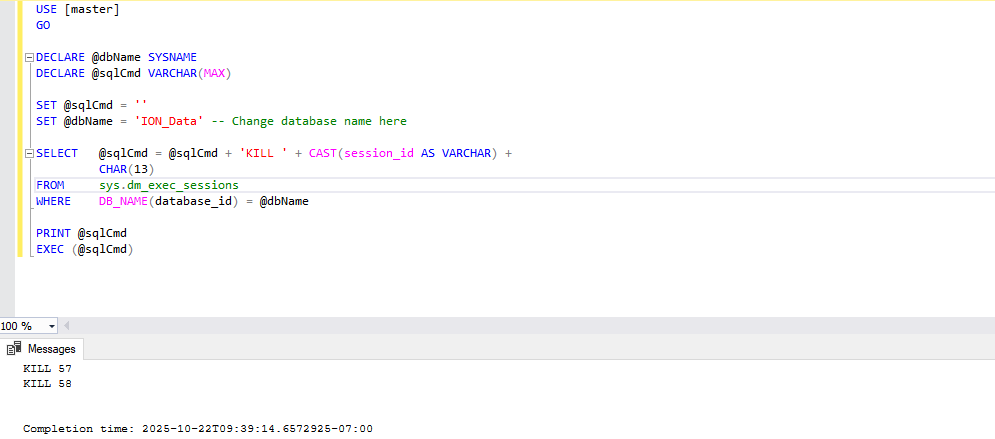
** see attachment containing the SQL script text