


The recent file list for Unity is getting too long and contains a list of Unity applications that are no longer used.
Issue
The recent file list for Unity is getting too long and contains a list of Unity applications that are no longer used. How can it be cleaned up?
Product Line
Unity
Environment
Windows 10
Resolution
The recent file list for Unity is getting too long and contains a list of Unity applications that are no longer used. How can it be cleaned up?
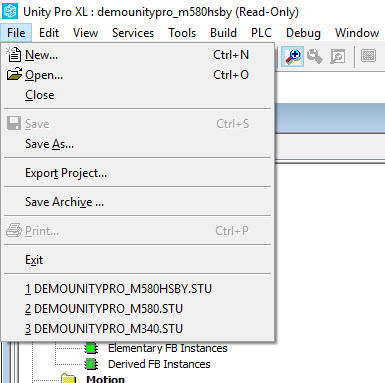
The following steps can be used to reduce the size of the recent file list by removing items that are no longer used from the list.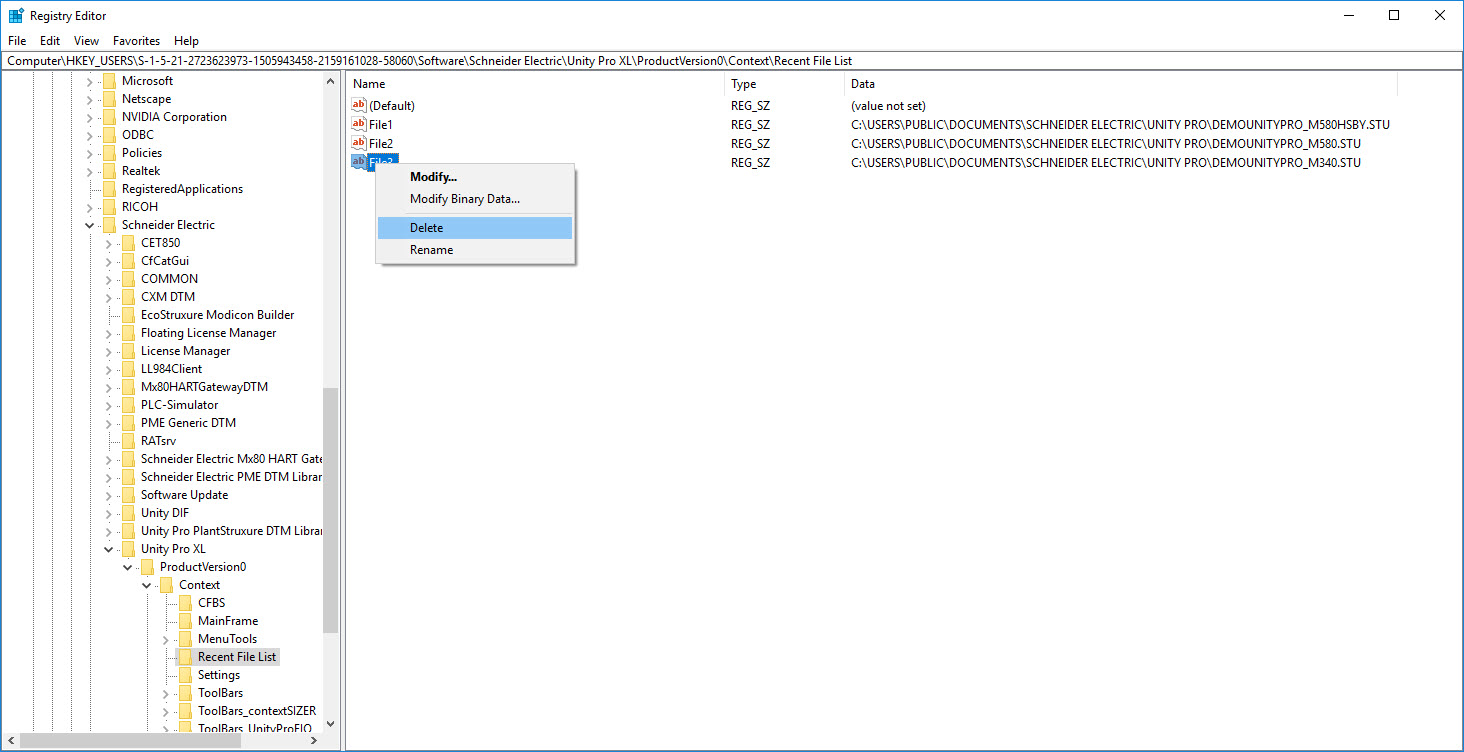
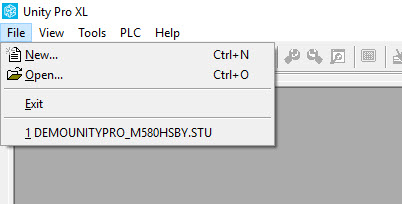
The next time Unity is opened, the recent file list will be shorter:
The recent file list for Unity is getting too long and contains a list of Unity applications that are no longer used. How can it be cleaned up?
Product Line
Unity
Environment
Windows 10
Resolution
The recent file list for Unity is getting too long and contains a list of Unity applications that are no longer used. How can it be cleaned up?
The following steps can be used to reduce the size of the recent file list by removing items that are no longer used from the list.
- Open the registry editor.
- Navigate to the HKEY_USERS key for the current user.
- Click on Software
- Click on Schneider Electric
- Click on Unity Pro XL
- Click on ProductVersion0
- Click on Context
- Click on Recent File List
- Right click on the file listing for the Unity applications that you no longer need to see in the list.
- Select 'Delete'
- Close the registry editor.
The next time Unity is opened, the recent file list will be shorter: