


How can I import/export DTM from BMENOC03x1 on Unity Pro 13.1?
Issue
This new feature has been introduced on Unity Pro v13.1 and allow to import a BMENOC0321 or a BMENOC0301/11 module configuration and all the devices configured behind the NOC master DTM.
Product Line
Unity Pro, M580, BMENOC0301, BMENOC0311, BMENOC0321
Environment
Unity Pro 13.1, BMEP584040 v2.80, BMENOC0301 v2.15
Resolution
This is a new feature and some customer are not familiar about how to do it. So, you can follow the steps bellow to import the DTM configuration.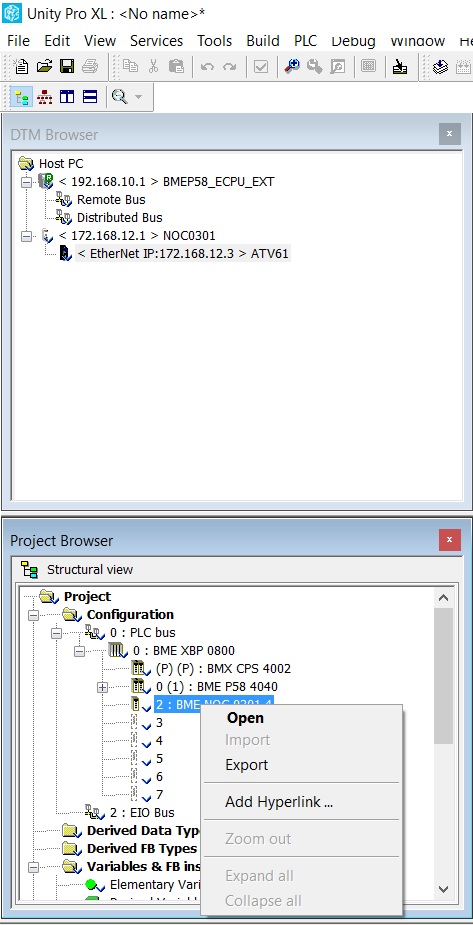
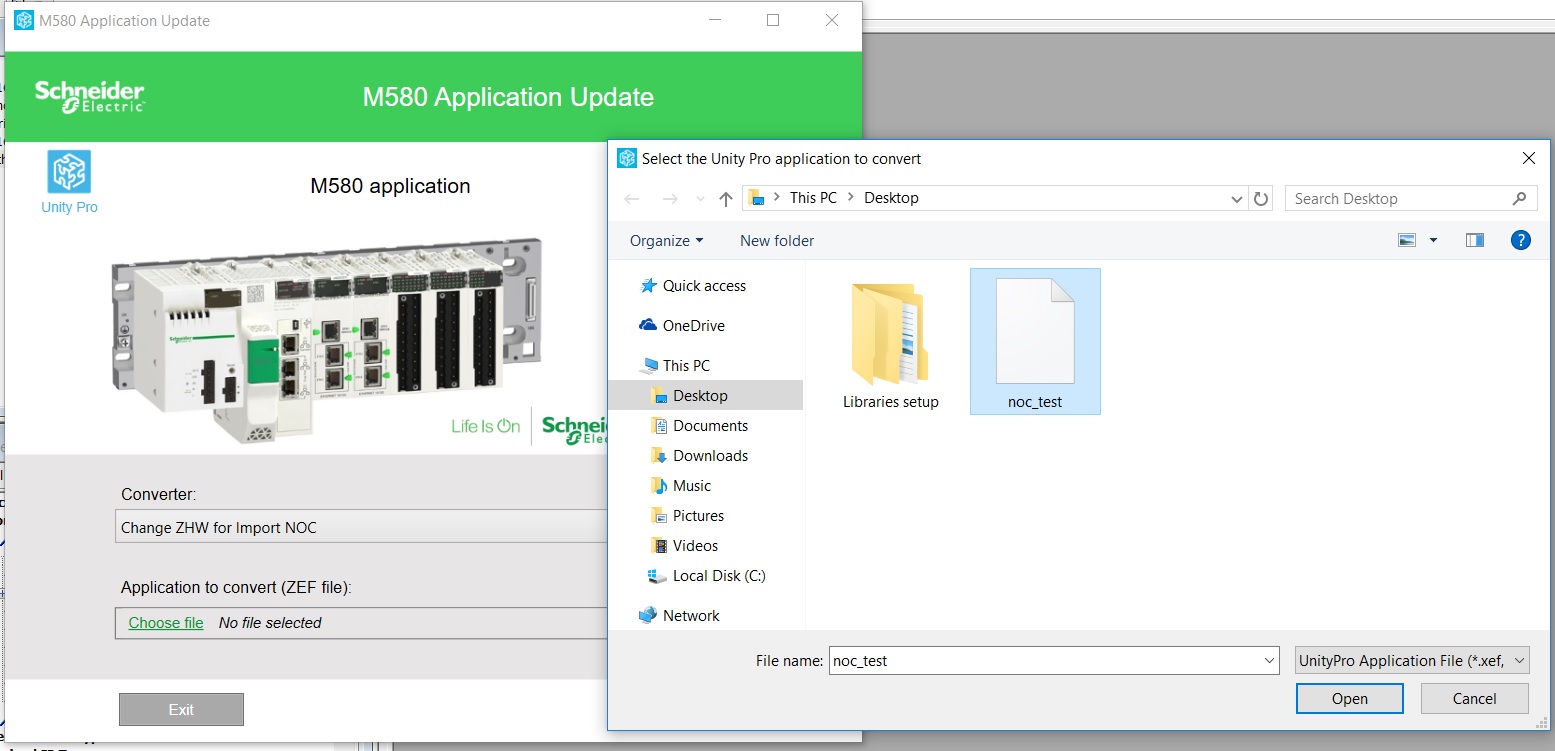
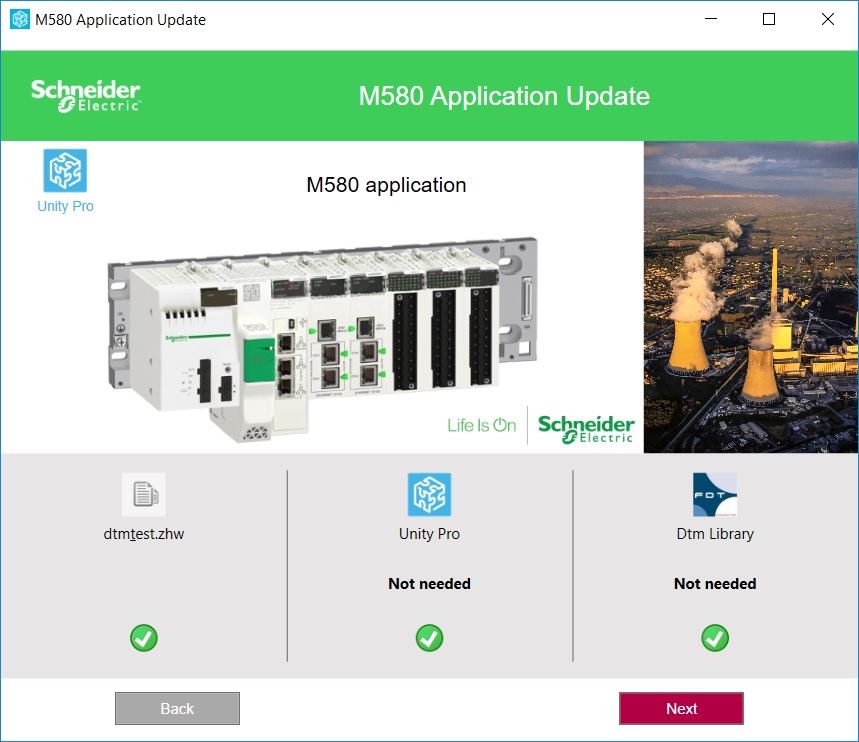
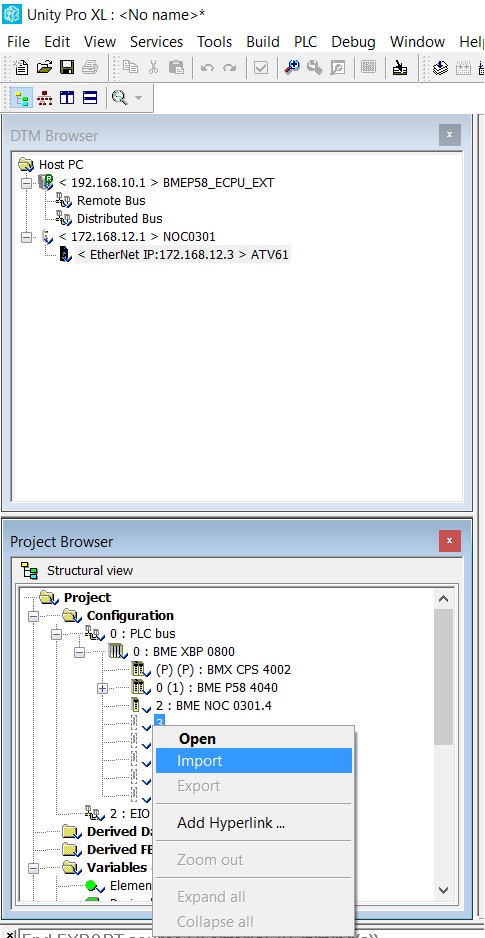
P.S.: You cannot import twice (or more) the same exported file (.zhw) in the same application.
This new feature has been introduced on Unity Pro v13.1 and allow to import a BMENOC0321 or a BMENOC0301/11 module configuration and all the devices configured behind the NOC master DTM.
Product Line
Unity Pro, M580, BMENOC0301, BMENOC0311, BMENOC0321
Environment
Unity Pro 13.1, BMEP584040 v2.80, BMENOC0301 v2.15
Resolution
This is a new feature and some customer are not familiar about how to do it. So, you can follow the steps bellow to import the DTM configuration.
- Export the module with DTM configuration and it will create a .zhw file
- Use M580ApplicationUpdate.exe to make a file conversion. This tool is located in the same program directory as Unity Pro software, by default C:\Users\Public\Documents\Schneider Electric\Unity Pro\Extras\M580 Application Update
- You can check the compatibility of the file
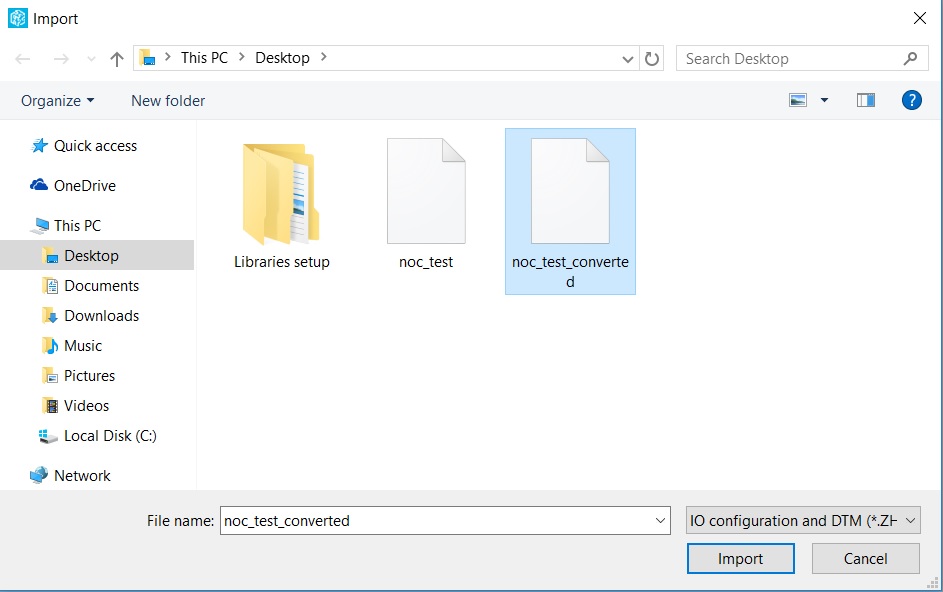
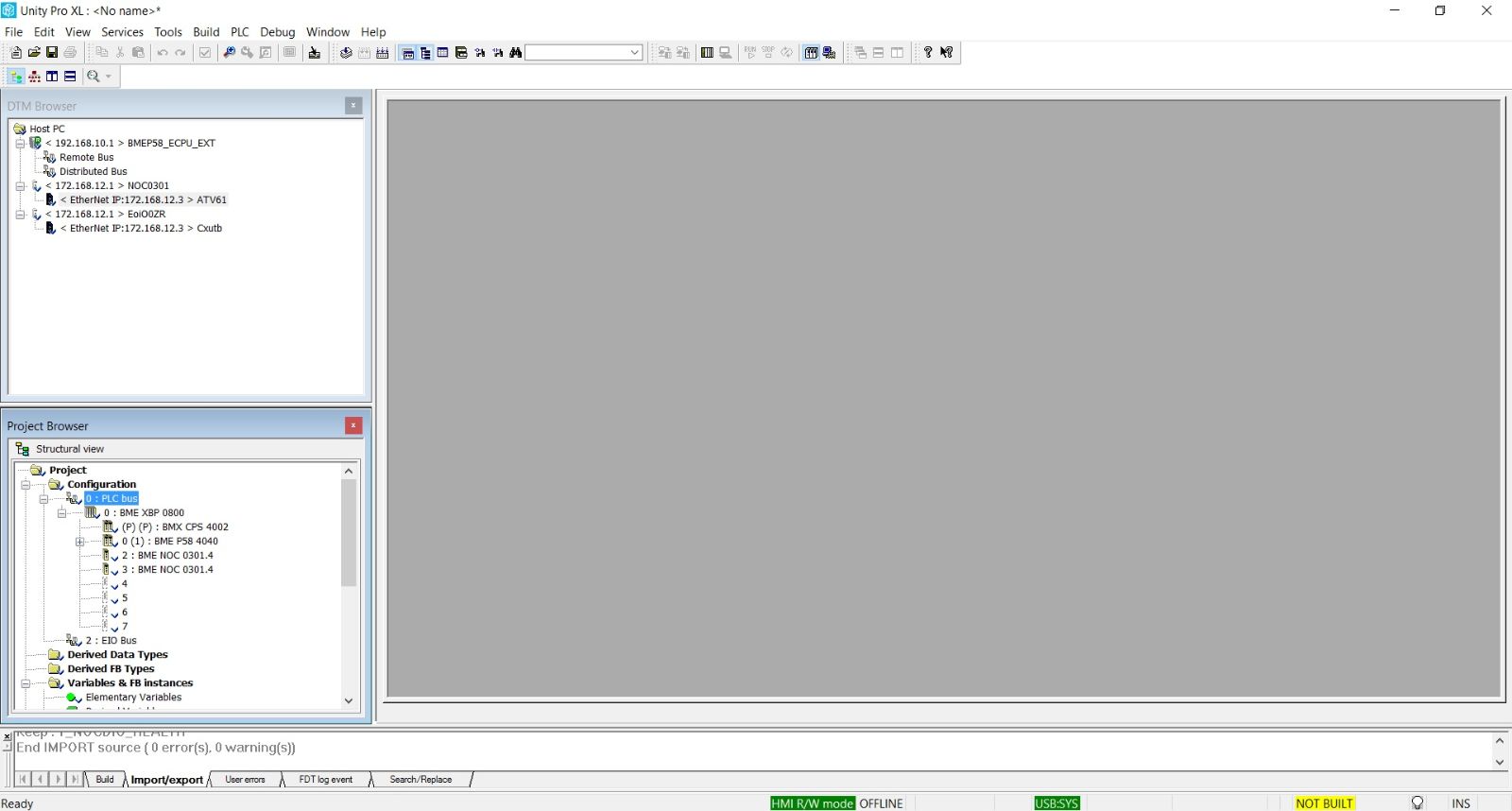
- Select an empty slot of the M580 main rack and import. E.g., you can import for the same project or for another project
P.S.: You cannot import twice (or more) the same exported file (.zhw) in the same application.