


DTM Audit tool : Backward compatibility orange cross stays orange even after a Rebuild Done was done.
Opening an Ecostruxure Control Expert or Unity Pro application with DTMs inside, the DTM Audit tool will pop up.
Depending the version of DTMs used to build the application versus thus installed on the PC, different messages can be displayed. One concerns the backward compatibility and keep us informed that if an update of DTMs is done then the compatibility will be lost (this applcation could not be anymore use on the PC where the application was built)
The fact to do a Rebuild All will not update the DTMs, today to update them you must done one of the operation described on the contextual menu that will displayed letting your mousse pointer on the Green square "Backward compatibity".
IMPORTANT This warning about Backward compatibility will stay true unitl a update DTM was done.
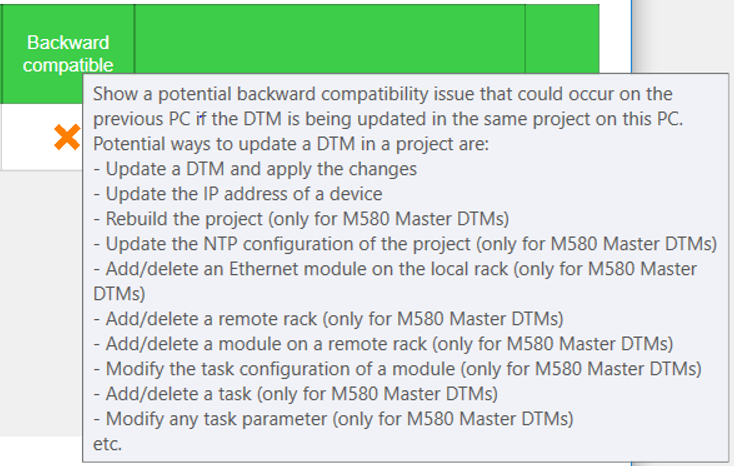
Depending the version of DTMs used to build the application versus thus installed on the PC, different messages can be displayed. One concerns the backward compatibility and keep us informed that if an update of DTMs is done then the compatibility will be lost (this applcation could not be anymore use on the PC where the application was built)
The fact to do a Rebuild All will not update the DTMs, today to update them you must done one of the operation described on the contextual menu that will displayed letting your mousse pointer on the Green square "Backward compatibity".
IMPORTANT This warning about Backward compatibility will stay true unitl a update DTM was done.