


PME - How to view progress for a database archive running in Database Manager
Issue
The user would like to confirm the database archive being taken with Database Manager is still running.
Product Line
Power Monitoring Expert 7.x
Power Monitoring Expert 8.x
Power Monitoring Expert 9.0
Power Monitoring Expert 2020
Power Monitoring Expert 2021
Power Monitoring Expert 2022
Power Monitoring Expert 2023
Environment
Management Console
Database Manager
SQL Server Management Studio
Resolution
*Warning: Irreparable database damage can occur. This procedure should only be performed by users familiar with SQL Server Management Studio. Databases should be backed up prior to performing this procedure.*
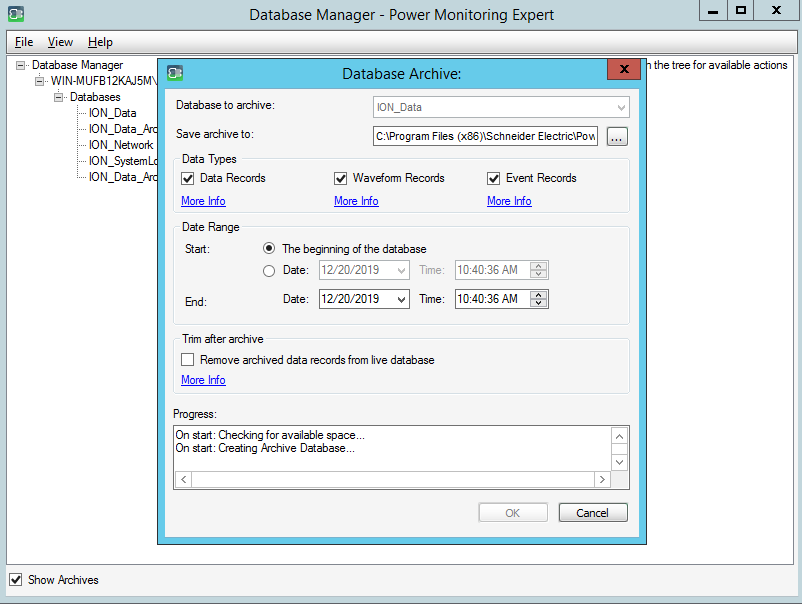
1. Start the archive using Database Manager; refer to FA383305 steps 1-7 for a procedure on how to archive a PME database
2. Open SQL Server Management Studio (SSMS), then connect to the PME database instance (default is ION)
3. Click New Query
4. Type or copy/paste in the following script:
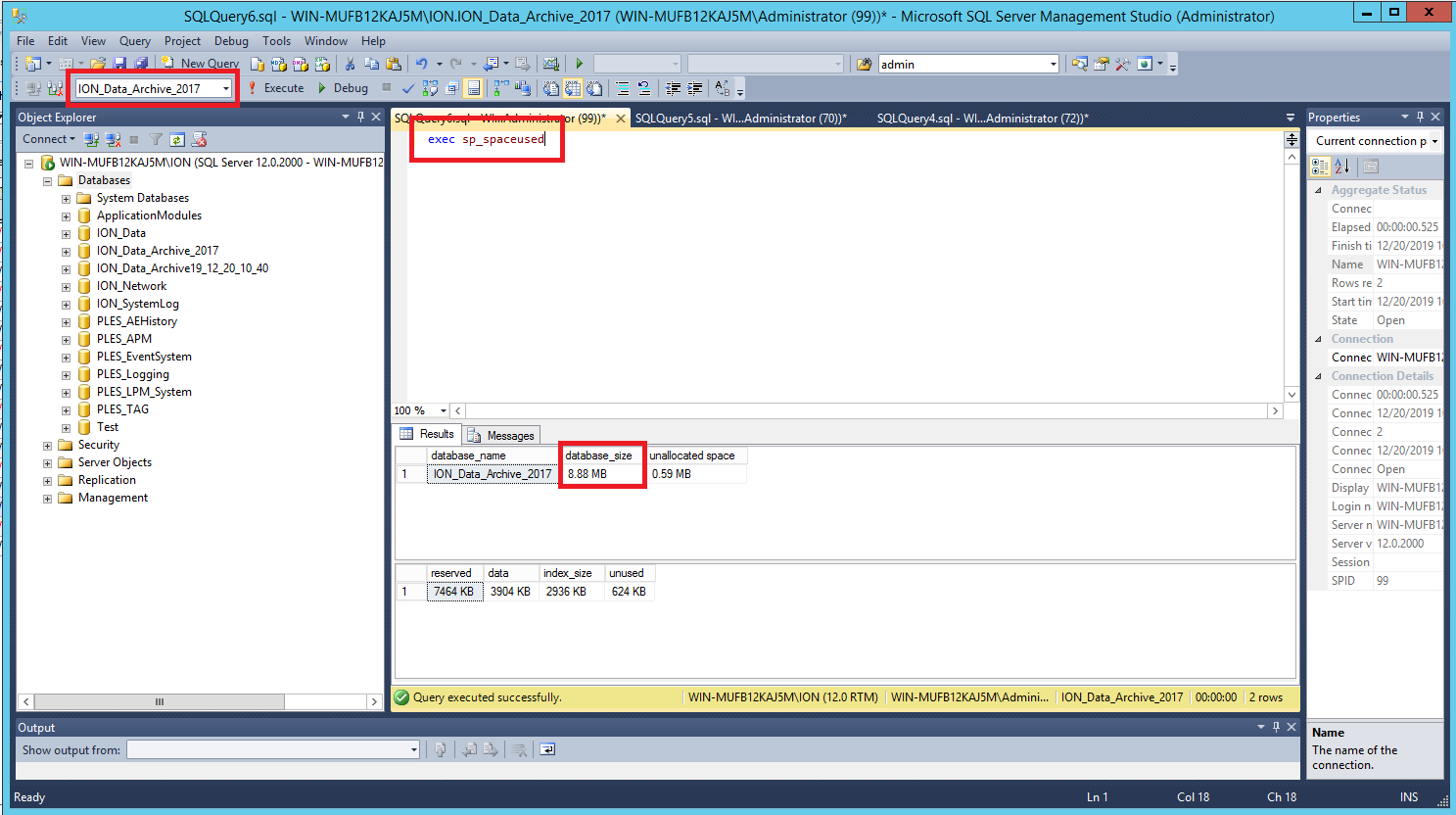
5. Select the archive from the dropdown menu in the top left, then click Execute
6. Click Execute again after a short time to refresh the query and it will show that the archive size is steadily increasing
The user would like to confirm the database archive being taken with Database Manager is still running.
Product Line
Power Monitoring Expert 7.x
Power Monitoring Expert 8.x
Power Monitoring Expert 9.0
Power Monitoring Expert 2020
Power Monitoring Expert 2021
Power Monitoring Expert 2022
Power Monitoring Expert 2023
Environment
Management Console
Database Manager
SQL Server Management Studio
Resolution
*Warning: Irreparable database damage can occur. This procedure should only be performed by users familiar with SQL Server Management Studio. Databases should be backed up prior to performing this procedure.*
1. Start the archive using Database Manager; refer to FA383305 steps 1-7 for a procedure on how to archive a PME database
2. Open SQL Server Management Studio (SSMS), then connect to the PME database instance (default is ION)
3. Click New Query
4. Type or copy/paste in the following script:
exec sp_spaceused5. Select the archive from the dropdown menu in the top left, then click Execute
6. Click Execute again after a short time to refresh the query and it will show that the archive size is steadily increasing