


Can I retrieve a configuration in Product Selector?
Only if the configuration has been saved with an **.se file or if you saved the Product Code 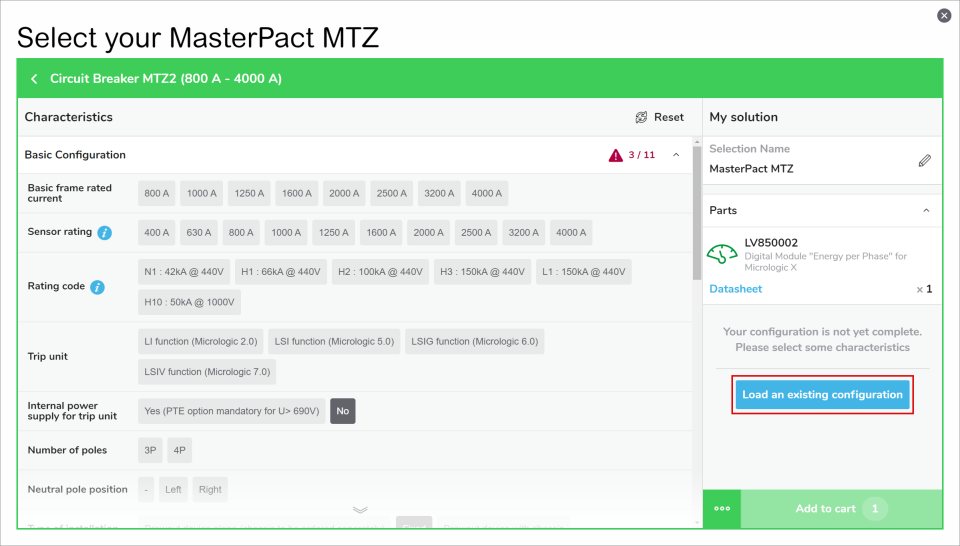
- Retrieve a configuration with the .se file. Please open any selector and click on the "Load an existing configuration" at the right of the screen. Or click on the "…" at the left of the "Add to cart" button, then select "Load an existing configuration". You will then be able to browse in your computer for the .se file, click OK and you will retrieve the full selection and basket.
- Retrieve a configuration with a Product Code, only for configured product. Please open a selector and click on the "…" at the left of the "Add to cart" button, then select "Load an existing configuration"