


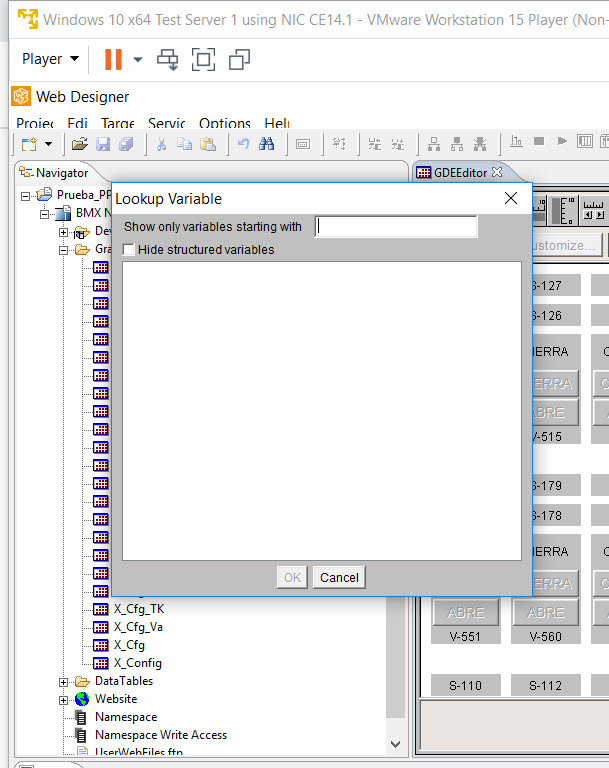
The Web Designer project 'LookUp Variable' table does not show any variables.
Issue
The Web Designer project 'LookUp Table' does not show any variables.
Product Line
BMXNOE0110
Environment
Web Designer
Resolution
If you try to open the Lookup Table, a blank table will get returned.
If you try to open the 'Namespace', the following error gets returned.
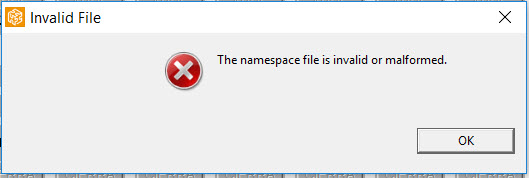
The issue is due to the 'Namespace' file being missing or corrupted in the project. This is causes the variables not getting populated in the 'LookUp Variable' table..
The following steps can be used to resolve the issue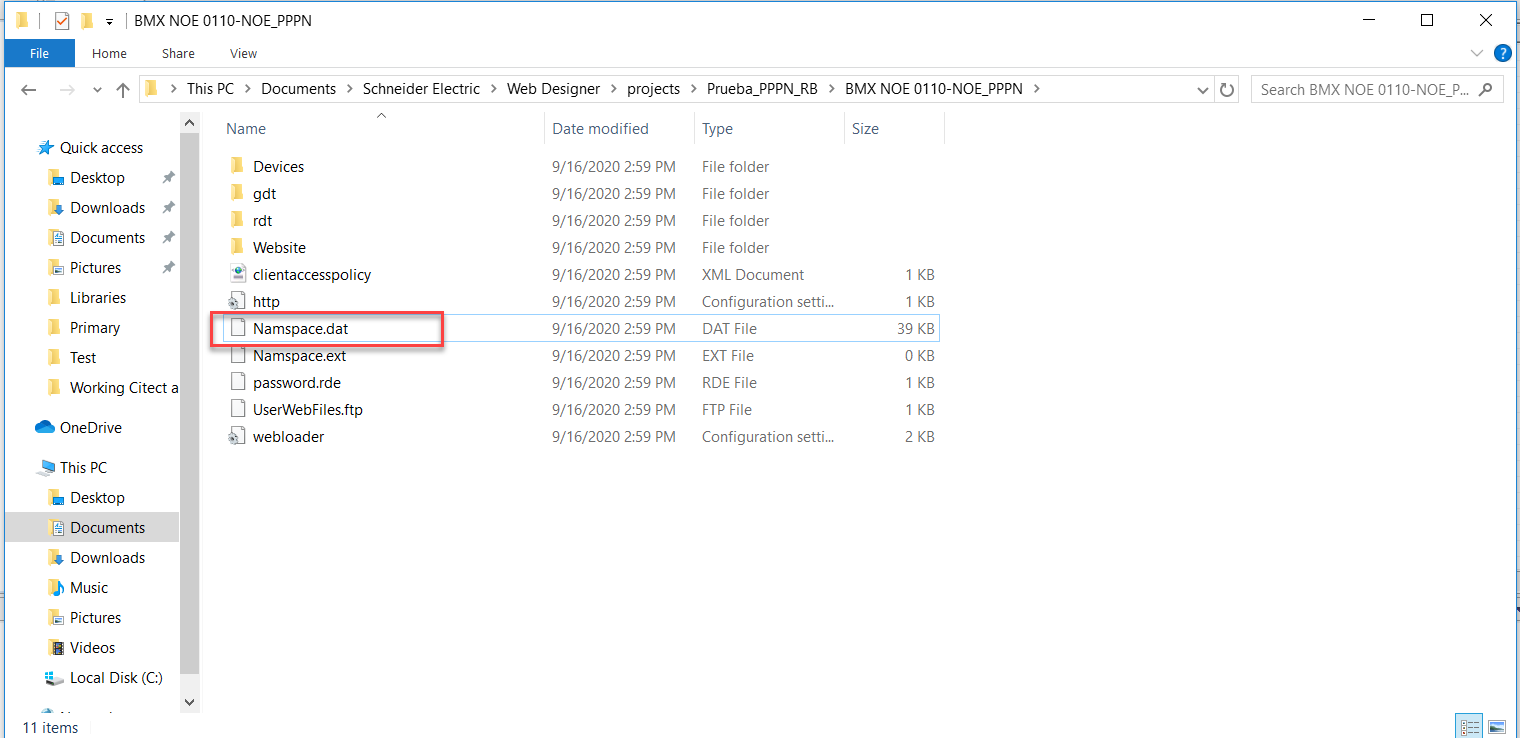
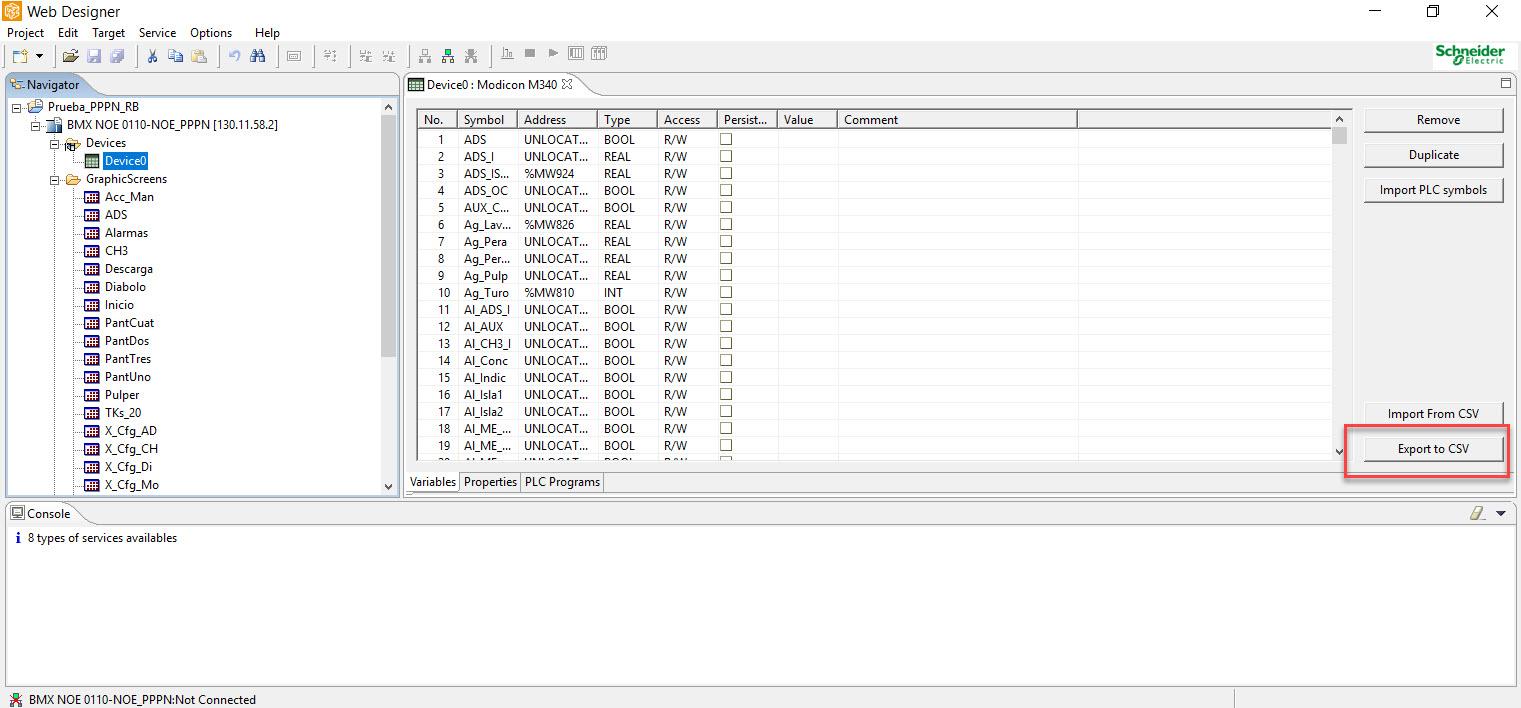
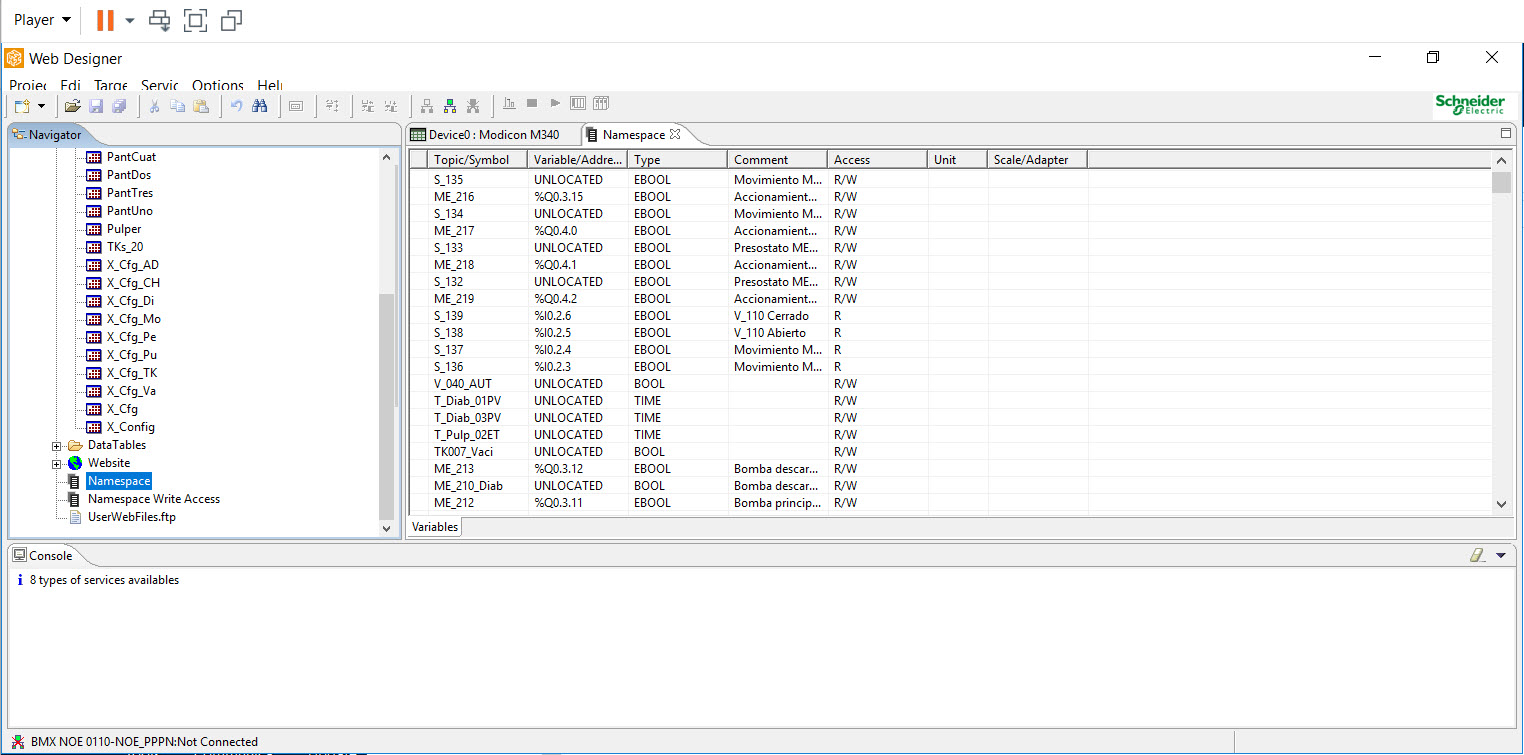
Now We can able to view the variables when we open the any one of the graphics page.
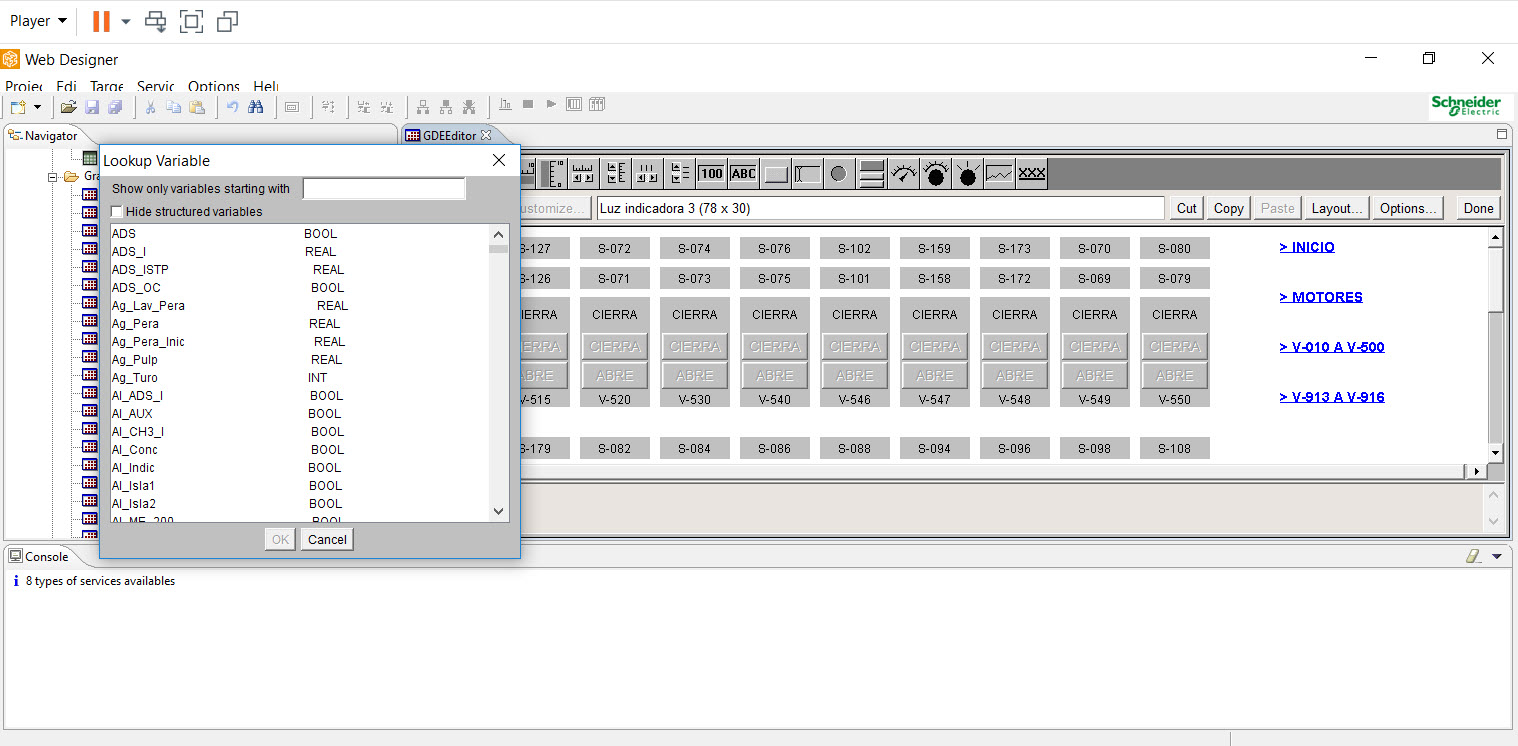
The Web Designer project 'LookUp Table' does not show any variables.
Product Line
BMXNOE0110
Environment
Web Designer
Resolution
If you try to open the Lookup Table, a blank table will get returned.
If you try to open the 'Namespace', the following error gets returned.
The issue is due to the 'Namespace' file being missing or corrupted in the project. This is causes the variables not getting populated in the 'LookUp Variable' table..
The following steps can be used to resolve the issue
- Backup the project.
- Navigate to the folder named ‘C:\Users\username\Documents\Schneider Electric\Web Designer\projects\Prueba_PPPN_RB\BMX NOE 0110-NOE_PPPN’.
- Delete the file named ‘Namespace.dat’.
- Open the ‘Device ’ table
- Click ‘Export to CSV’ option
- Save the file.
- Import the variables again using ‘Import From CSV’ option in the same page
Now We can able to view the variables when we open the any one of the graphics page.