


P type OSI-AP-TITLE value ‘1,3,9999,23’ is invalid according to its datatype, Why the Pattern constraint failed while importing the customer IED CID/SCD file into the BMENOP0300?
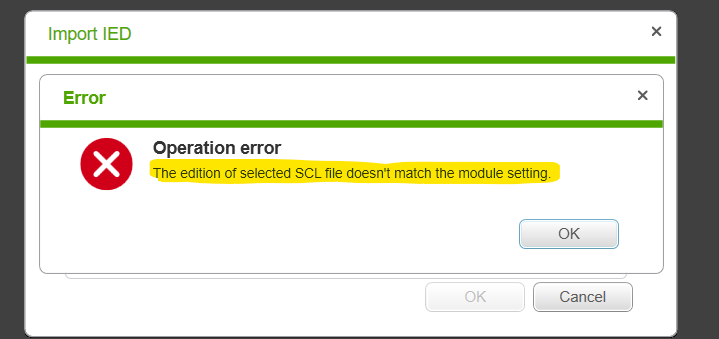
During importing the CID file provided by the customer and getting the following errors:
IEC61850 Configurator Tool Version 3.2 IR03 is used.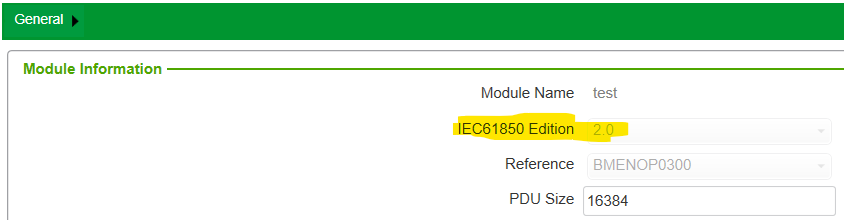
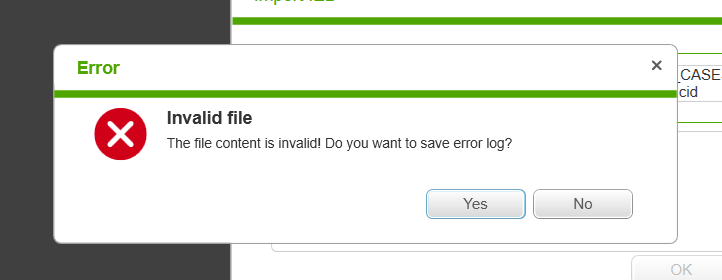
Select yes and save the error logs to get more clues.

As shown in the above snapshot the error logs tell from where the error is coming from which line number plus the description.
Open the provided CID/SCD file in the notepad++ and look for the same line:
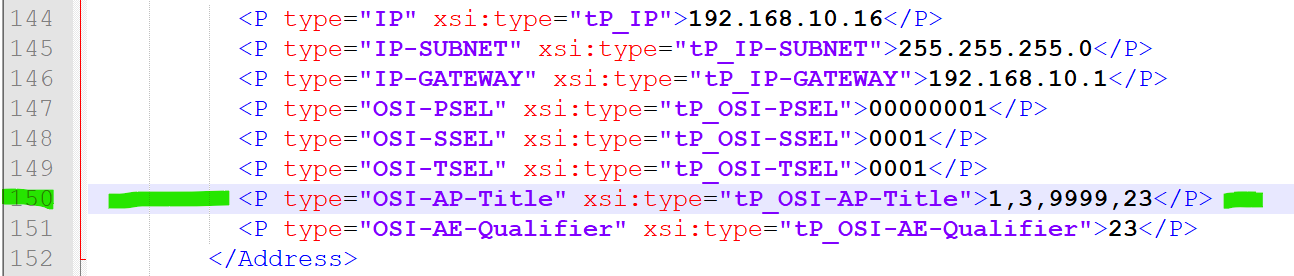
Based on the error message ‘1,3,9999,23’ is invalid according to its datatype.
As per IEC61850 standard:
For Edition one:
OSI-AP-Title would be according to SCL Ed. 1:
<P type="OSI-AP-Title" xsi:type="tP_OSI-AP-Title">"1,3,9999,23"</P>
For Edition two:
OSI-AP-Title would be according to SCL Ed. 2:
<P type="OSI-AP-Title" xsi:type="tP_OSI-AP-Title">1,3,9999,23</P>
We can see from the provided CID file, the edition version used is 1.0 but the way OSI-AP-Title is defined is based on edition 2 and that is why the error has occurred.
Remedy: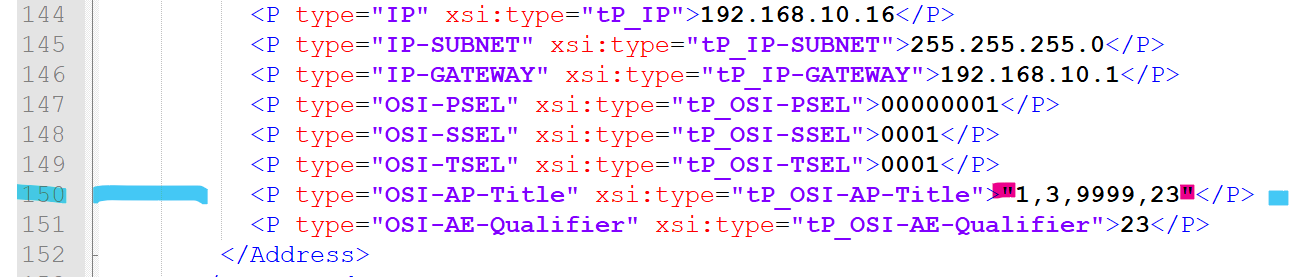
As shown in the above snapshot the inverted commas are added before and after
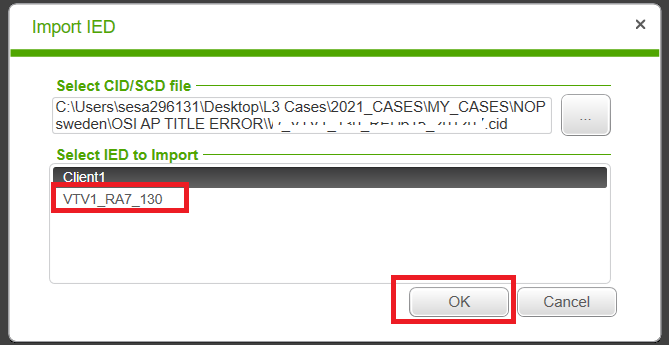
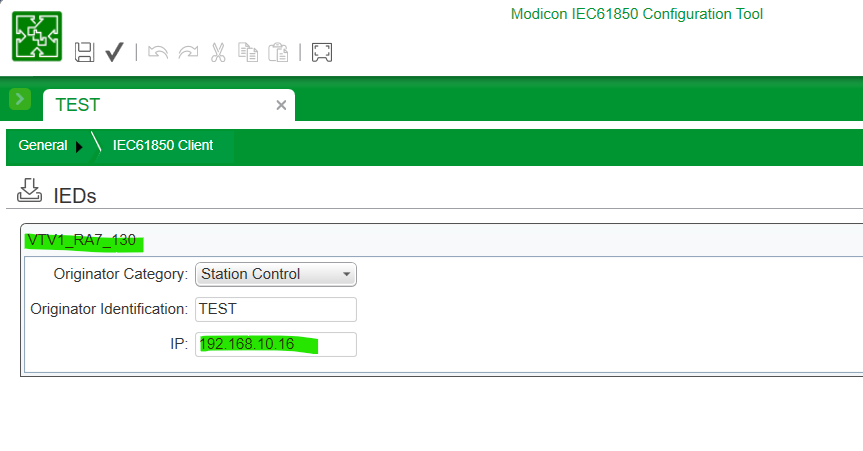
From the below snapshot we can see the CID file is imported successfully and IED is added in the Modicon IEC61850 Configurator tool.
Note: This particular CID file provided by the customer contains both Client and Server configuration in the same file. For the NOP act as a Client, we are interested only in the Server part of the IED. But in order to import the file successfully, we need to follow the above remedy, The issue on the OSI-AP-Tile is coming from the Client section of the IED file.
IEC61850 Configurator Tool Version 3.2 IR03 is used.
- Wrong IEC61850 Edition selected inside the IEC61850 configurator tool:
- After the correction of the IEC61850 Edition version inside the IEC61850 configurator tool:
- But we are still facing the Invalid file error:
Select yes and save the error logs to get more clues.
As shown in the above snapshot the error logs tell from where the error is coming from which line number plus the description.
Open the provided CID/SCD file in the notepad++ and look for the same line:
Based on the error message ‘1,3,9999,23’ is invalid according to its datatype.
As per IEC61850 standard:
For Edition one:
OSI-AP-Title would be according to SCL Ed. 1:
<P type="OSI-AP-Title" xsi:type="tP_OSI-AP-Title">"1,3,9999,23"</P>
For Edition two:
OSI-AP-Title would be according to SCL Ed. 2:
<P type="OSI-AP-Title" xsi:type="tP_OSI-AP-Title">1,3,9999,23</P>
We can see from the provided CID file, the edition version used is 1.0 but the way OSI-AP-Title is defined is based on edition 2 and that is why the error has occurred.
Remedy:
- Asked the customer to check the IED configuration tool and make sure the proper IEC61850 edition version is selected so the CID file is updated accordingly. (Recommended) OR.
- Change this line according to the IEC61850 Edition 1 version and save the file.
- After saving when you import this file it will import successfully.
As shown in the above snapshot the inverted commas are added before and after
From the below snapshot we can see the CID file is imported successfully and IED is added in the Modicon IEC61850 Configurator tool.
Note: This particular CID file provided by the customer contains both Client and Server configuration in the same file. For the NOP act as a Client, we are interested only in the Server part of the IED. But in order to import the file successfully, we need to follow the above remedy, The issue on the OSI-AP-Tile is coming from the Client section of the IED file.