


How and where to display or hide the role cards located downstream in eDesign Small Building
Issue: Display or hide the role cards in eDesign Small Building application
Product Line: eDesign Small Building https://edesign-630.se.com/
Resolution:
1. Go to Diagram tab in eDesign Small Building Application
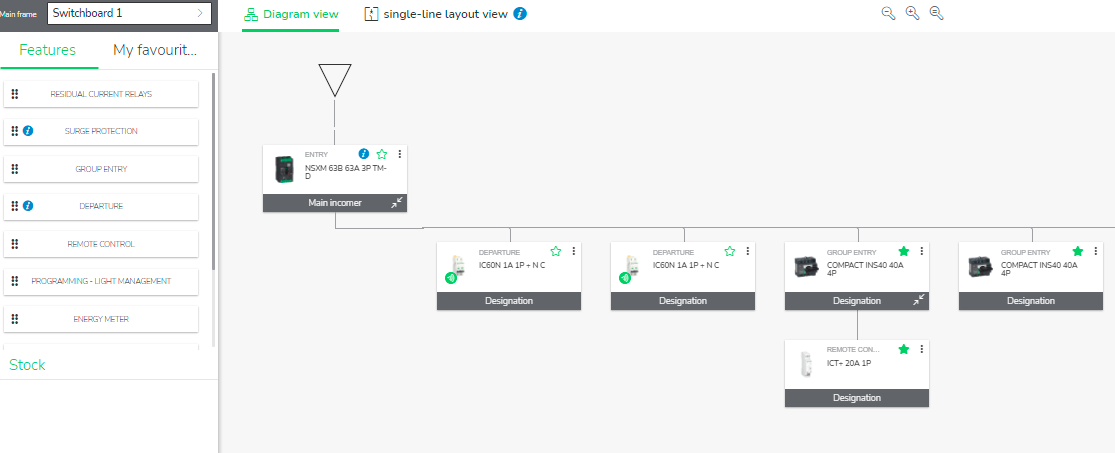
2.
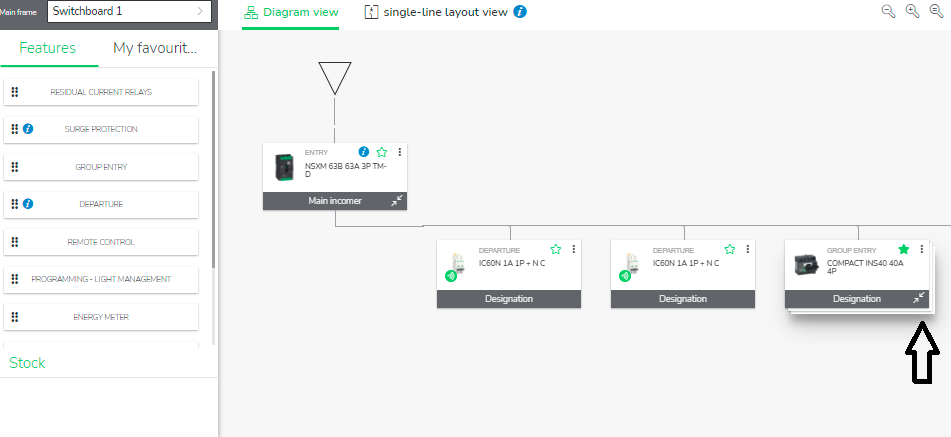
A button at the right of the naming part allows to display or hide the role cards located downstream.
Product Line: eDesign Small Building https://edesign-630.se.com/
Resolution:
1. Go to Diagram tab in eDesign Small Building Application
2.
A button at the right of the naming part allows to display or hide the role cards located downstream.