


How can I configure the OPC DA service of ConneXium Network Manager ?
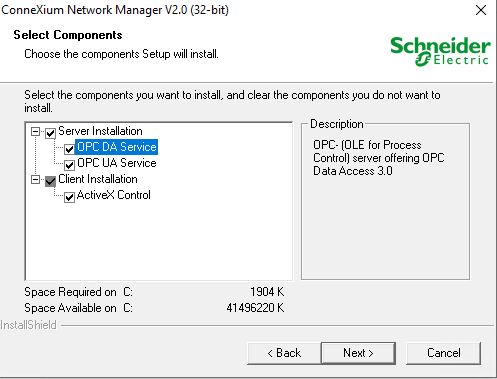
CNM supports OPC UA/DA service and only one server could be selected during installation.
The COM/DCOM Station Configuration should be modifed to support OPC DA service of CNM.
The configuration parameters must be defined while logged on to the machine with an account having the necessary administration rights to access and start up the server.
From the Start menu, choose Run and run Services.msc.
The following services must have the following Startup type:
Distributed Transaction Coordinator :Manual
Remote Procedure Call (RPC) : Automatic
Security Accounts Manager : Automatic
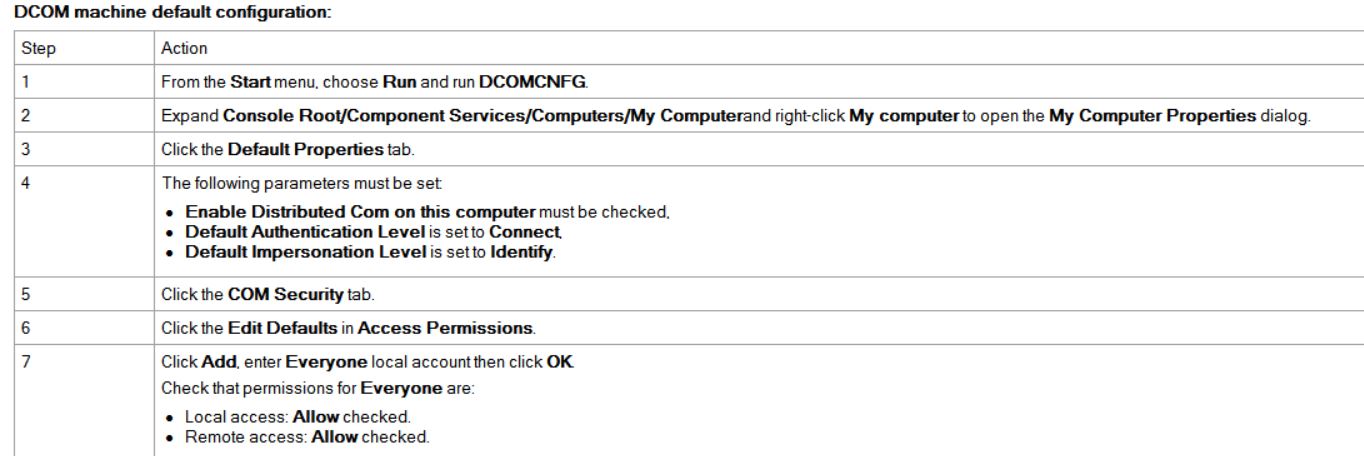
Click Edit Defaults in Launch and Activation Permissions
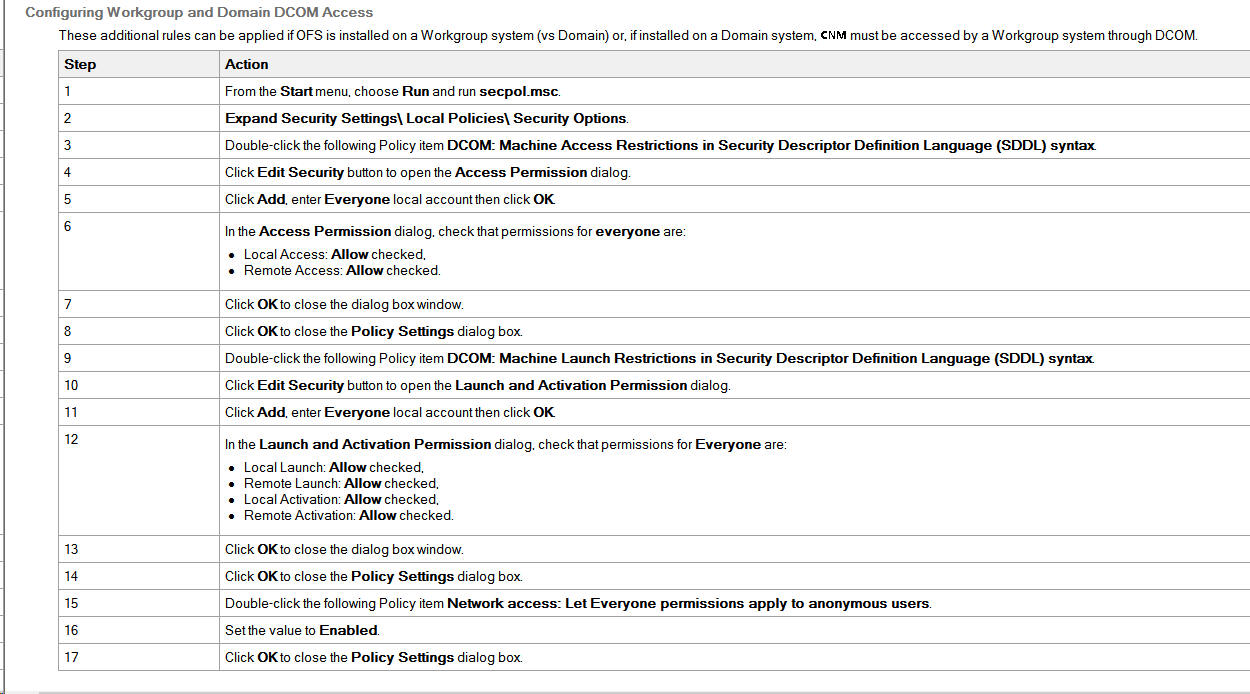
Click Add, enter Everyone local account then click OK.
Check that permissions for Everyone are:
Local Launch: Allow checked.
Remote Launch: Allow checked.
Local Activation: Allow checked.
Remote Activation: Allow checked.
Click Edit Defaults in Access Permissions
Click Add, enter Everyone local account then click OK. Check that permissions for Everyone are:
Local Access: Allow checked,
Remote Access: Allow checked
After installation of CNM , the OPC service of CNM should be switched to true in preferences setting .
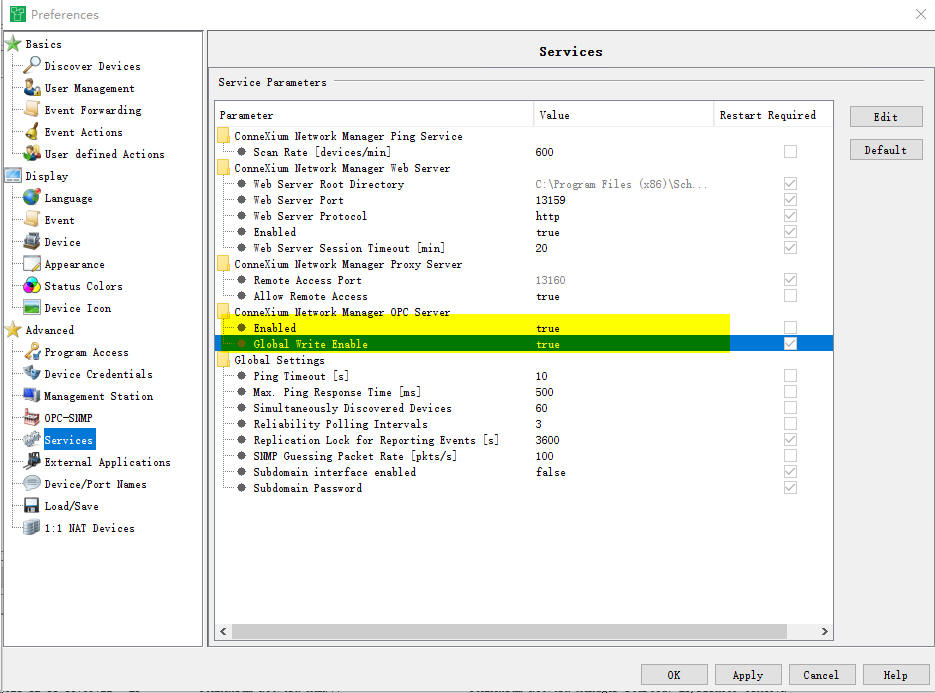
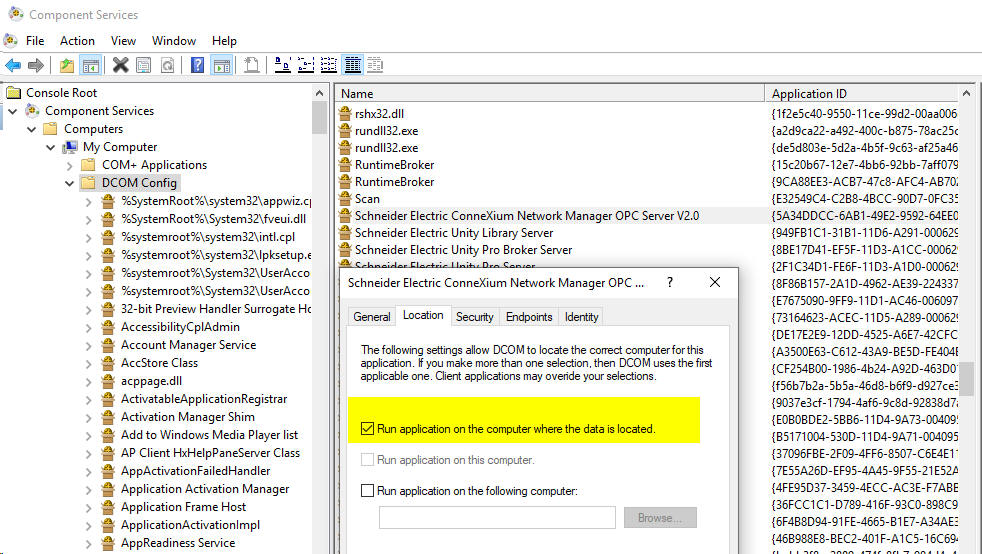
The CNM OPC service should be changed to be able to run application on the computer where the data is located.
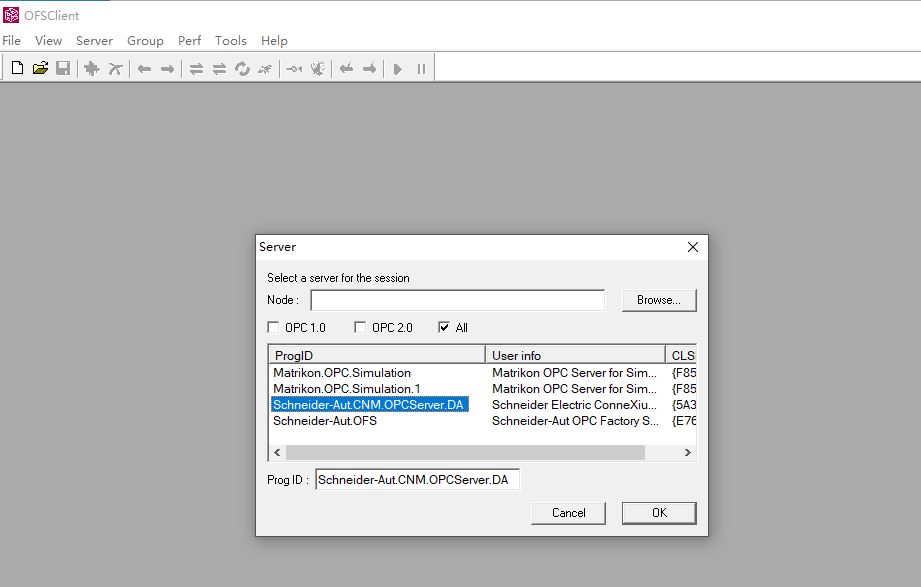
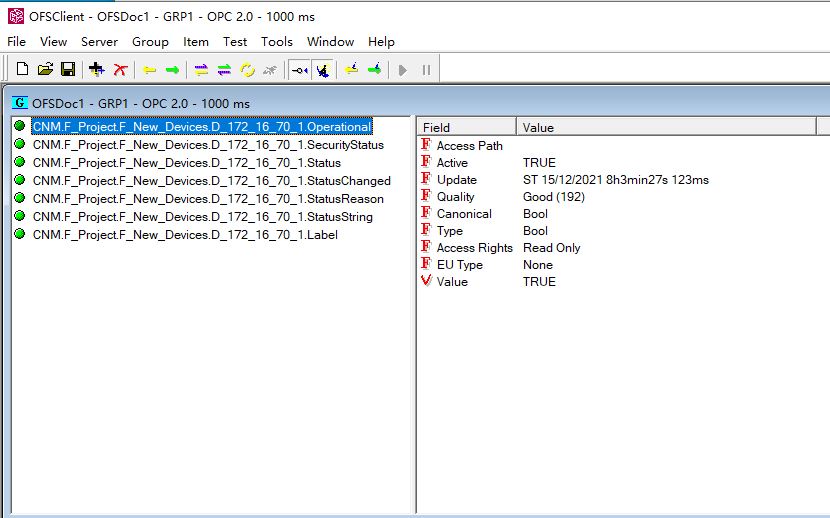
After that , user could access the CMM via OPC client .
The COM/DCOM Station Configuration should be modifed to support OPC DA service of CNM.
The configuration parameters must be defined while logged on to the machine with an account having the necessary administration rights to access and start up the server.
From the Start menu, choose Run and run Services.msc.
The following services must have the following Startup type:
Distributed Transaction Coordinator :Manual
Remote Procedure Call (RPC) : Automatic
Security Accounts Manager : Automatic
Click Edit Defaults in Launch and Activation Permissions
Click Add, enter Everyone local account then click OK.
Check that permissions for Everyone are:
Local Launch: Allow checked.
Remote Launch: Allow checked.
Local Activation: Allow checked.
Remote Activation: Allow checked.
Click Edit Defaults in Access Permissions
Click Add, enter Everyone local account then click OK. Check that permissions for Everyone are:
Local Access: Allow checked,
Remote Access: Allow checked
After installation of CNM , the OPC service of CNM should be switched to true in preferences setting .
The CNM OPC service should be changed to be able to run application on the computer where the data is located.
After that , user could access the CMM via OPC client .
게시 대상: 슈나이더 일렉트릭 Korea
