


How to export BMENUA0100 configuration?
To get the export of the BMENUA0100 configuration when the module is in secure mode, you can follow the step below :
Need to access to the webpage by using the user “admin” and password that the customer has defined
From the main menu, we need to go to the “Cyber Security Setup” menu:
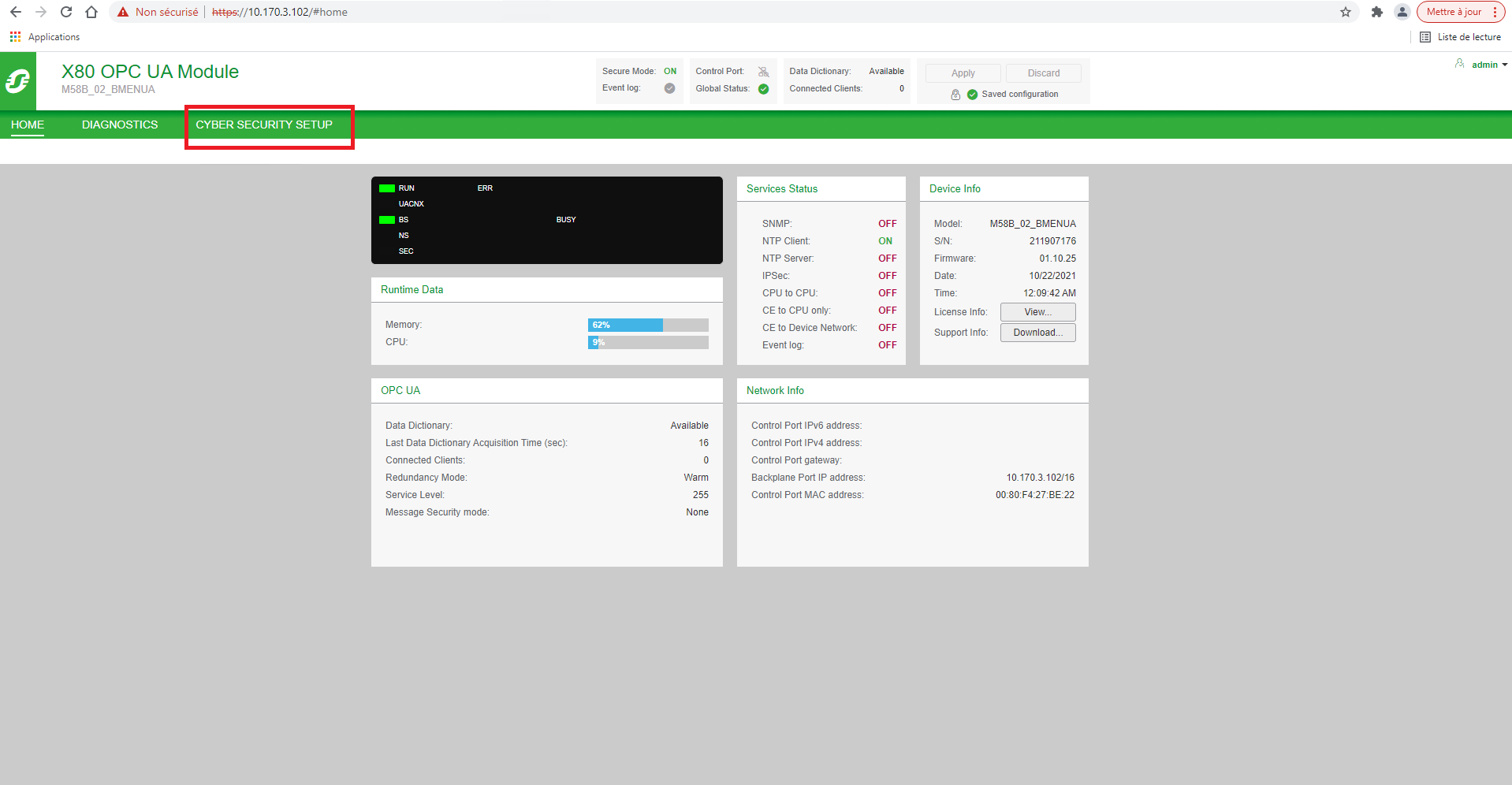
Then access to the menu “Configuration management” and “Export”.
Note: Before downloading the configuration export, you need to give a password which will be asked during the next import.
Need to access to the webpage by using the user “admin” and password that the customer has defined
From the main menu, we need to go to the “Cyber Security Setup” menu:
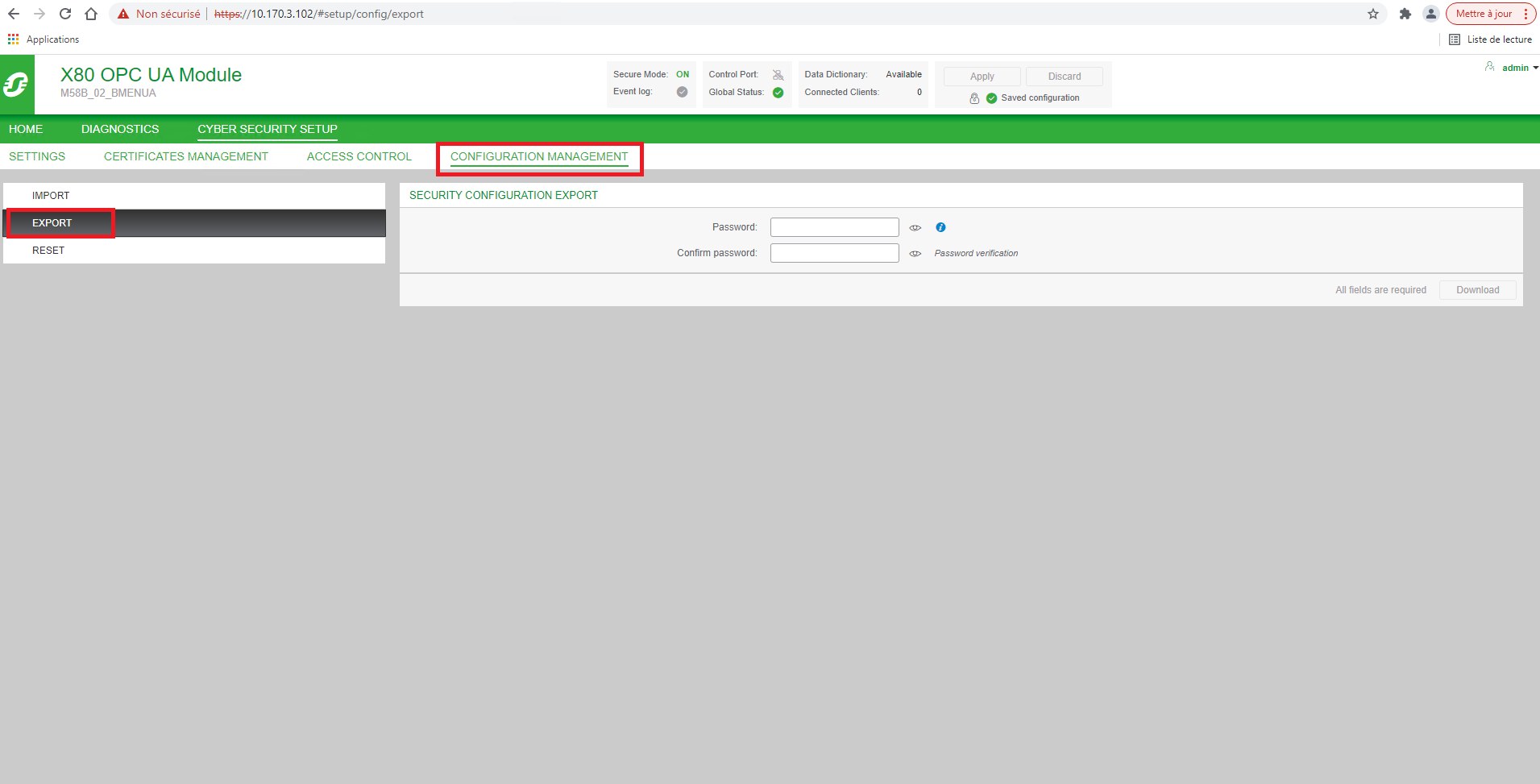
Then access to the menu “Configuration management” and “Export”.
Note: Before downloading the configuration export, you need to give a password which will be asked during the next import.