


Arc matrix-output vs Output matrix
Issue
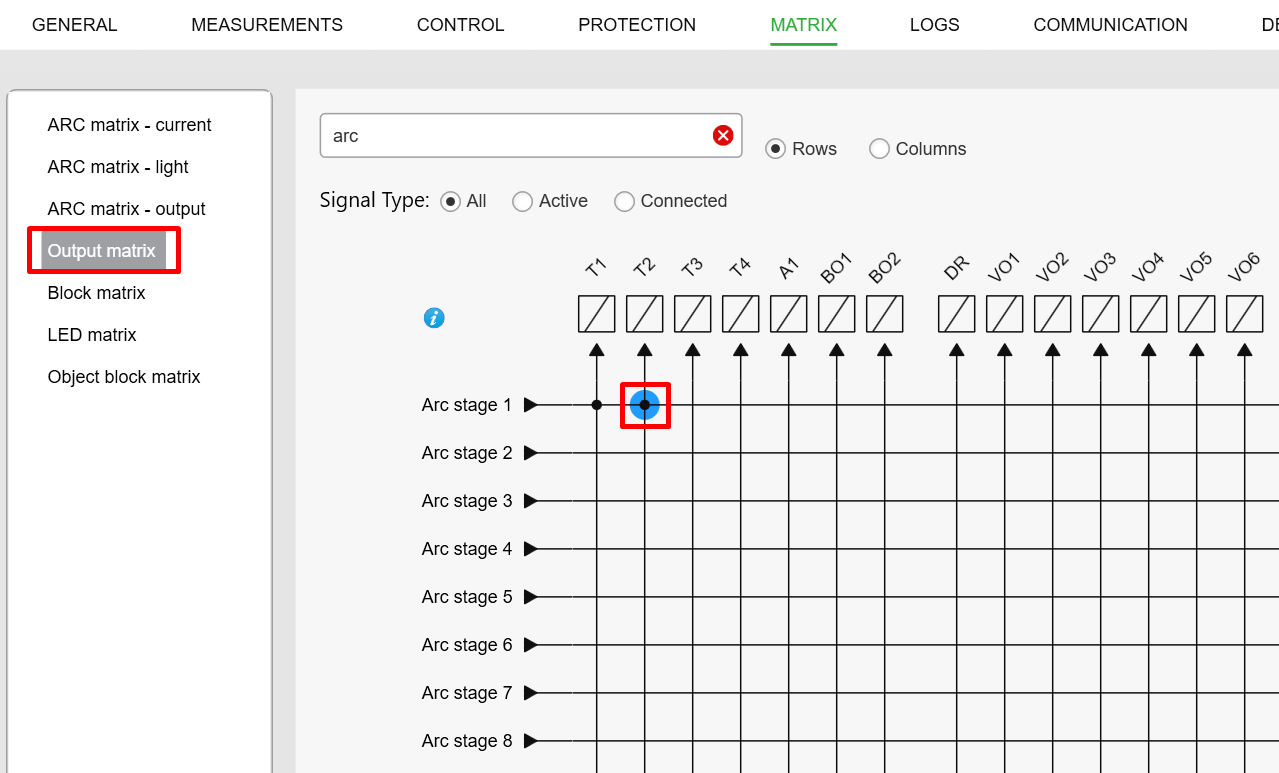
For Arc stage 1~8 protection in Easergy P3, customer can’t configure Arc stage 1~8 to the output relay in “Output matrix”, it's always showing blue point.
_____________________________________________________________
Product Line
Easergy P3 relay
_____________________________________________________________
Environment
All firmware version
_____________________________________________________________ Root Cause
As explained in the user manual below,
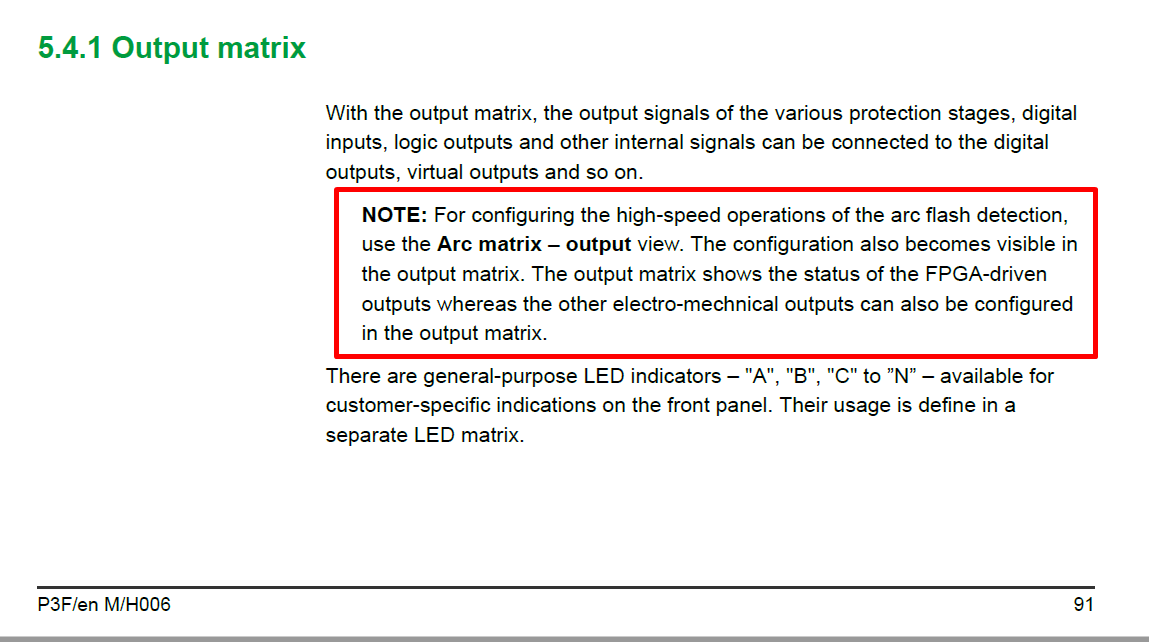
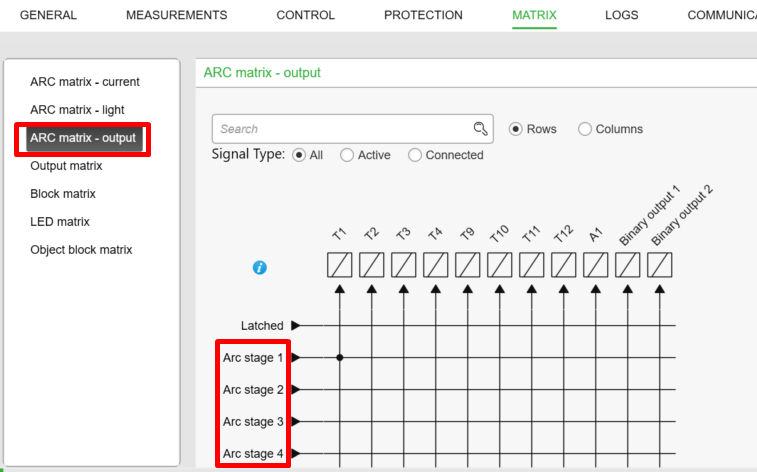
For Arc stage 1~8 in Easergy P3, should be configured in “ARC matrix-output” not in “Output matrix”.
_____________________________________________________________
Solution
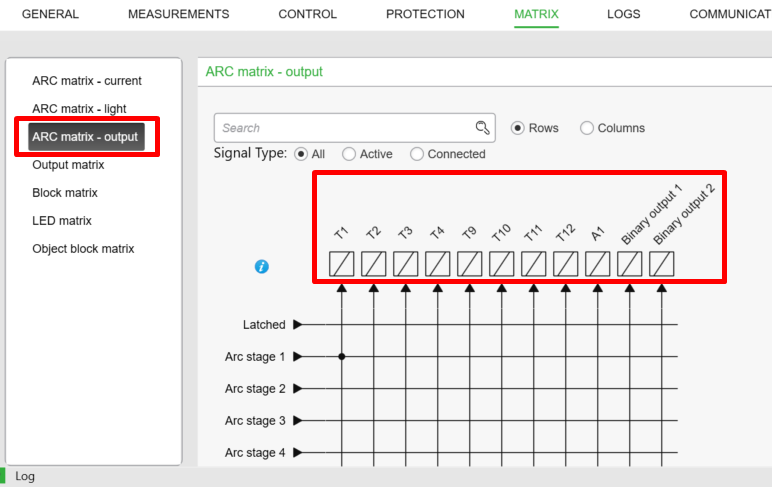
1- For the trip relay which is already included in “ARC matrix-output”, customer have to configure Arc stage 1~8 in “ARC matrix-output”, take an example in below picture, if customer want to configure Arc stage 1~8 to any of T1/T2/T3/T4/T9/T10/T11/T12/A1/BO1/BO2, customer must do this configuration in “ARC matrix-output”.
2- For the output which is not included in “ARC matrix-output”, customer can configure Arc stage 1~8 in “Output matrix”, take an example in below picture, if customer want to configure Arc stage 1~8 to any of DR/VO1-20/T13/14/T15/T16 and so on, customer can this configuration in “Output matrix”.

_____________________________________________________________
=====End of document=====
For Arc stage 1~8 protection in Easergy P3, customer can’t configure Arc stage 1~8 to the output relay in “Output matrix”, it's always showing blue point.
_____________________________________________________________
Product Line
Easergy P3 relay
_____________________________________________________________
Environment
All firmware version
_____________________________________________________________ Root Cause
As explained in the user manual below,
For Arc stage 1~8 in Easergy P3, should be configured in “ARC matrix-output” not in “Output matrix”.
_____________________________________________________________
Solution
1- For the trip relay which is already included in “ARC matrix-output”, customer have to configure Arc stage 1~8 in “ARC matrix-output”, take an example in below picture, if customer want to configure Arc stage 1~8 to any of T1/T2/T3/T4/T9/T10/T11/T12/A1/BO1/BO2, customer must do this configuration in “ARC matrix-output”.
2- For the output which is not included in “ARC matrix-output”, customer can configure Arc stage 1~8 in “Output matrix”, take an example in below picture, if customer want to configure Arc stage 1~8 to any of DR/VO1-20/T13/14/T15/T16 and so on, customer can this configuration in “Output matrix”.
_____________________________________________________________
=====End of document=====