


How to import BMXNOR200H variables into Control Expert ?
Issue:
Which steps we must follow in order to correctly import the BMXNOR0200H RTU module variables in Control Expert ?
Product Line:
BMXNOR0200H RTU module.
Environment:
EcoStruxure Control Expert, Windows 10
Resolution:
To setup the BMXNOR0200H module variables on Control Expert, follow these steps:
Which steps we must follow in order to correctly import the BMXNOR0200H RTU module variables in Control Expert ?
Product Line:
BMXNOR0200H RTU module.
Environment:
EcoStruxure Control Expert, Windows 10
Resolution:
To setup the BMXNOR0200H module variables on Control Expert, follow these steps:
- On Control Expert, create a project and define the IP address of the BMXNOR0200H module
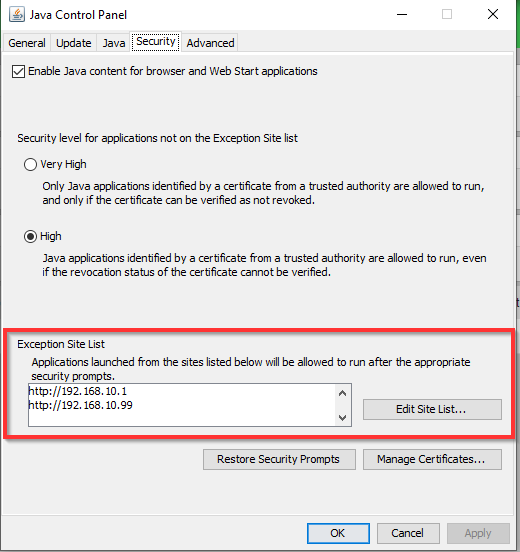
- Connect to the embedded website of the BMXNOR0200H module. Please note that JAVA platform should be activated on the pc and includes the IP address of the module inside its Exception Site list, located in the JAVA Control Panel.
- Configure the DNP3/IEC communications via the module’s website
- Declare Variables / Events & Data Mapping via the module’s website
- Export the variables file (.XSY) via the module’s website
- Import the variables file (.XSY) into Control Expert project.
The BMXNOR0200H variables will be then available in the variable list of Control Expert project.