


Crystal Reports Driver
This Crystal Reports installation process will only work If you have already created a report and you want to generate, display, and export it. What you simply need is the Crystal Report Driver (components).
However, to edit or create a Crystal Reports, you need Crystal Reports software installed and licensed. To purchase the software from the Crystal Reports company called SAP (Crystal Reports is owned by SAP), contact your local rep. for help. Please note that SAP is a separate vendor and is not part of Schneider Electric products.
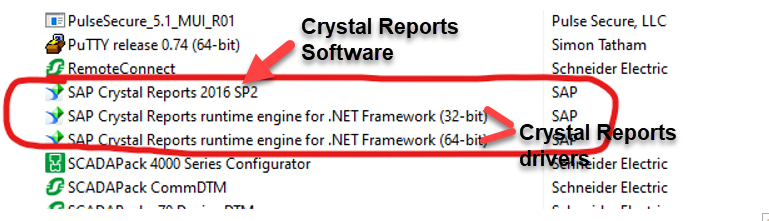
Please note that this is for Crystal Reports driver installation only.
To install Crystal Reports Driver, see screenshots below:
-Control Panel ->Programs and Features
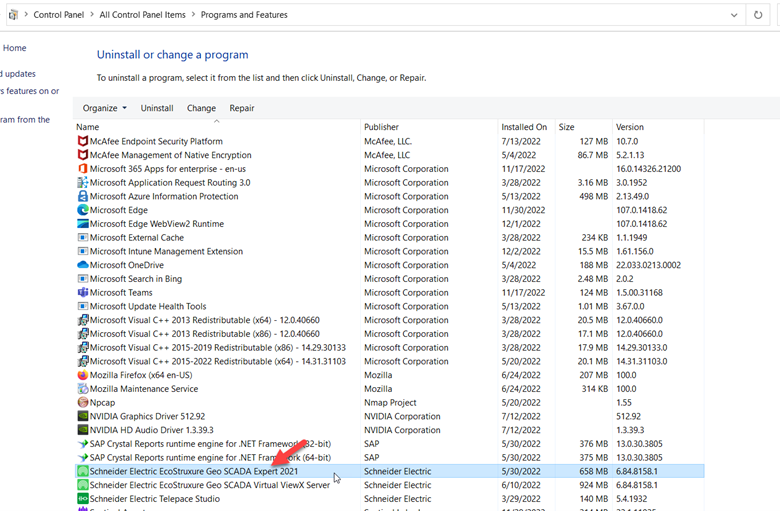
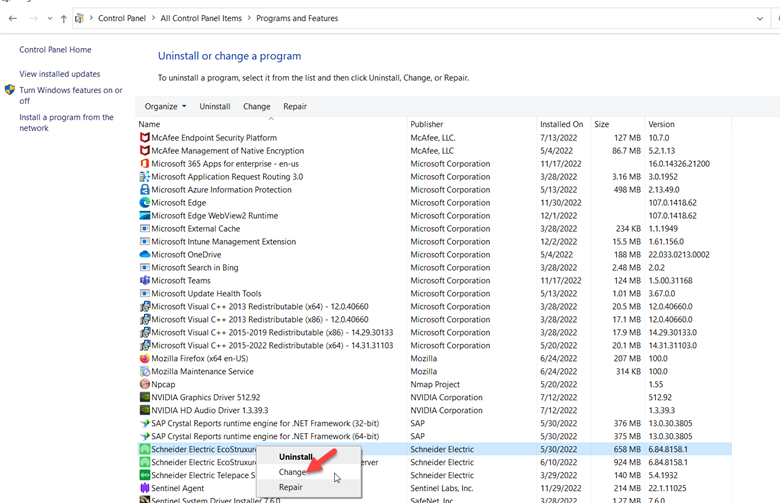
Right click Geo SCADA Expert 2021(base on your version) and select CHANGE from the list.
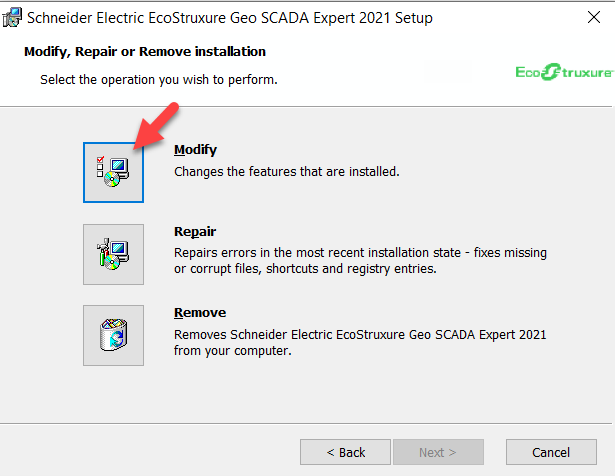
Select MODIFY to makes changes
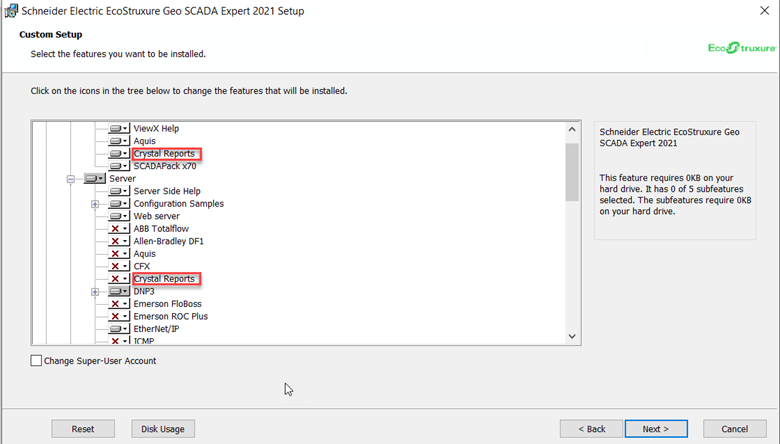
Select the Crystal Reports as indicated in the image
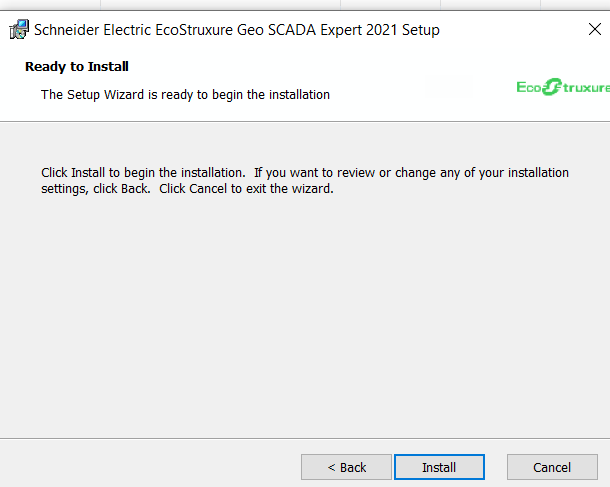
Click INSTALL to start installation process
Once the installation process is completed, click finish to exit.
However, to edit or create a Crystal Reports, you need Crystal Reports software installed and licensed. To purchase the software from the Crystal Reports company called SAP (Crystal Reports is owned by SAP), contact your local rep. for help. Please note that SAP is a separate vendor and is not part of Schneider Electric products.
Please note that this is for Crystal Reports driver installation only.
To install Crystal Reports Driver, see screenshots below:
-Control Panel ->Programs and Features
Right click Geo SCADA Expert 2021(base on your version) and select CHANGE from the list.
Select MODIFY to makes changes
Select the Crystal Reports as indicated in the image
Click INSTALL to start installation process
Once the installation process is completed, click finish to exit.