


PME - "Only local drives can be used for an archive database" in Database Manager
Issue
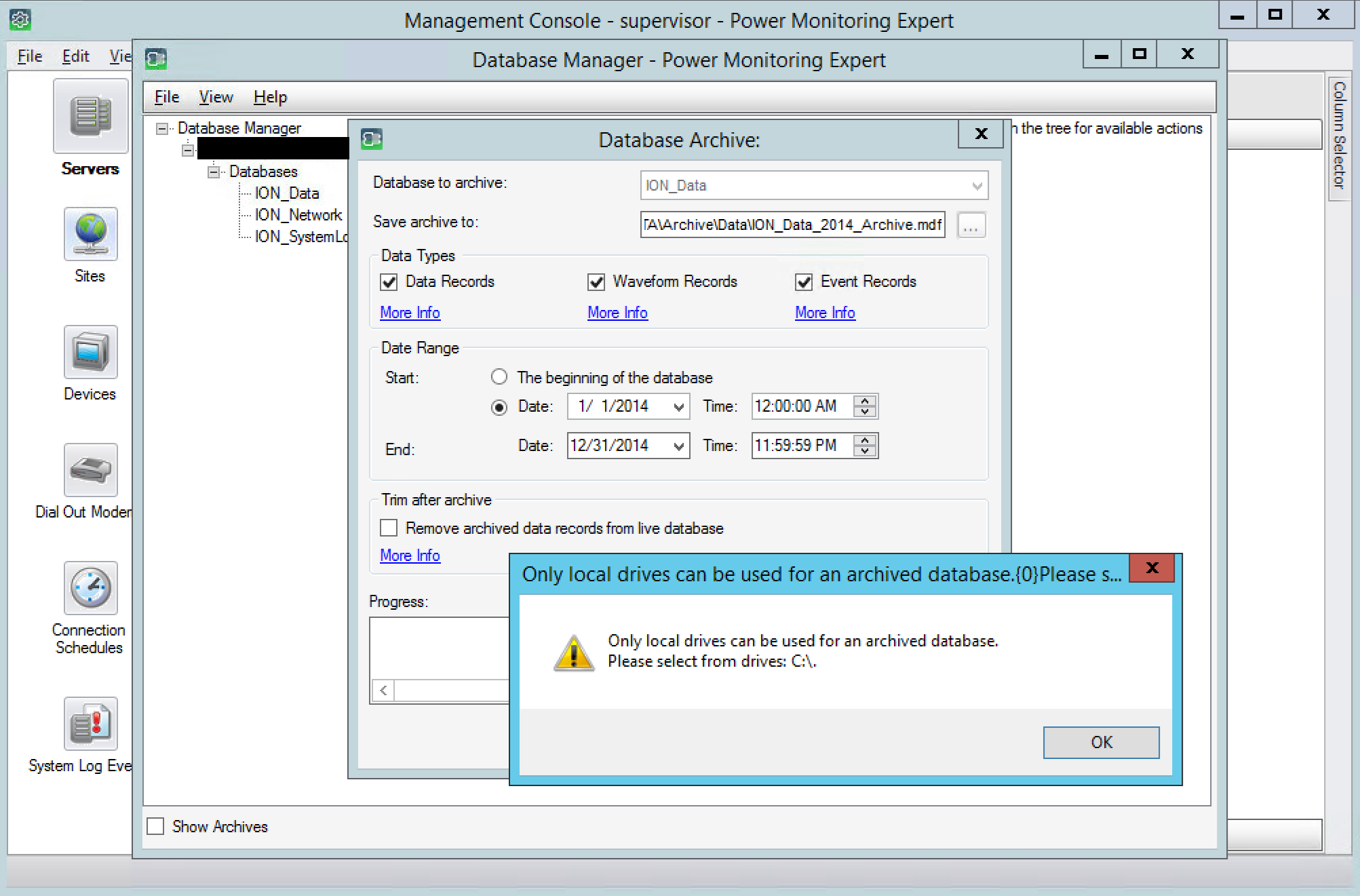
When trying to create an ION_Data archive with Database Manager in a distributed system, the following message appears:
Only local drives can be used for an archived database.
Please select from drives:
Product Line
Power Monitoring Expert 8.2
Power Monitoring Expert 9.0
Power Monitoring Expert 2020
Power Monitoring Expert 2021
Power Monitoring Expert 2022
Power Monitoring Expert 2023
Environment
Database Manager
Cause
In a distributed system, the Database Manager tool on the application server is unable to resolve a target file path for the archive if the drive letter doesn't also exist on the application server.
Resolution
On the PME application server, map a virtual drive to the same drive letter you need to save the archive database to on the database server.
For example, if the folder path you want to save the archive to on the database server is on D: drive, and the application server only has a C: drive mapped:
4. This should allow the archive to run in Database Manager. When the archive is complete and the virtual drive is no longer needed, you can remove it using Command Prompt and the following command (below example uses D: drive):
When trying to create an ION_Data archive with Database Manager in a distributed system, the following message appears:
Only local drives can be used for an archived database.
Please select from drives:
Product Line
Power Monitoring Expert 8.2
Power Monitoring Expert 9.0
Power Monitoring Expert 2020
Power Monitoring Expert 2021
Power Monitoring Expert 2022
Power Monitoring Expert 2023
Environment
Database Manager
Cause
In a distributed system, the Database Manager tool on the application server is unable to resolve a target file path for the archive if the drive letter doesn't also exist on the application server.
Resolution
On the PME application server, map a virtual drive to the same drive letter you need to save the archive database to on the database server.
For example, if the folder path you want to save the archive to on the database server is on D: drive, and the application server only has a C: drive mapped:
1. Open the Windows Start menu and search "cmd"
2. Open Command Prompt
3. Run the following command:
2. Open Command Prompt
3. Run the following command:
subst D: C:\
4. This should allow the archive to run in Database Manager. When the archive is complete and the virtual drive is no longer needed, you can remove it using Command Prompt and the following command (below example uses D: drive):
subst D: /d