


How do I clean up in an EcoStruxure Energy Hub organization, a panel server topology published in the Cloud by EcoStruxure Power Commission ?
Issue:
Panel Server Topology published to SE cloud since Ecostruxure Power commission is not supported in EcoStruxure Energy Hub (EEH) and lead to the non-logging of measurement in the cloud database.
When the issue occurs:
Panel Server Topology published to SE cloud by Ecostruxure Power commission (button "complete manufacturing" )is not supported in EcoStruxure Energy Hub (EEH) and lead to the non-logging of measurement in the cloud database
Solution:
The procedure below explains how to completely clear the Panel Server topology in EEH before republishing the topology from the Panel Server web page and reassociating it in EEH.
The original EcoStruxure Power commissioning project is not required to perform the procedure.
The engineer must: have an EEH administrator profile to be able:
- to edit the configuration in the EEH>configuration view
- to log in to the Panel Server web page for topology publishing.
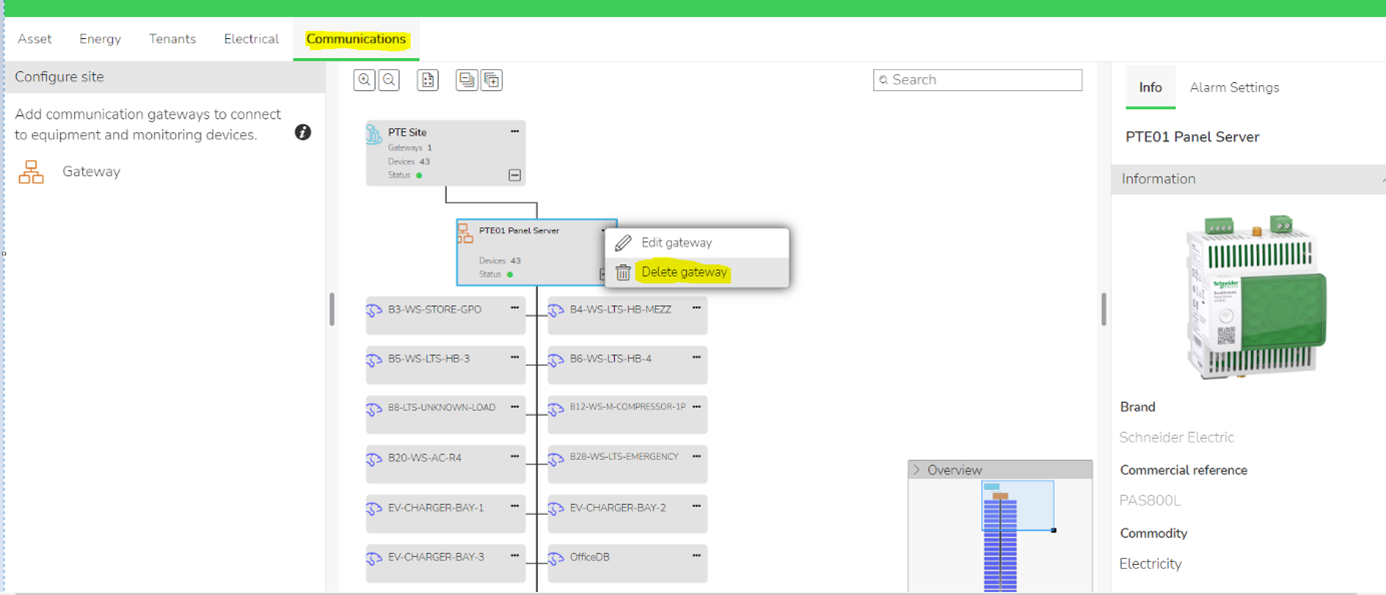
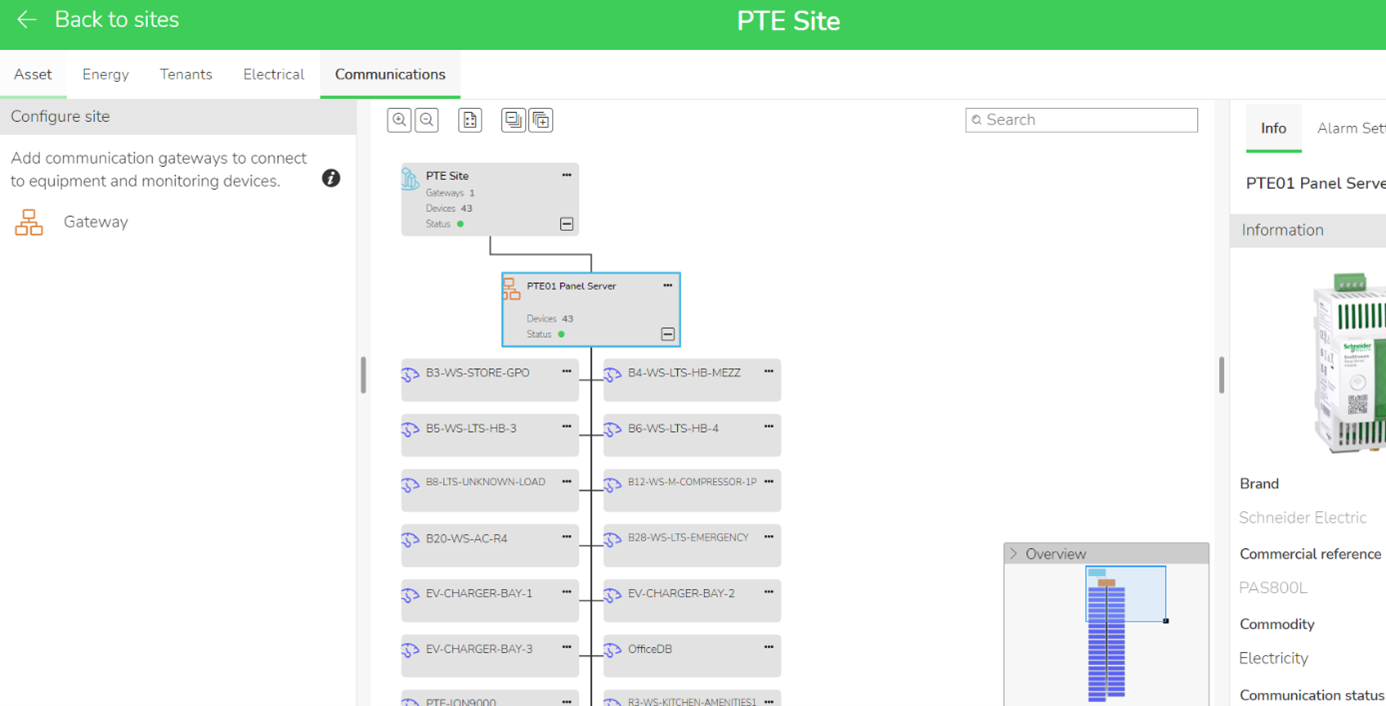
Step 1: Go to EEH> Setup>Communication View then click on Delete Gateway
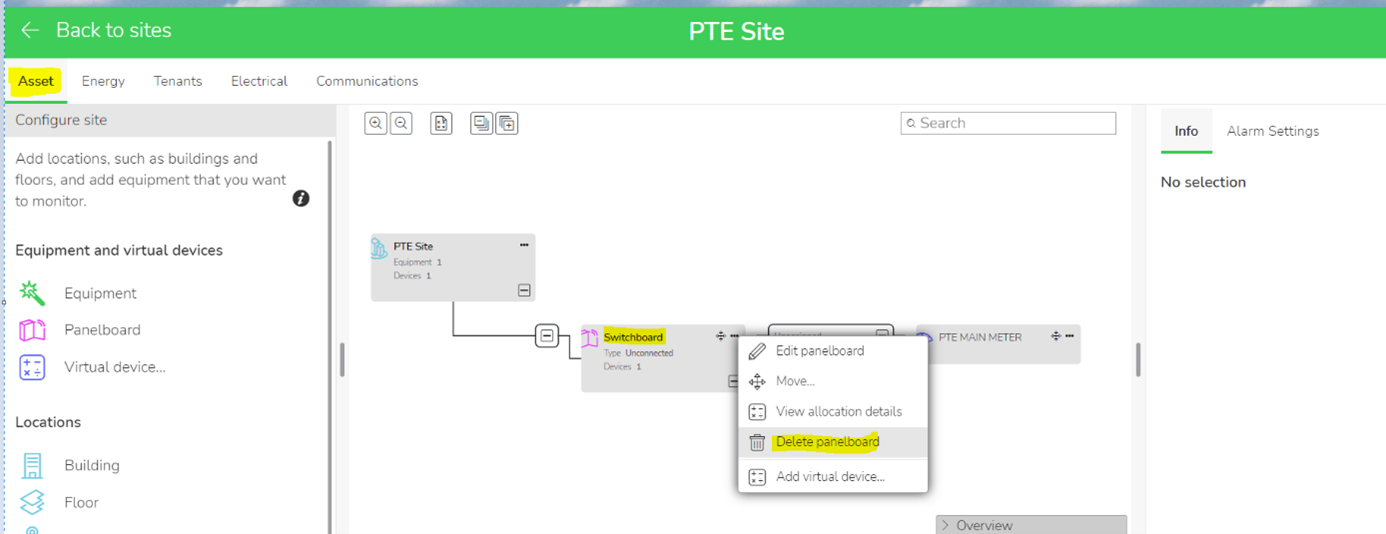
Step 2: Go to EEH>Setup>Asset View then delete the Panel board named “Switchboard”
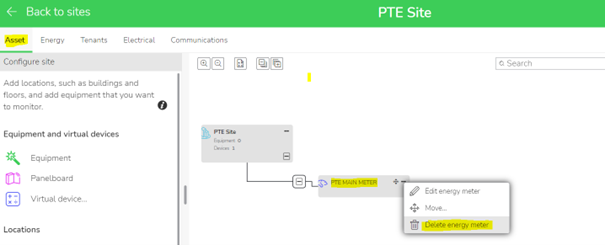
Step 3: In the same view ( EEH>Setup>Asset), delete all the Energy meters previously attached in Switchboard.
After completely removing all the entries which are previously created from topology, Engineer can claim again the PAS without any issue.
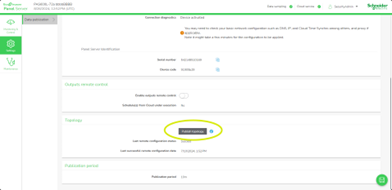
Step 4: Re-publish the topology since Panel Server web pages
Step 5: Now claim again the Panel Server in EEH
Panel Server Topology published to SE cloud since Ecostruxure Power commission is not supported in EcoStruxure Energy Hub (EEH) and lead to the non-logging of measurement in the cloud database.
When the issue occurs:
Panel Server Topology published to SE cloud by Ecostruxure Power commission (button "complete manufacturing" )is not supported in EcoStruxure Energy Hub (EEH) and lead to the non-logging of measurement in the cloud database
Solution:
The procedure below explains how to completely clear the Panel Server topology in EEH before republishing the topology from the Panel Server web page and reassociating it in EEH.
The original EcoStruxure Power commissioning project is not required to perform the procedure.
The engineer must: have an EEH administrator profile to be able:
- to edit the configuration in the EEH>configuration view
- to log in to the Panel Server web page for topology publishing.
Step 1: Go to EEH> Setup>Communication View then click on Delete Gateway
Step 2: Go to EEH>Setup>Asset View then delete the Panel board named “Switchboard”
Step 3: In the same view ( EEH>Setup>Asset), delete all the Energy meters previously attached in Switchboard.
After completely removing all the entries which are previously created from topology, Engineer can claim again the PAS without any issue.
Step 4: Re-publish the topology since Panel Server web pages
Step 5: Now claim again the Panel Server in EEH