


How can we help you today?
How is the Local/Remote button activated on the Altivar Process keypad?
Issue:
Enabling the Local/Remote button on the Altivar Process keypad
Product Line:
Altivar Process
Environment:
All models
Cause:
The Local/Remote button has no affect to switch between local and remote control.
Resolution:
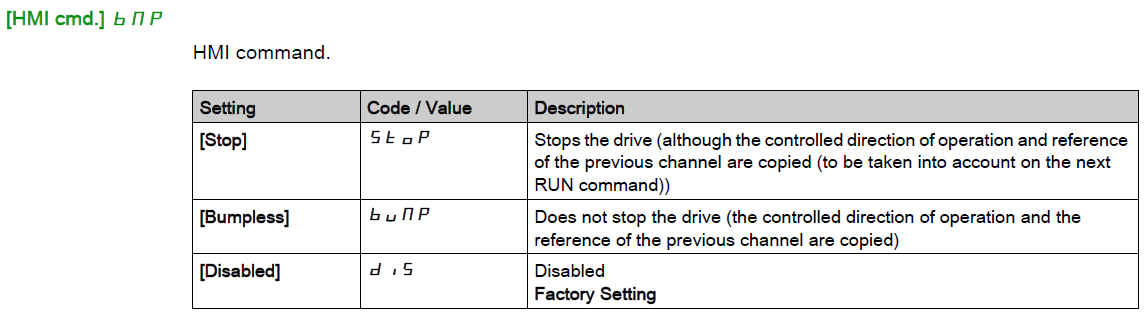
The factory default setting has this button disabled. Activate it by going into the Complete Settings menu, Command & Reference menu, and set [HMI CMD] to Stop or Bumpless.
Enabling the Local/Remote button on the Altivar Process keypad
Product Line:
Altivar Process
Environment:
All models
Cause:
The Local/Remote button has no affect to switch between local and remote control.
Resolution:
The factory default setting has this button disabled. Activate it by going into the Complete Settings menu, Command & Reference menu, and set [HMI CMD] to Stop or Bumpless.
Released for: Schneider Electric Netherlands
Explore more
Range:

Explore more
Range:
Need help?
Get a Quote
Start your sales inquiry online and an expert will connect with you.
Where to buy?
Easily find the nearest Schneider Electric distributor in your location.
Help Center
Find support resources for all your needs, in one place.