


How can we help you today?
How and where to display or hide the role cards located downstream in eDesign Small Building
Issue: Display or hide the role cards in eDesign Small Building application
Product Line: eDesign Small Building https://edesign-630.se.com/
Resolution:
1. Go to Diagram tab in eDesign Small Building Application
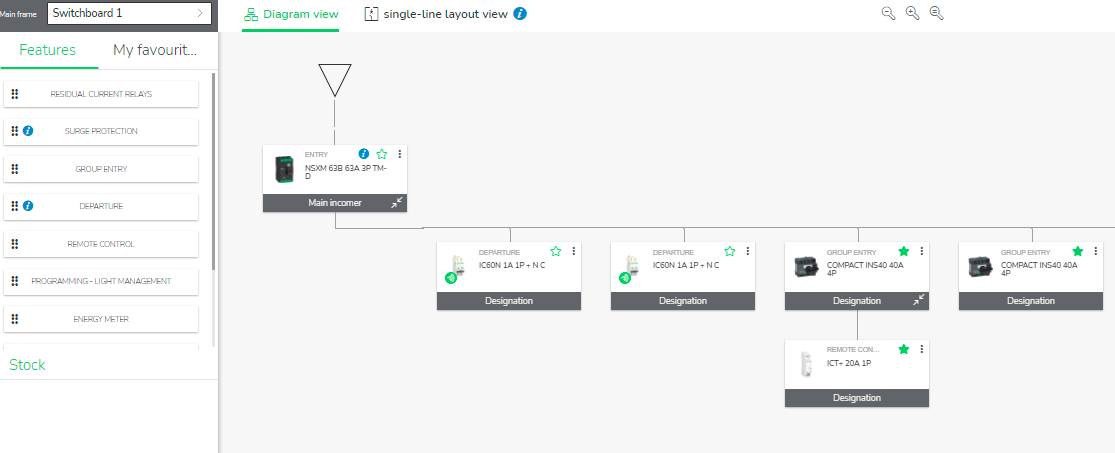
2.
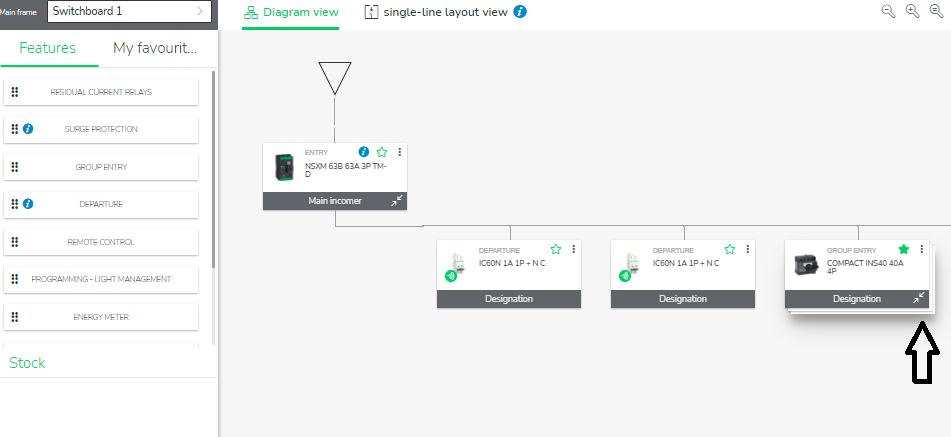
A button at the right of the naming part allows to display or hide the role cards located downstream.
Product Line: eDesign Small Building https://edesign-630.se.com/
Resolution:
1. Go to Diagram tab in eDesign Small Building Application
2.
A button at the right of the naming part allows to display or hide the role cards located downstream.
Released for: Schneider Electric Australia

Need help?
Product Selector
Quickly and easily find the right products and accessories for your applications.
Get a Quote
Start your sales inquiry online and an expert will connect with you.
Where to buy?
Easily find the nearest Schneider Electric distributor in your location.
Help Centre
Find support resources for all your needs, in one place.