


How convert a 984 HSBY application to Unity
Issue
How convert a 984 HSBY application to Unity
Product Line
Unity
Environment
Windows 10
Resolution
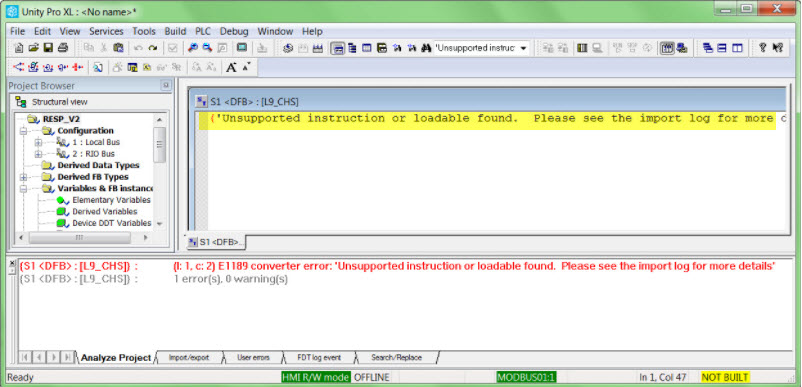
This error is expected because the application contains a CHS loadable function block.
How convert a 984 HSBY application to Unity
Product Line
Unity
Environment
Windows 10
Resolution
- Open the ProWORX 32 application.
- Select the appropriate settings in the 'L984 Options' window.
- Click on OK
- The application imported without any errors. Attempts to rebuild the application will fail with two errors:
This error is expected because the application contains a CHS loadable function block.
The reason for the error is because Unity is not able to delete the CHS loadable block. The CHS block is not needed in a Unity
Hot Standby application. The Hot Standby function is managed from Hot Standby window in the PLC configuration.
To resolve the issue:
- Double click on the error message (This will open the DFB)
- Delete the structured text in the DFB block.
- Rebuild the application.
- Save the changes.