


Unity returns error when opening PRA application from older version of Unity.
Issue
Unity returns error when opening PRA application from older version of Unity.
Product Line
Unity
Environment
Windows 10
Resolution
If you try to open the PRA application by clicking on 'Launch PRA' (See Figure 1)from a Unity application that has been converted from an older version of Unity, you could get the following error (See Figure 2):
Figure 1.
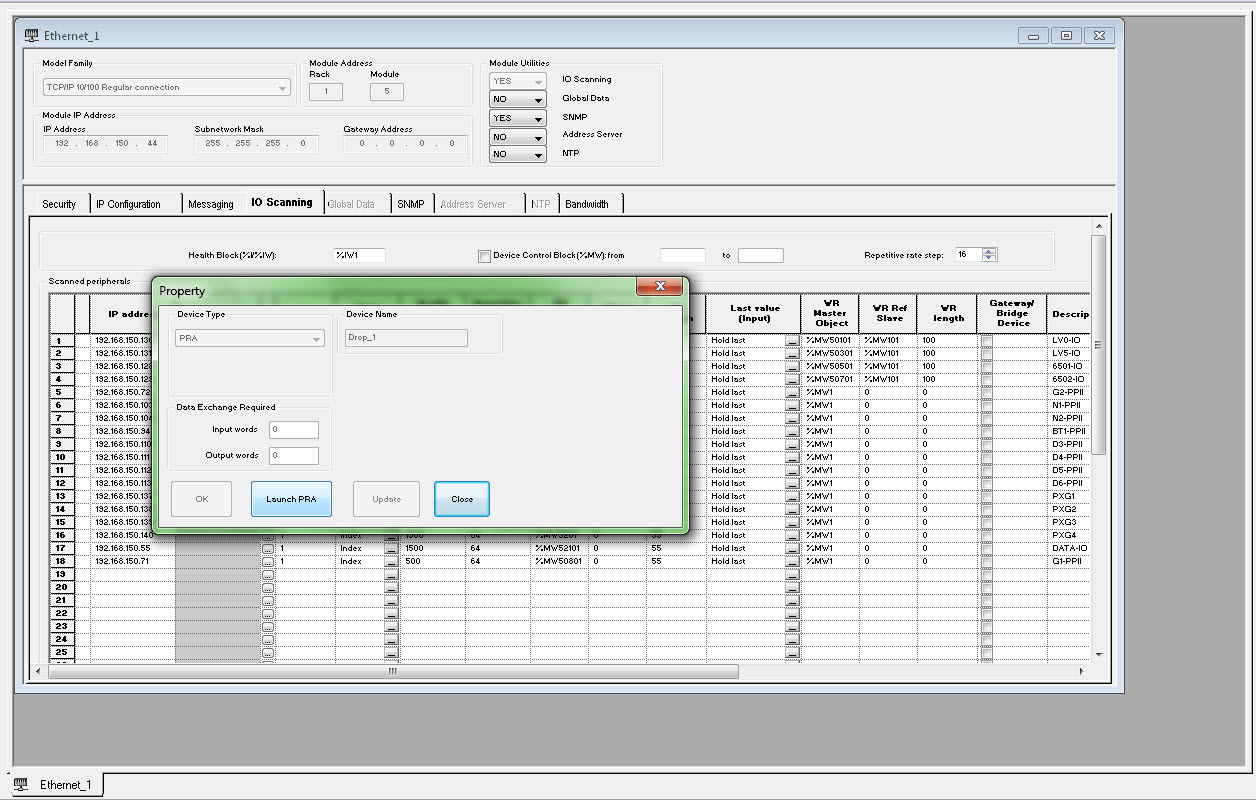
Figure 2.
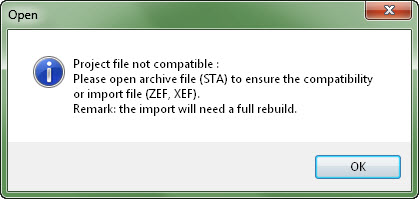
The reason the error occurred is because the application was not migrated in accordance to the instructions defined in the online help for Unity which is also shown below:
Unity returns error when opening PRA application from older version of Unity.
Product Line
Unity
Environment
Windows 10
Resolution
If you try to open the PRA application by clicking on 'Launch PRA' (See Figure 1)from a Unity application that has been converted from an older version of Unity, you could get the following error (See Figure 2):
Figure 1.
Figure 2.
The reason the error occurred is because the application was not migrated in accordance to the instructions defined in the online help for Unity which is also shown below:
- SD Card Application Restriction
An application on a SD Card designed for the BMX PRA 0100 can only be executed on a BMX PRA 0100. It cannot be executed on the BMX P34 CPUs.
- Import/Export mechanism
The master *.STA file generated in Unity Pro v6.0 cannot be fully opened in Unity Pro v7.0 and upper. Slave projects are saved in *.STU format that are not compatible when updating Unity Pro from one version to another.
Here below is described the way to fully retrieve the master *.sta and the *.stu slave applications:
In Unity Pro v6.0
-
- *.ZEF file (Full Application Exchange Files) to import a global project with global DTMs configuration
- *.XEF file (Application Exchange Files) to import a global project without global DTMs configuration
-
- Export slave BMX PRA 0100 projectFor All BMX PRA 0100 restore the slave project:
- launch the I/O Scanning
- select a slave BMX PRA 0100A new Unity Pro window opens
- File → Export
- The global project *.ZEF or *.XEF files
-
In Unity Pro v7.0 and upper
-
- File → Open
- The global project *.ZEF or *.XEF files saved in Unity Pro v6.0 to be selected
-
- Restore Unity Pro slave project filesFor All BMX PRA 0100 restore the slave project:
- launch the I/O Scanning
- select a slave BMX PRA 0100A new Unity Pro window opens
- File → Open
- The global project *.ZEF or *.XEF files saved in Unity Pro v6.0 have to be selected
-
NOTE: This migration can also be achieved using Save Archive.
In Unity Pro v6.0
-
- File → Save Archive
-
-
- launch the I/O Scanning
- select a slave BMX PRA 0100A new Unity Pro window open
- File → Save Archive
-
In Unity Pro v7.0 and upper
-
- File → Open
- The archive *.STA file saved in Unity Pro v6.0 have to be selected
-
- Open slave Archive
- launch the I/O Scanning
- select a slave BMX PRA 0100A new Unity Pro window opens
- File → Open
- The archive *.STA file saved in Unity Pro v6.0 have to be selected
-