


Video: How to Correct Duplicate Register Labels in MDI (Modbus Device Importer)
Issue
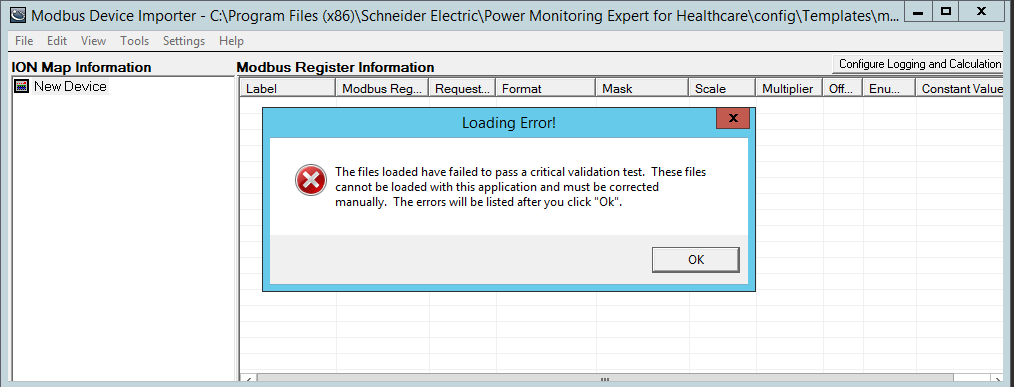
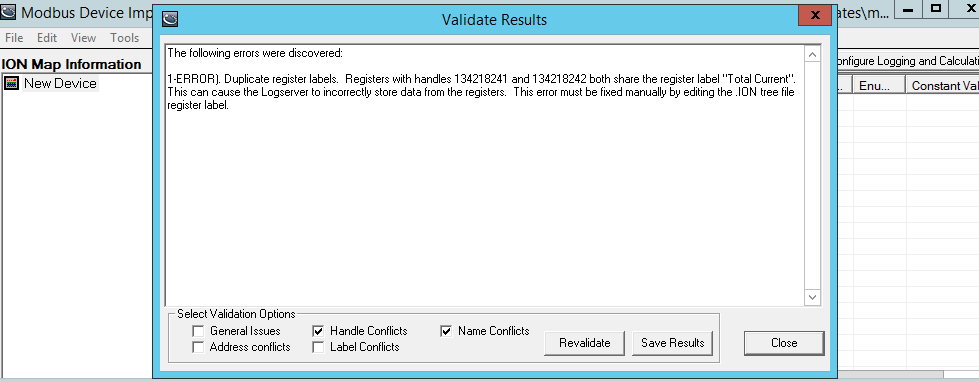
The following error is caused when trying to open the .ION file in MDI after adding a third-party Modbus device in PME using MDI:
Product Line
PME 7.2, PME 8.x
Cause
The same register labels were used for different Modbus registers when adding a third-party Modbus device to PME using the Modbus Device Importer.
Resolution
*Warning: Take backups of any files prior to modifying them. Ensure the backups are in a location that will not be overwritten (i.e. the Desktop).
Note that the error gives you the ION handles of the duplicate register labels. With this, one can quickly identify and edit the correct line of code from the .ION and .XML files as described below.
Navigate to the .ION and .XML files in your device by following this file path:
C:\Program Files (x86)\Schneider Electric\Power Monitoring Expert\config\templates
Utilize a text editing program (Notepad or Notepad++) to open the .ION and .XML files.
Follow the steps below:
1. Open the XML file.
2. Using the ION handle displayed in the error window of MDI, find the label that has been duplicated and delete it or correct it by changing the register label and saving the changes
3. Open the .ION file.
4. Using the ION handle displayed in the error window of MDI, find the label that has been duplicated and delete it or correct it by changing the register label and saving the changes.
Note: Ensure that you change the same ION handle labels in both the .XML and .ION files.
5. You can now reopen the .ION file in MDI with no errors.
The following error is caused when trying to open the .ION file in MDI after adding a third-party Modbus device in PME using MDI:
Product Line
PME 7.2, PME 8.x
Cause
The same register labels were used for different Modbus registers when adding a third-party Modbus device to PME using the Modbus Device Importer.
Resolution
*Warning: Take backups of any files prior to modifying them. Ensure the backups are in a location that will not be overwritten (i.e. the Desktop).
Note that the error gives you the ION handles of the duplicate register labels. With this, one can quickly identify and edit the correct line of code from the .ION and .XML files as described below.
Navigate to the .ION and .XML files in your device by following this file path:
C:\Program Files (x86)\Schneider Electric\Power Monitoring Expert\config\templates
Utilize a text editing program (Notepad or Notepad++) to open the .ION and .XML files.
Follow the steps below:
1. Open the XML file.
2. Using the ION handle displayed in the error window of MDI, find the label that has been duplicated and delete it or correct it by changing the register label and saving the changes
3. Open the .ION file.
4. Using the ION handle displayed in the error window of MDI, find the label that has been duplicated and delete it or correct it by changing the register label and saving the changes.
Note: Ensure that you change the same ION handle labels in both the .XML and .ION files.
5. You can now reopen the .ION file in MDI with no errors.