


How to use a favorite card from a role card that you have set up instead of the generic role card proposed in the list of the diagram in eDesign Small Building application
Issue: Replacing a configured card in Single Line diagram by drag and drop from favorite product list in eDesign small building application
Product Line: eDesign Small Building https://edesign-630.se.com/
Resolution: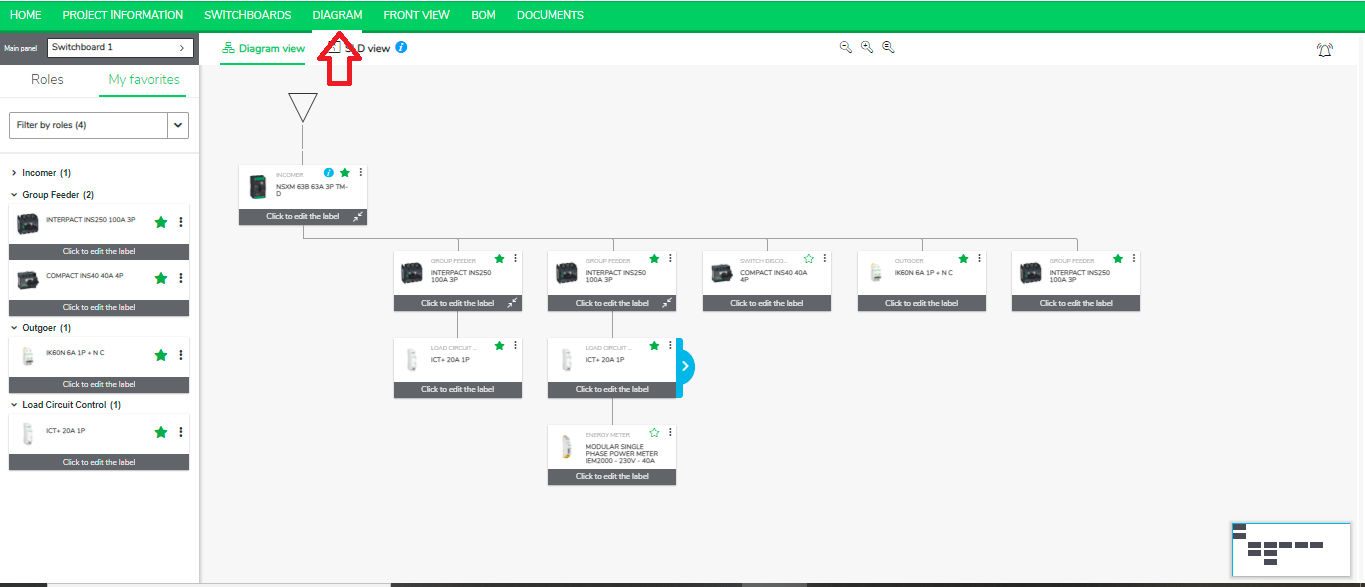
Product Line: eDesign Small Building https://edesign-630.se.com/
Resolution:
- Go to the Diagram Tab in eDesign for Small Building https://edesign-630.se.com/.
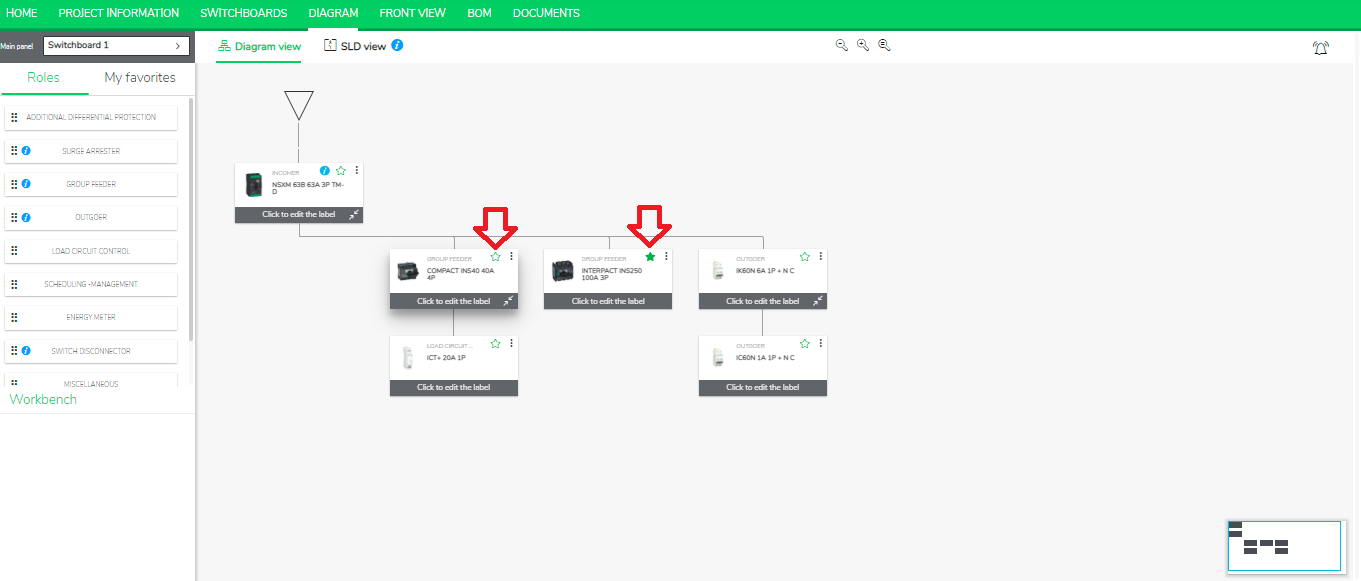
- Mark your product as favorite by clicking on star mark.
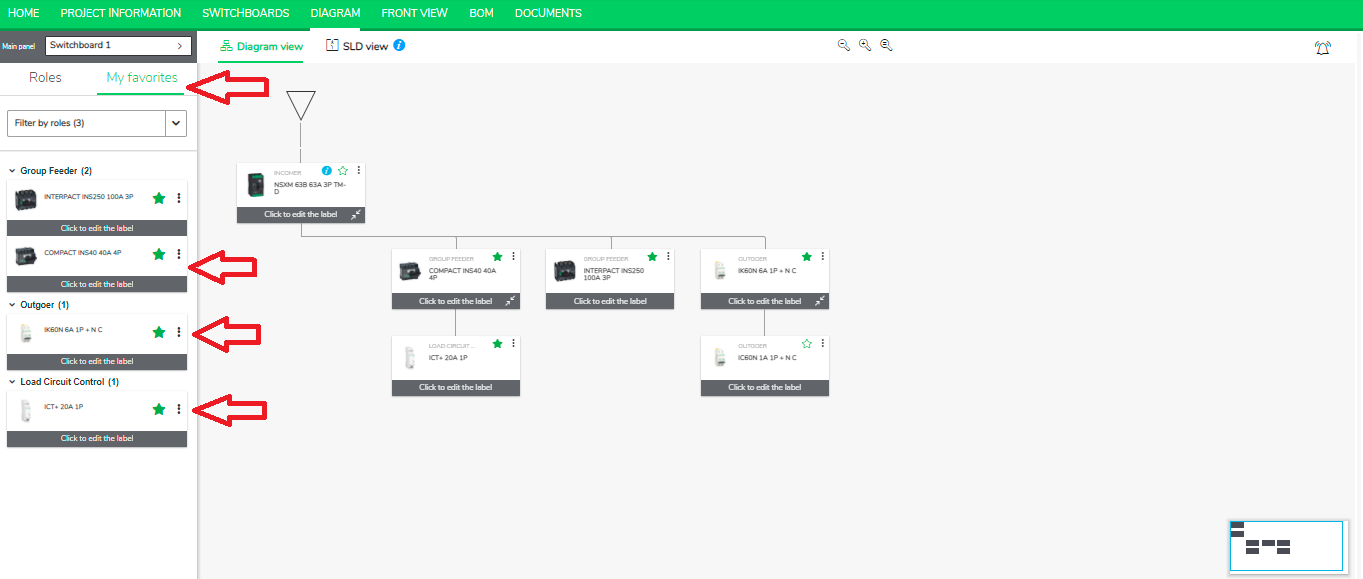
- Go to the left panel and click “My Favorites” to see the list of your favorite products.
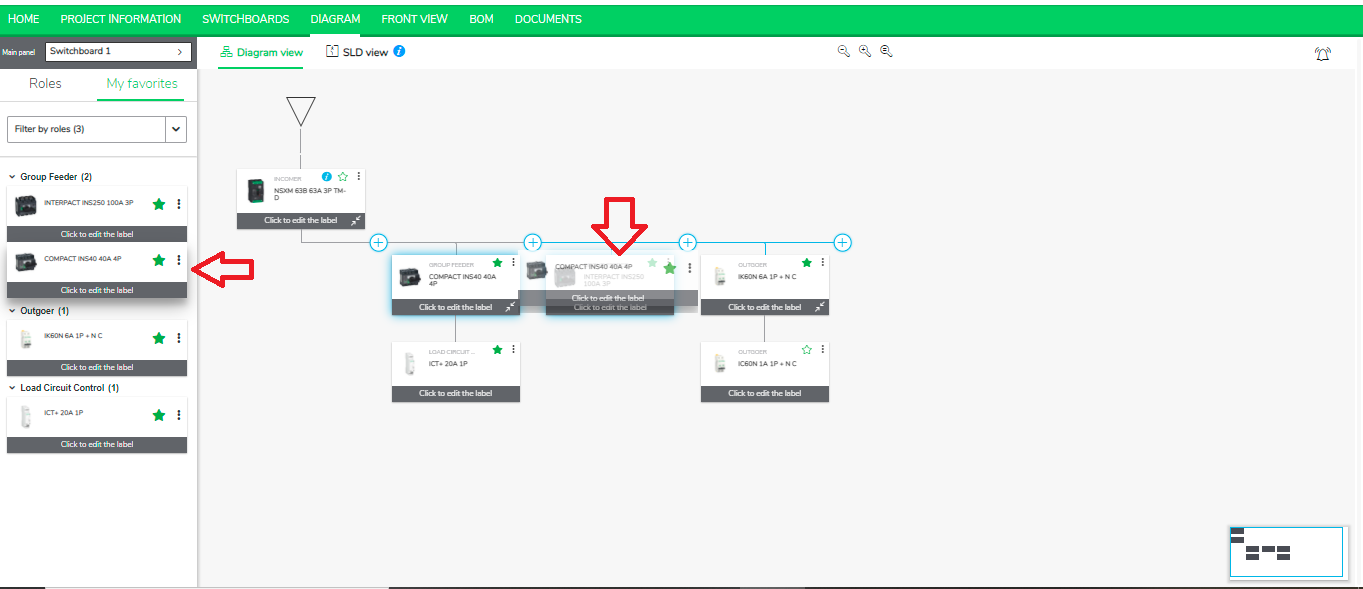
- Replace a configured card by a favorite by simply dragging and dropping and placing it on the desired product tag in the Diagram.