


I forgot the Accutech Field Unit password I configured. How can I recover?
The Accutech field unit default password is 0000. If you are unable to enter the CONFIG menu with this password then this means that someone assigned a password to prevent tampering. There is no back door code to access the field unit via the pushbuttons.
That being said, the field unit is still communicating back to the base radio. If you have a Base Radio with firmware 2.0 or newer; Accutech Manager 2.0 or newer and the Field Unit has firmware 2.0 or newer then you can read the field unit configuration over the air using Accutech Manager.
Once connected to the Base Radio, double click the field unit in question and select Config...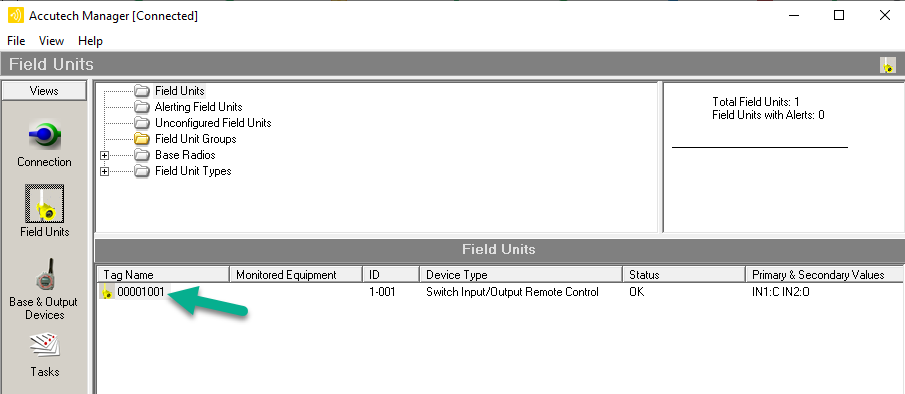
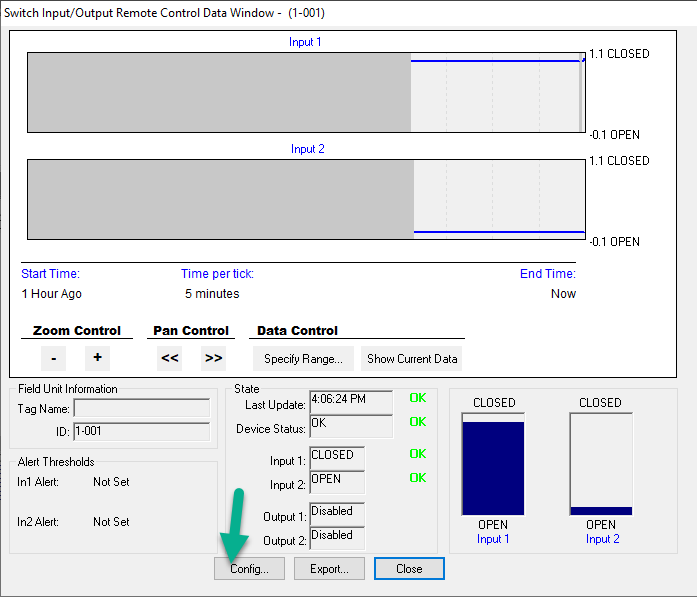
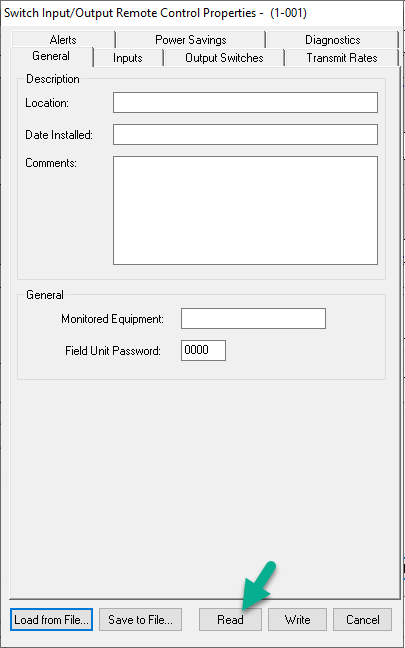
If the base radio, field unit and software support it, press the Read button to bring the field unit configuration over the air. (Read will be greyed out if you have an older base radio or field unit )
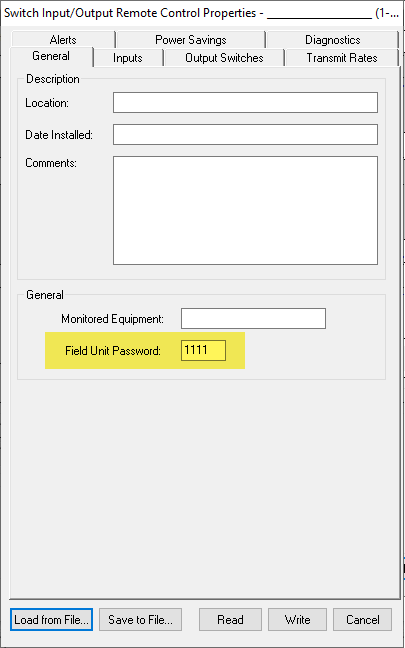
The Read command may take a little while, depending on your system setup but once completed, you should be able to see the field unit password.
For older systems:
In a situation where you can not read the configuration because of an older base radio or older field unit, it will still be possible to write a configuration into the field unit. Please note that this will overwrite whatever configuration might already be in there, including the Field Unit Password.
That being said, the field unit is still communicating back to the base radio. If you have a Base Radio with firmware 2.0 or newer; Accutech Manager 2.0 or newer and the Field Unit has firmware 2.0 or newer then you can read the field unit configuration over the air using Accutech Manager.
Once connected to the Base Radio, double click the field unit in question and select Config...
If the base radio, field unit and software support it, press the Read button to bring the field unit configuration over the air. (Read will be greyed out if you have an older base radio or field unit )
The Read command may take a little while, depending on your system setup but once completed, you should be able to see the field unit password.
For older systems:
In a situation where you can not read the configuration because of an older base radio or older field unit, it will still be possible to write a configuration into the field unit. Please note that this will overwrite whatever configuration might already be in there, including the Field Unit Password.
Publié pour: Schneider Electric Belgium
