


How to manually check and correct Auxiliaries from older project which are not compatible due to new offer Auxiliary Acti9 and Multi9 evolution in V2.5.XX in EcoStruxure PowerBuild – Rapsody.
Issue: Check and correct the non-compatible auxiliaries from project created in version older than V2.1.x.
Product Line: EcoStruxure Power Build – Rapsody
Resolution:
With the new version V2.5.X of EcoStruxure PowerBuild- Rapsody, as the Auxiliaries Acti9 and Multi9 have evolved, it will cause a compatibility breach in EcoStruxure Power Build Rapsody when working on new version V2.5.X with project created in older version V2.1.X which had OF-SD selected for the following offers:
Step1:
Open the old project SSD file in version V2.5.X by using the option “Open an Existing Project” or “Open a recent Project”.
Step2:
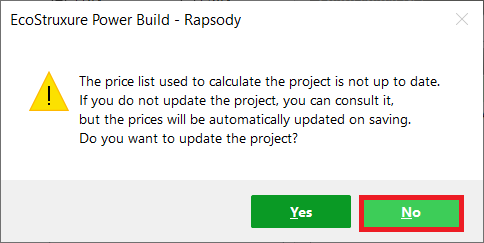
When pop-up for project update appears, choose “No”.
Step3:
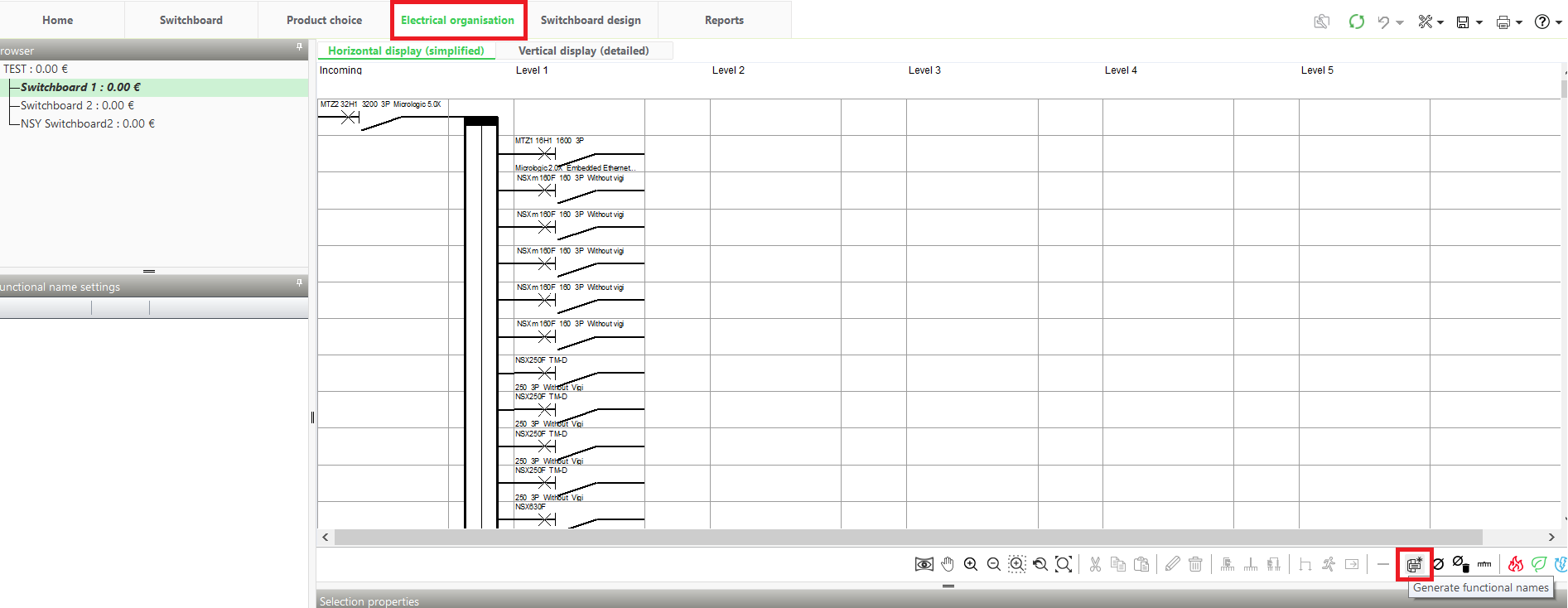
From “Electrical Organization” tab, Generate functional Names as shown in below screenshot.
Step4:
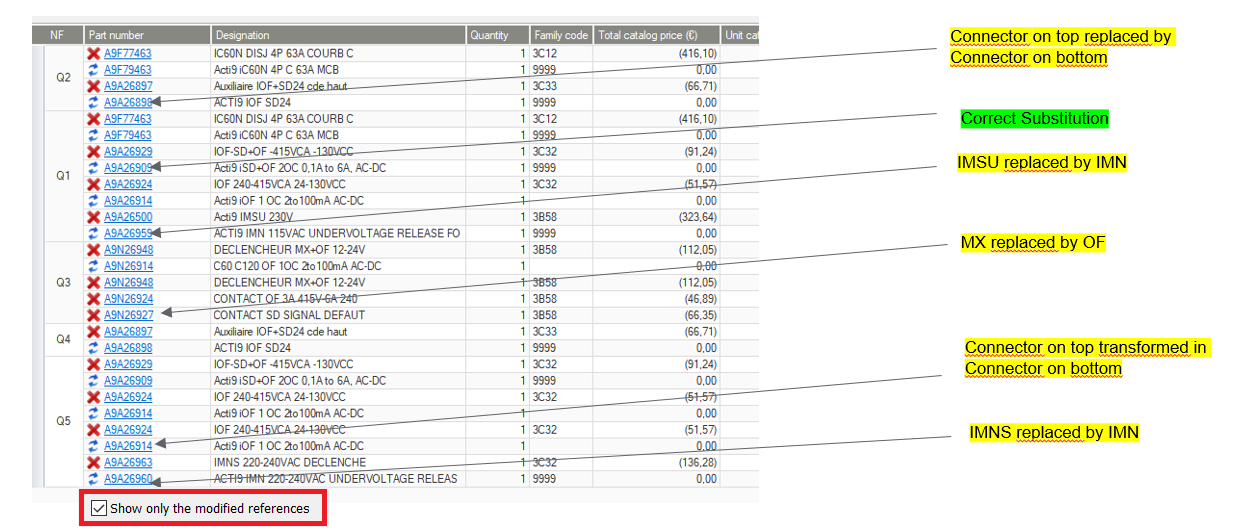
Click on Update project button and run the project update and check the box for option “Show only the modified references” to get the list of devices impacted.
Step5:
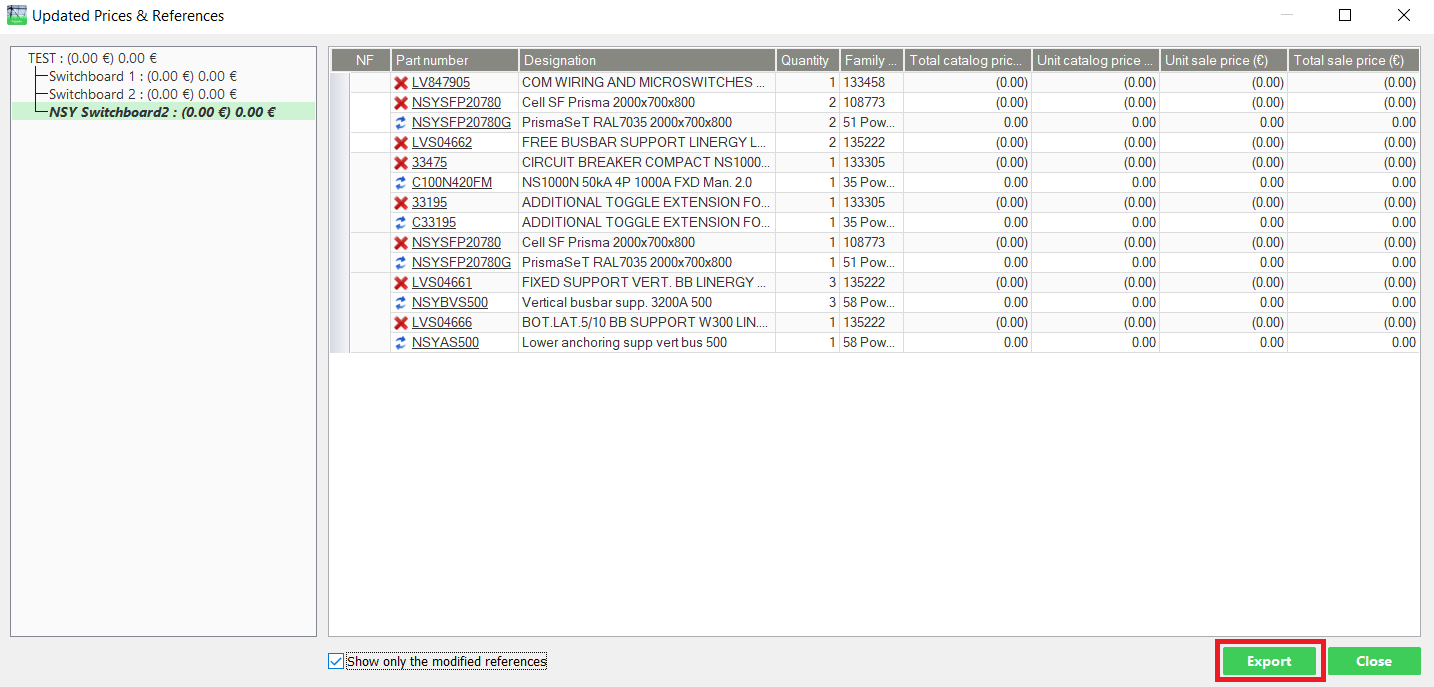
Export the list or save the screenshot for each impacted switchboard.
Step6:
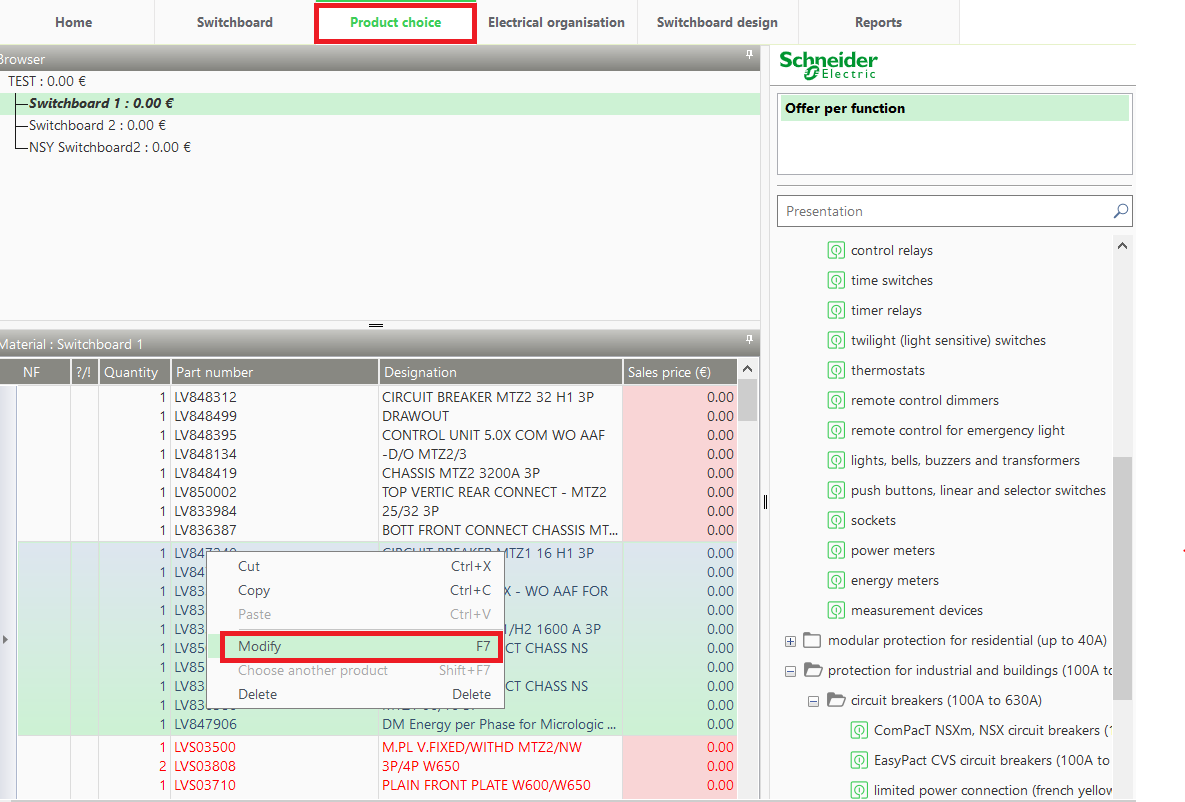
Go to Product Choice and right click on the impacted devices and choose “Modify” and select the required characteristics. Modify the impacted devices for all the switchboard.
Note: For project with more number of switchboard and devices with auxiliaries, it may take longer time to validate the devices.
Product Line: EcoStruxure Power Build – Rapsody
Resolution:
With the new version V2.5.X of EcoStruxure PowerBuild- Rapsody, as the Auxiliaries Acti9 and Multi9 have evolved, it will cause a compatibility breach in EcoStruxure Power Build Rapsody when working on new version V2.5.X with project created in older version V2.1.X which had OF-SD selected for the following offers:
| C120 |
| iC60 |
| iC60 double terminals |
| Acti9 C60H-DC |
| iSW NA |
| iDPN N Vigi |
| iDPN H Vigi |
| iDPN N Vigi G type |
| ACTI9 iC40 |
| ACTI9 iCV40 Feeder |
| ACTI9 iID40 |
| ACTI9 iIG40 |
| ACTI9 iDT40 |
| ACTI9 iDD40 Head of group |
| ACTI9 iDD40 Feeder |
Step1:
Open the old project SSD file in version V2.5.X by using the option “Open an Existing Project” or “Open a recent Project”.
Step2:
When pop-up for project update appears, choose “No”.
Step3:
From “Electrical Organization” tab, Generate functional Names as shown in below screenshot.
Step4:
Click on Update project button
Step5:
Export the list or save the screenshot for each impacted switchboard.
Step6:
Go to Product Choice and right click on the impacted devices and choose “Modify” and select the required characteristics. Modify the impacted devices for all the switchboard.
Note: For project with more number of switchboard and devices with auxiliaries, it may take longer time to validate the devices.