


Unable to uninstall new CE driver because existing driver was installed under a different user.
The following procedure can be used to uninstall a CE driver that was installed under a different user if access to the other account is no longer possible.

- Run the attached 'Release-PerUserDrivers.ps1' by right clicking on the downloaded file and selecting ‘Run with PowerShell'.
After the script finishes running, scroll back up to the top of the command window until you see the information for the driver.
i.e.,
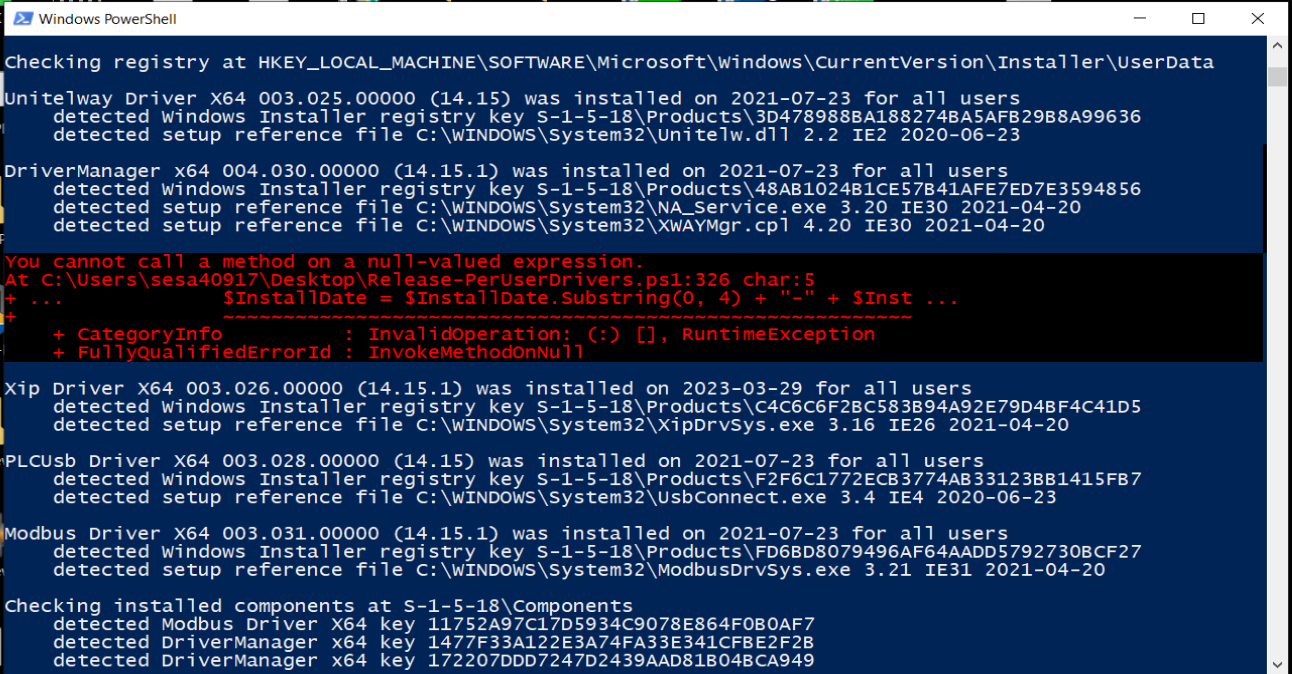
Unitelway Driver X64 003.025.00000 (14.15) was installed on 2021-07-23 for all users
detected Windows Installer registry key S-1-5-18\Products\3D478988BA188274BA5AFB29B8A99636
detected setup reference file C:\WINDOWS\System32\Unitelw.dll 2.2 IE2 2020-06-23
DriverManager x64 004.030.00000 (14.15.1) was installed on 2021-07-23 for all users
detected Windows Installer registry key S-1-5-18\Products\48AB1024B1CE57B41AFE7ED7E3594856
detected setup reference file C:\WINDOWS\System32\NA_Service.exe 3.20 IE30 2021-04-20
detected setup reference file C:\WINDOWS\System32\XWAYMgr.cpl 4.20 IE30 2021-04-20
Xip Driver X64 003.026.00000 (14.15.1) was installed on 2023-03-29 for all users
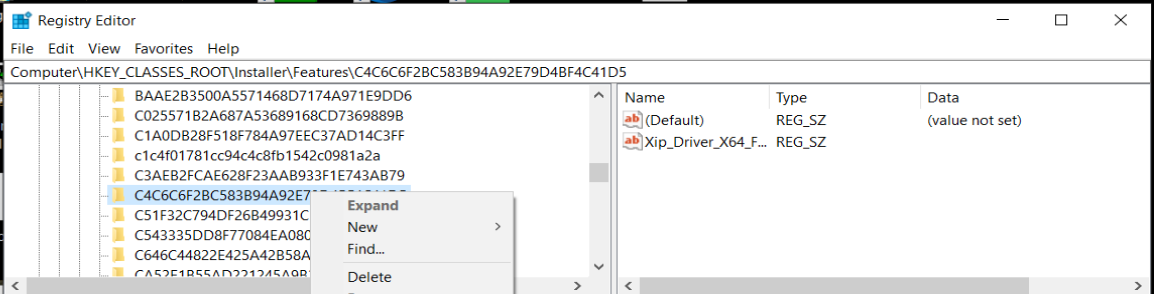
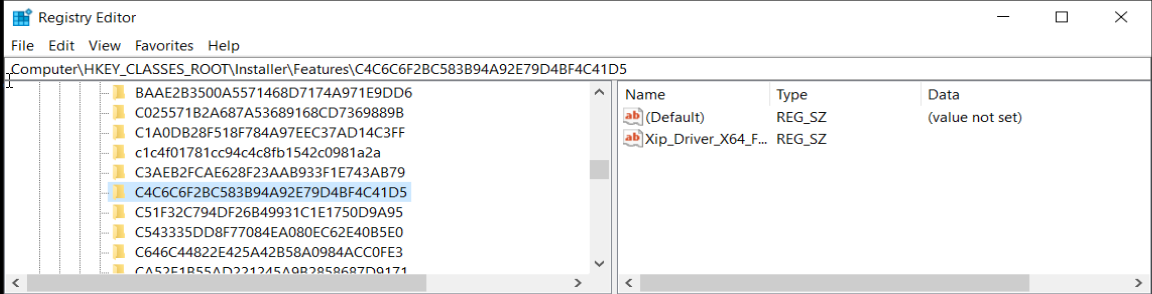
detected Windows Installer registry key S-1-5-18\Products\C4C6C6F2BC583B94A92E79D4BF4C41D5
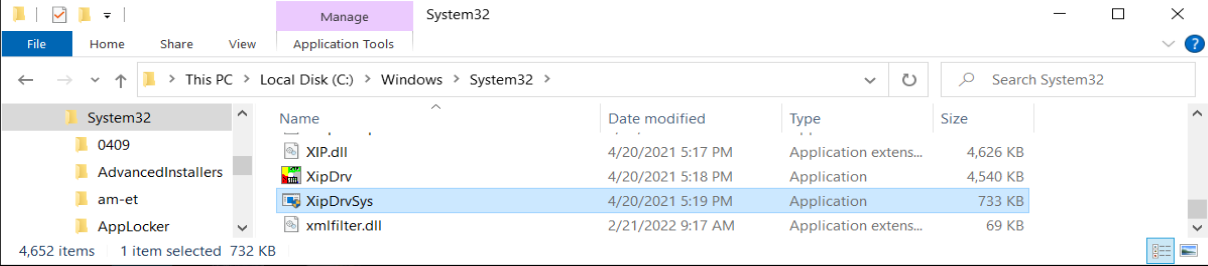
detected setup reference file C:\WINDOWS\System32\XipDrvSys.exe 3.16 IE26 2021-04-20
PLCUsb Driver X64 003.028.00000 (14.15) was installed on 2021-07-23 for all users
detected Windows Installer registry key S-1-5-18\Products\F2F6C1772ECB3774AB33123BB1415FB7
detected setup reference file C:\WINDOWS\System32\UsbConnect.exe 3.4 IE4 2020-06-23
Modbus Driver X64 003.031.00000 (14.15.1) was installed on 2021-07-23 for all users
detected Windows Installer registry key S-1-5-18\Products\FD6BD8079496AF64AADD5792730BCF27
detected setup reference file C:\WINDOWS\System32\ModbusDrvSys.exe 3.21 IE31 2021-04-20
i.e.,
Unitelway Driver X64 003.025.00000 (14.15) was installed on 2021-07-23 for all users
detected Windows Installer registry key S-1-5-18\Products\3D478988BA188274BA5AFB29B8A99636
detected setup reference file C:\WINDOWS\System32\Unitelw.dll 2.2 IE2 2020-06-23
DriverManager x64 004.030.00000 (14.15.1) was installed on 2021-07-23 for all users
detected Windows Installer registry key S-1-5-18\Products\48AB1024B1CE57B41AFE7ED7E3594856
detected setup reference file C:\WINDOWS\System32\NA_Service.exe 3.20 IE30 2021-04-20
detected setup reference file C:\WINDOWS\System32\XWAYMgr.cpl 4.20 IE30 2021-04-20
Xip Driver X64 003.026.00000 (14.15.1) was installed on 2023-03-29 for all users
detected Windows Installer registry key S-1-5-18\Products\C4C6C6F2BC583B94A92E79D4BF4C41D5
detected setup reference file C:\WINDOWS\System32\XipDrvSys.exe 3.16 IE26 2021-04-20
PLCUsb Driver X64 003.028.00000 (14.15) was installed on 2021-07-23 for all users
detected Windows Installer registry key S-1-5-18\Products\F2F6C1772ECB3774AB33123BB1415FB7
detected setup reference file C:\WINDOWS\System32\UsbConnect.exe 3.4 IE4 2020-06-23
Modbus Driver X64 003.031.00000 (14.15.1) was installed on 2021-07-23 for all users
detected Windows Installer registry key S-1-5-18\Products\FD6BD8079496AF64AADD5792730BCF27
detected setup reference file C:\WINDOWS\System32\ModbusDrvSys.exe 3.21 IE31 2021-04-20
- Launch the registry editor using 'regedt32'
- Click on Edit\Find.
- Search for the detected installer registry keys of the driver (See above example highlighted in bold) and delete it.
- Repeat for the last step for the next driver found.
- Close the registry editor.
- Open File Explorer.
- Search for the detected reference file and either delete it or rename it.
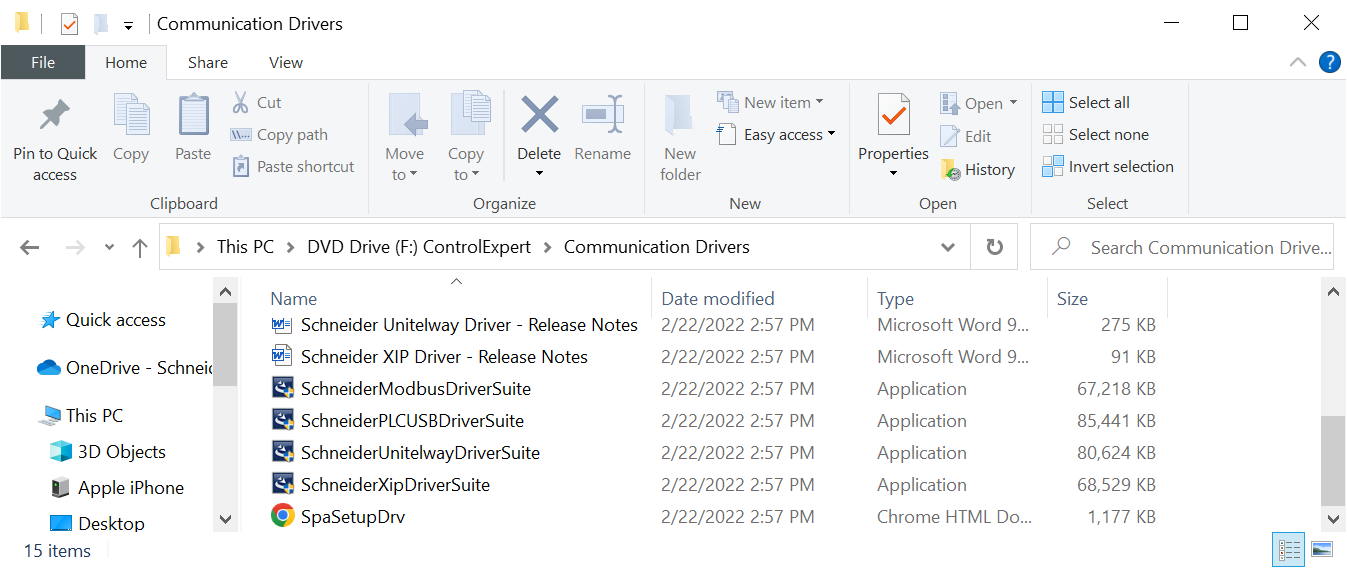
- Install the new driver (The setup files can be found under the folder named ‘..:\Communication Drivers’)