


How can we help you today?
Can the M258 inputs DM72F0 and DM72F1 be used as regular inputs?
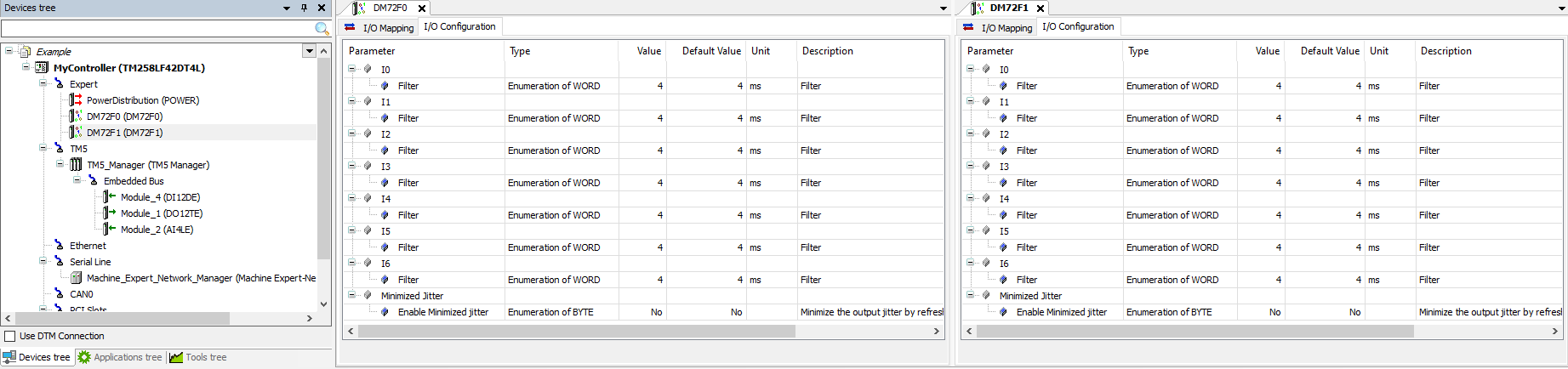
The fast inputs on the M258 are configured as regular inputs. by default:(EcoStruxure Machine Expert v1.2 depicted below)
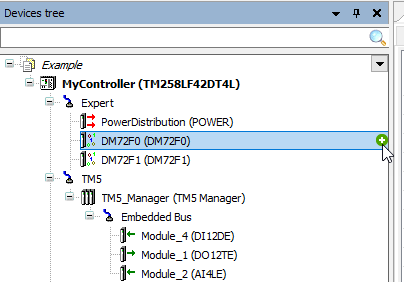
To add a High Speed Counter, Event Latch, Frequency Generator, Standard Encoder or PWM generator, click on the green (+) button to the right of the DM72F0 or DM72F1 node (or use Right-click and "Add Device")
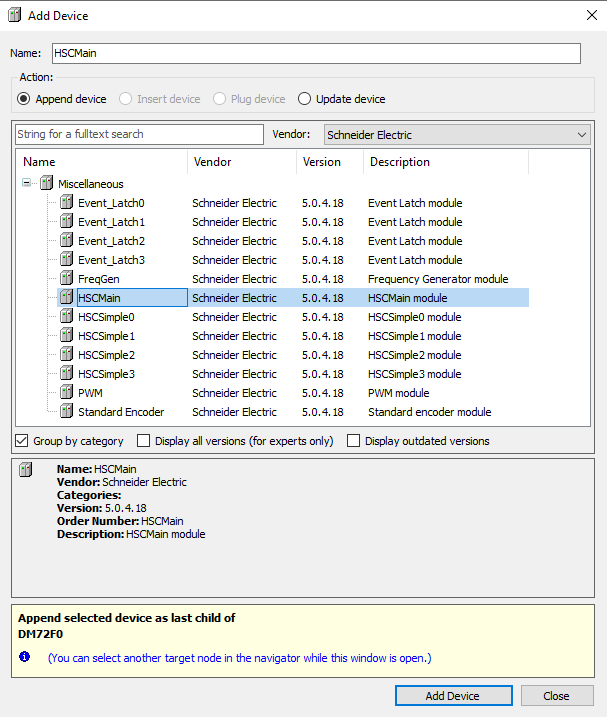
For example with a High Speed Counter:
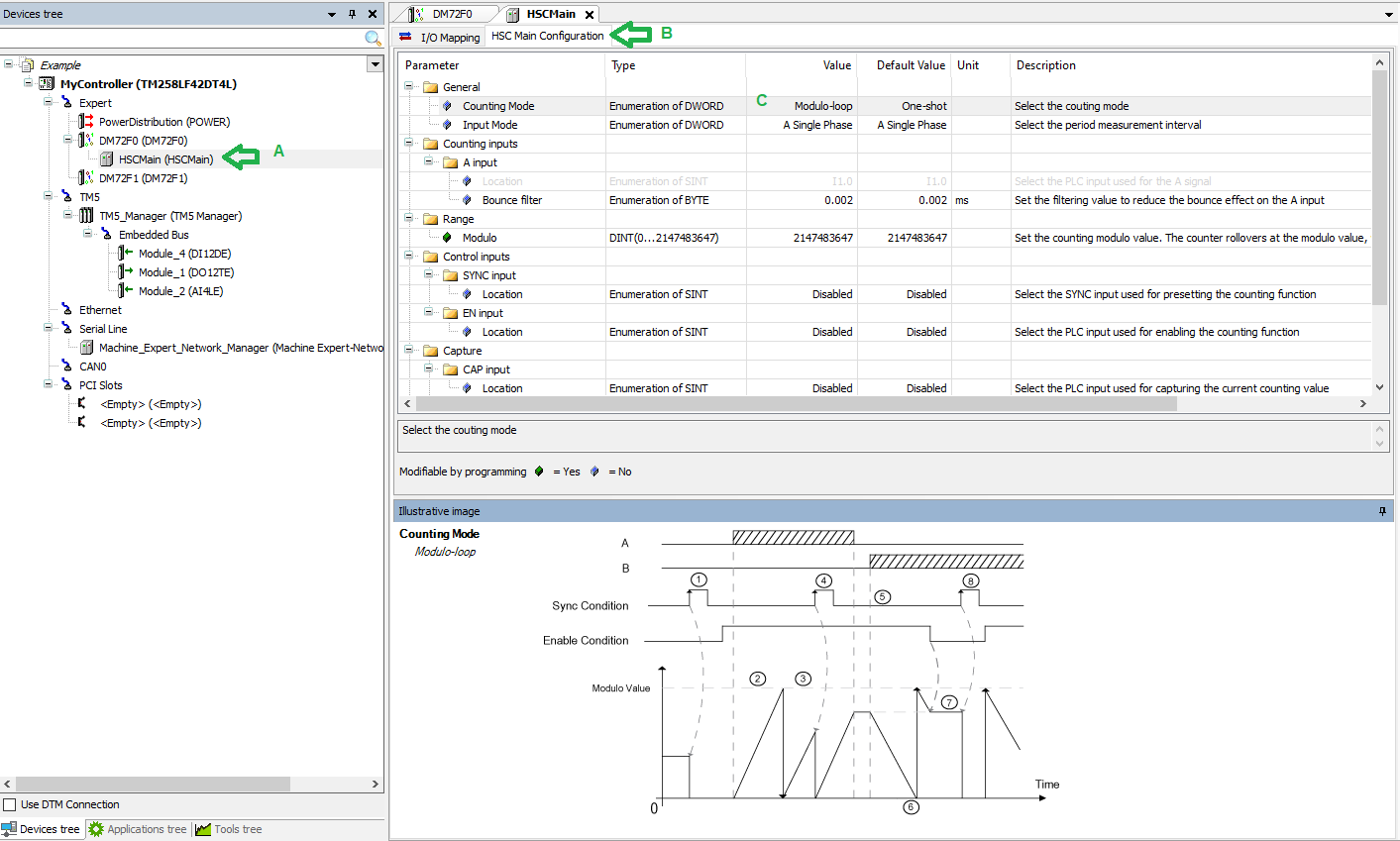
The node you choose (HSCMain in this example) will appear under the DM72Fx node (A).
Click on the "HSC Main Configuration" tab (B) to configure the parameters of Counter/Event Latch/etc.
Choose a Counting Mode under the General Parameters folder (C):
To add a High Speed Counter, Event Latch, Frequency Generator, Standard Encoder or PWM generator, click on the green (+) button to the right of the DM72F0 or DM72F1 node (or use Right-click and "Add Device")
For example with a High Speed Counter:
The node you choose (HSCMain in this example) will appear under the DM72Fx node (A).
Click on the "HSC Main Configuration" tab (B) to configure the parameters of Counter/Event Latch/etc.
Choose a Counting Mode under the General Parameters folder (C):
Released for: Schneider Electric Indonesia
Explore more
Range:

Explore more
Range:
Need help?
Product Selector
Quickly and easily find the right products and accessories for your applications.
Get a Quote
Start your sales enquiry online and an expert will connect with you.
Where to buy?
Easily find the nearest Schneider Electric distributor in your location.
Help Centre
Find support resources for all your needs, in one place.