


How can we help you today?
In SoMachine or EcoStruxure Machine Expert, how do I change the PLC or Magelis/Harmony HMI type?
Issue
In SoMachine or EcoStruxure Machine Expert, how do I change the PLC or Magelis/Harmony HMI type?
Product Line
SoMachine / EcoStruxure Machine Expert
M238, M258, M241, M251, M262, HMISCU/STU, XBTGC, XBTGT/GK, HMIGTO/GTU
Environment
PLC Configuration Software in Windows
Resolution
From the Devices Tree,
Right-click on the controller or HMI and select "convert device" then select the controller you want to change it to.
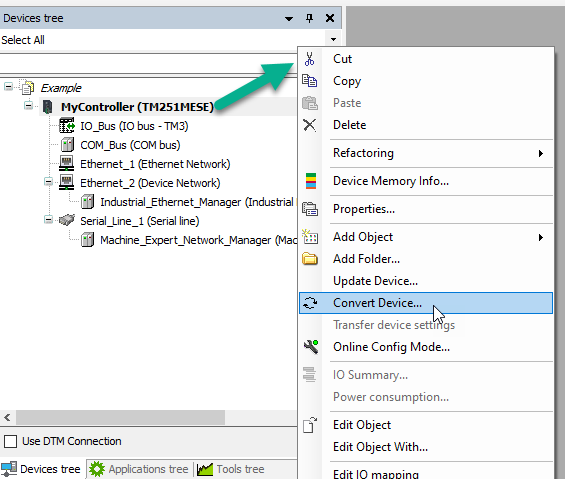
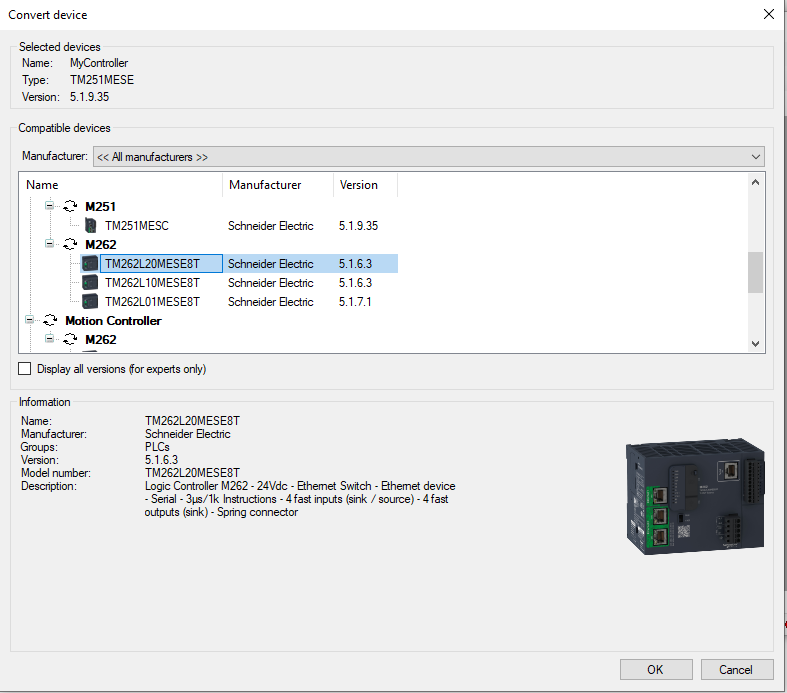
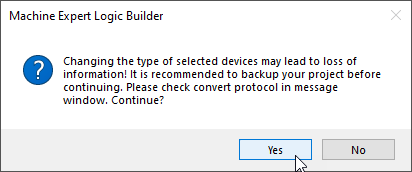
As a result, you will see the Device type has changed:
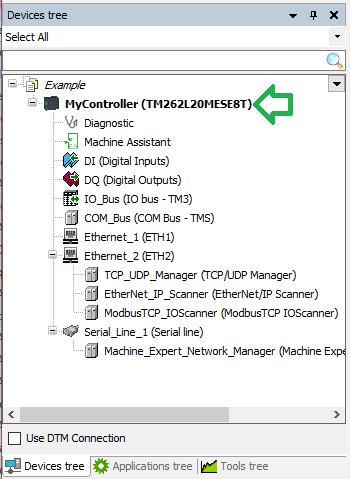
In SoMachine or EcoStruxure Machine Expert, how do I change the PLC or Magelis/Harmony HMI type?
Product Line
SoMachine / EcoStruxure Machine Expert
M238, M258, M241, M251, M262, HMISCU/STU, XBTGC, XBTGT/GK, HMIGTO/GTU
Environment
PLC Configuration Software in Windows
Resolution
From the Devices Tree,
Right-click on the controller or HMI and select "convert device" then select the controller you want to change it to.
As a result, you will see the Device type has changed:
Released for: Schneider Electric India
Explore more
Range:

Explore more
Range:
Need help?
Product Selector
Quickly and easily find the right products and accessories for your applications.
Get a Quote
Start your sales enquiry online and an expert will connect with you.
Where to buy?
Easily find the nearest Schneider Electric distributor in your location.
Help Centre
Find support resources for all your needs, in one place.