


How to configure execution time of a task in Control Expert?
To change the execution time of a task in Unity Pro Go to “Project Browser" and access MAST / FAST /AUX properties window by Right clicking. A Properties window will open.
In this window, you can choose between "Cyclic" or "Periodic" and assign the Period.
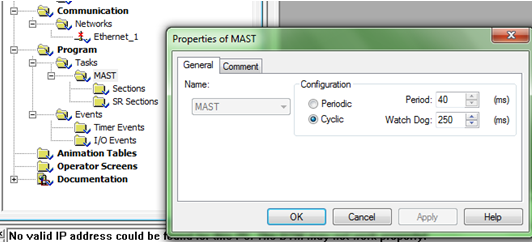
In this window, you can choose between "Cyclic" or "Periodic" and assign the Period.
Released for: Schneider Electric India
