


How to collect logs in PSO/EPO?
Product: PSO, EPO
Answer: There are two option to collect EPO Logs:
1. By using Power operation Studio.
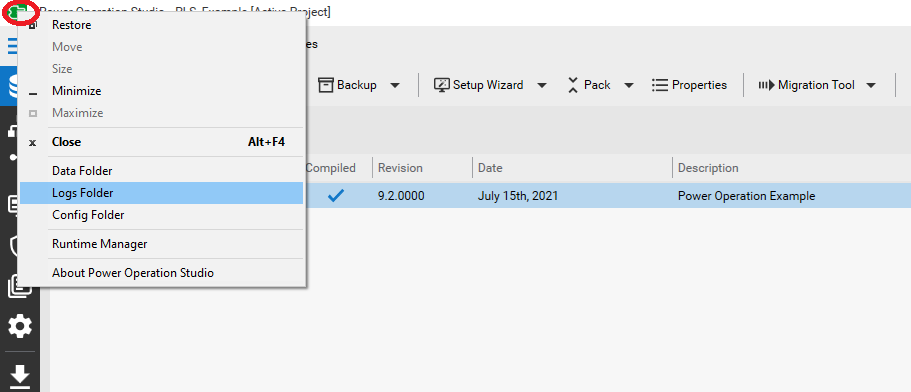
Right click on top left corner icon and select Logs Folder
2. Directly navigating to Program data files e.g C:\Program Data\Schneider Electric\Power Operation\v2021\Logs
Answer: There are two option to collect EPO Logs:
1. By using Power operation Studio.
Right click on top left corner icon and select Logs Folder
2. Directly navigating to Program data files e.g C:\Program Data\Schneider Electric\Power Operation\v2021\Logs
Released for: Schneider Electric India
