


How to configure DB60 circuit breaker (CB) in eDesign Small Building
Issue: How to Manage DB60 (electrical connection circuit breaker) for France customers in limited power main panel.
Product Line: eDesign Small Building Small Building App
Cause: Wishing to configure a circuit breaker installation at a limited power and allow you to model circuits with three-phase and single-phase circuit breakers, in order to have a coherent project in front view and in BOM.
Resolution:
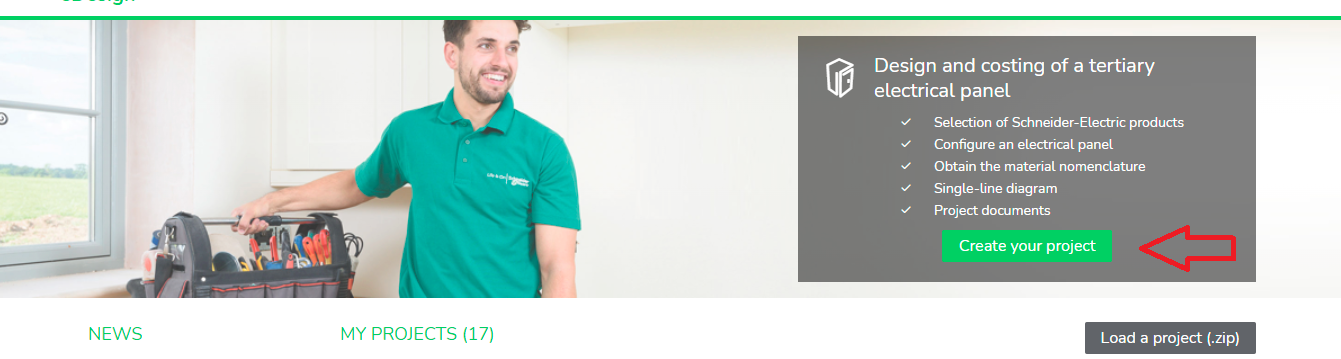
Step 1: Login to the application Small Building App and click Create your project.
Step 2: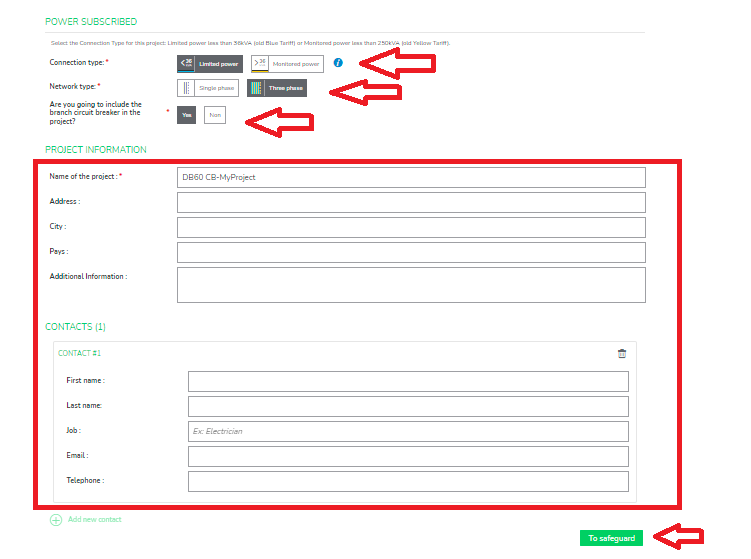
Step 3: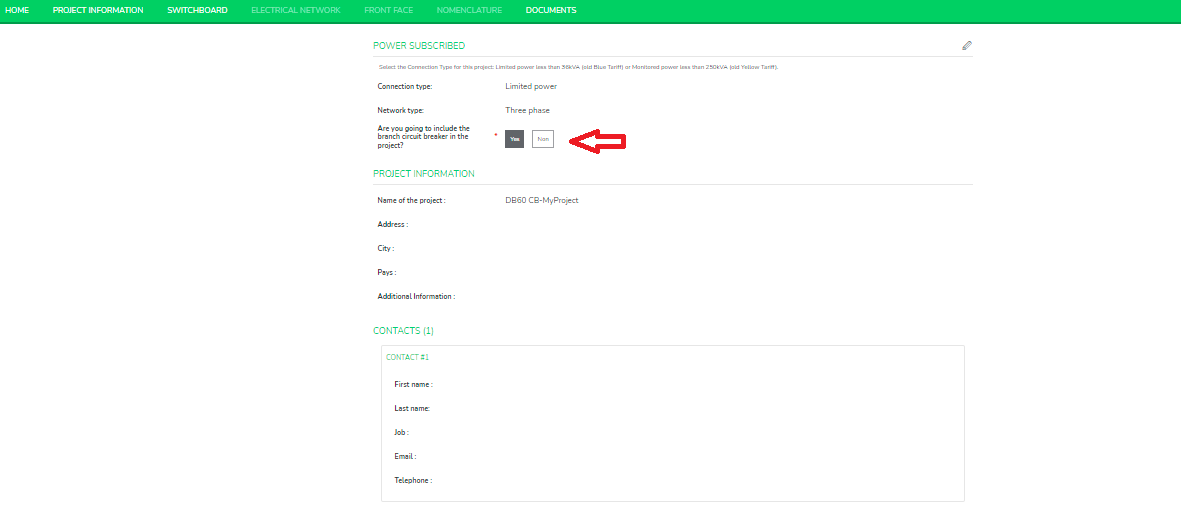
Step 4: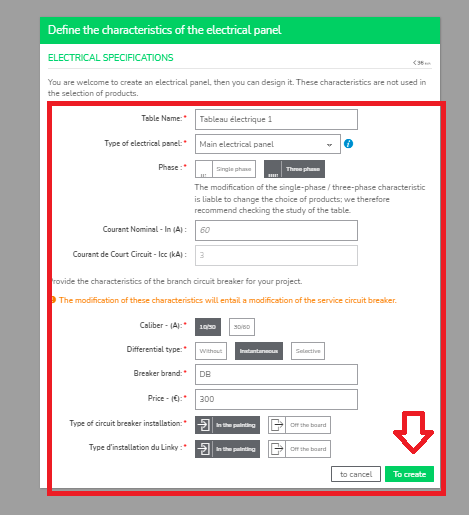
Step 5: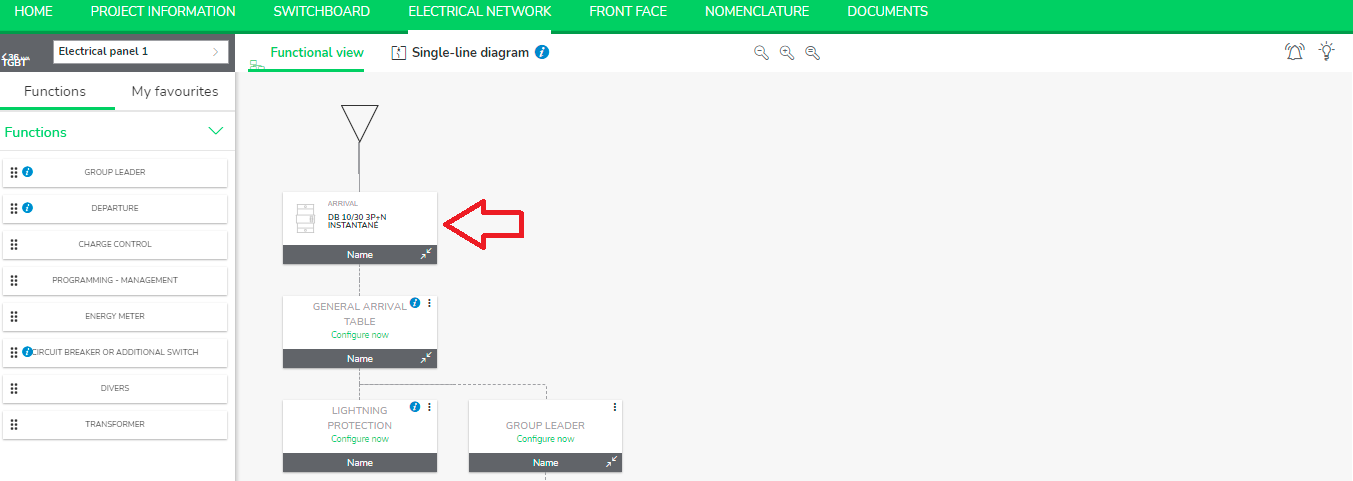
Product Line: eDesign Small Building Small Building App
Cause: Wishing to configure a circuit breaker installation at a limited power and allow you to model circuits with three-phase and single-phase circuit breakers, in order to have a coherent project in front view and in BOM.
Resolution:
Step 1: Login to the application Small Building App and click Create your project.
Step 2:
- Choose your connection Type: Limited power(<36KVA), this is only applicable under Limited power connection.
- Choose Network Type as Single phase or Three phase.
- Choose branch circuit breaker as Yes.
Step 3:
- After saving your project choose your option for branch circuit breaker. If Yes is selected, then it will allow you to put the price for branch circuit breaker along with other characteristics while creating the switchboard.
Step 4:
- Toggle over to Switchboard tab.
- Always select Type of electrical panel as Main electrical panel.
- Fill up the specifications accordingly and then click To create.
Step 5:
- After creating switchboard, click on your project to move to Electrical Network tab.
- You can see the product is added in Arrival.