


How can I assign modbus register and DNP point number to monitor the SCADAPack 47x input voltage, controller temperature, and RAM battery voltage?
Internal system data references are accessible to show the status and voltage of the SCADAPack 47x input power supply, as well as the onboard memory and clock back-up RAM battery and controller temperature. These system data references can be accessed via a user-created logic application or remotely.
To monitor the RAM Battery voltage and status in Modbus register or DNP point.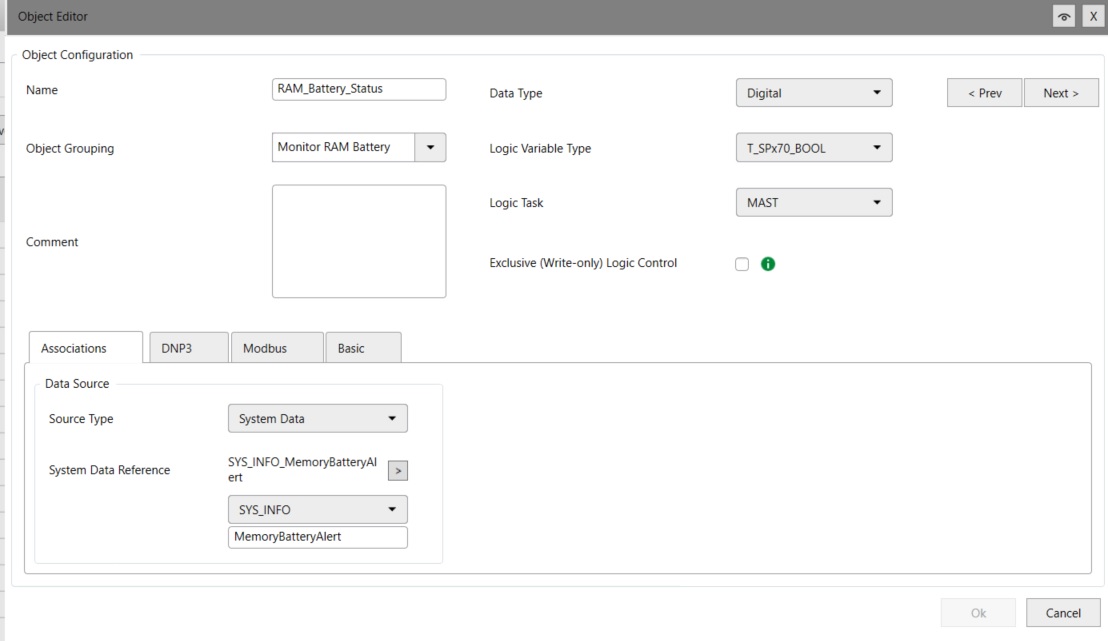
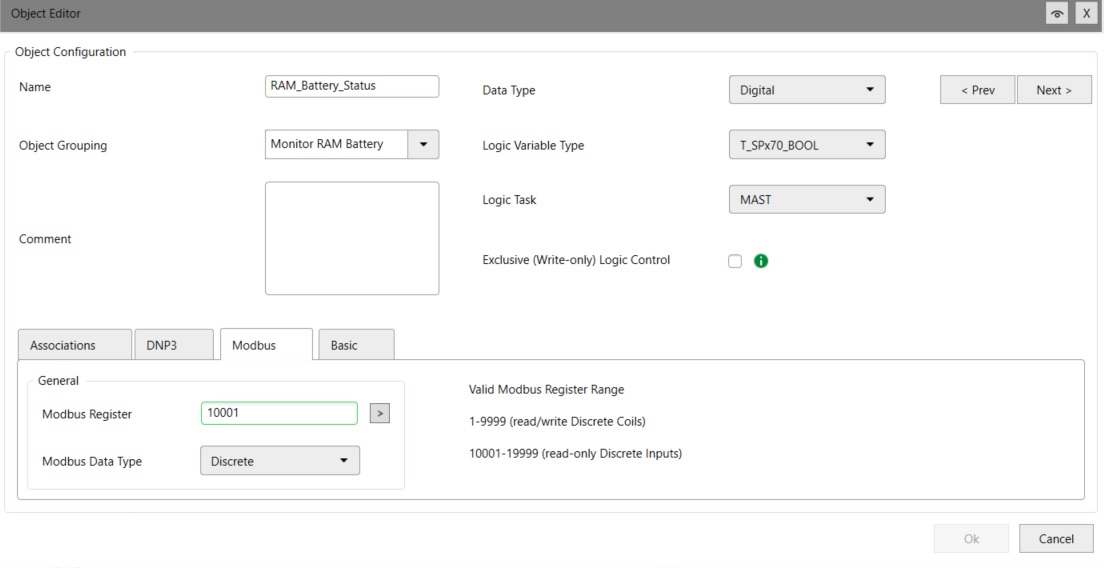
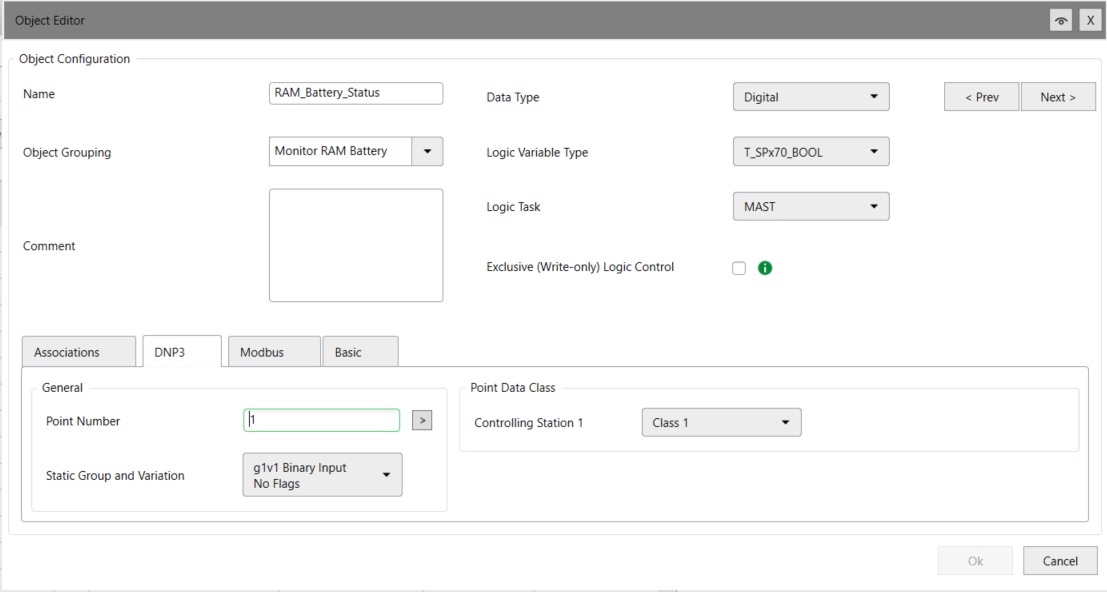
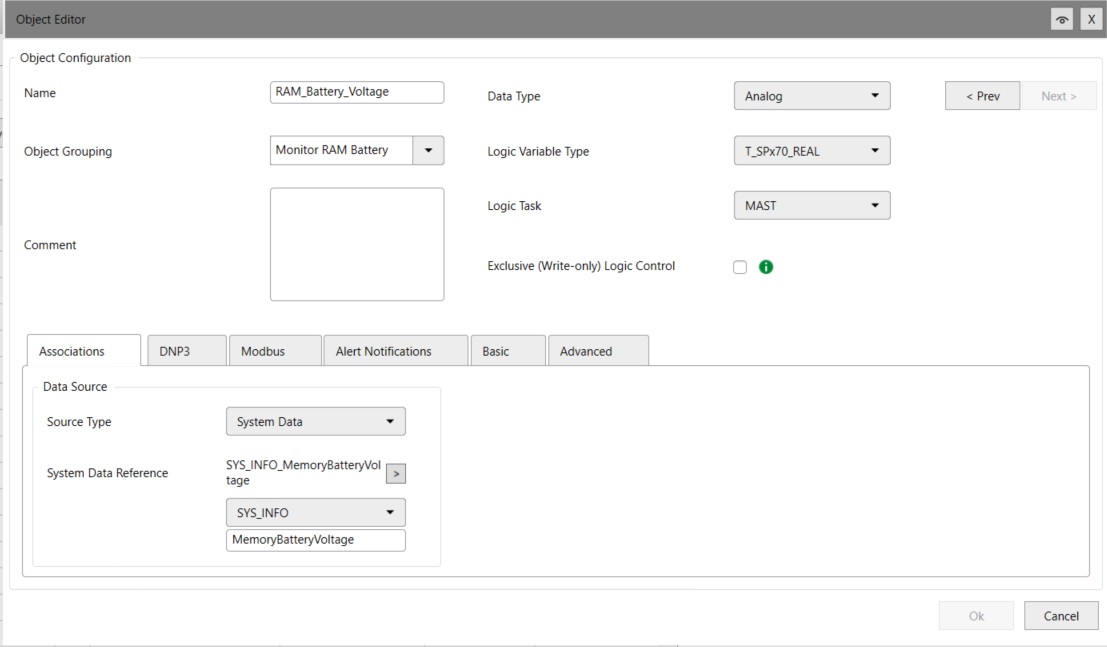

To monitor the RAM Battery voltage and status in Modbus register or DNP point.
- Use RemoteConnect software
- Under Configuration-SPx70 Controller>Objects Tab, select Add object button
- Create an Object for the On board battery status. Name: RAM_Battery_Status, Object Grouping: Monitor RAM Battery; Data Type: Digital; Logic Variable Type: T_SPx70_BOOL; Source Type: System Data; System Data reference SYS_INFO: MemoryBatteryAlert. See details below
- Click on the modbus tab and assign a modbus register, for example 10001
- Click on the DNP3 tab and assign a DNP point number, for example 1 and select controlling station: Class 1 and select Ok button.
- Create an Object for the On board battery voltage. Click on Add Object button
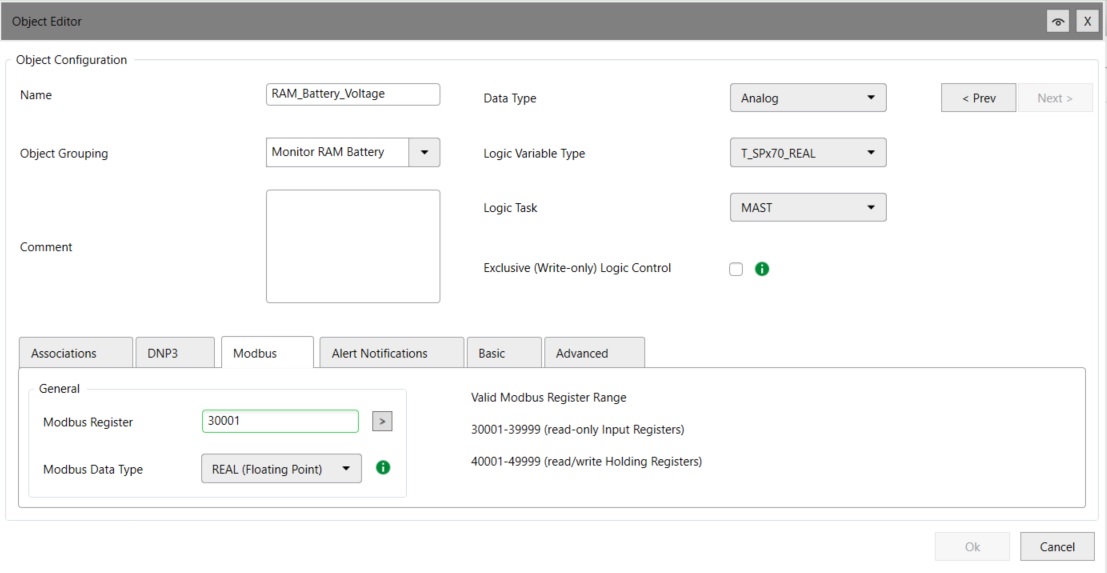
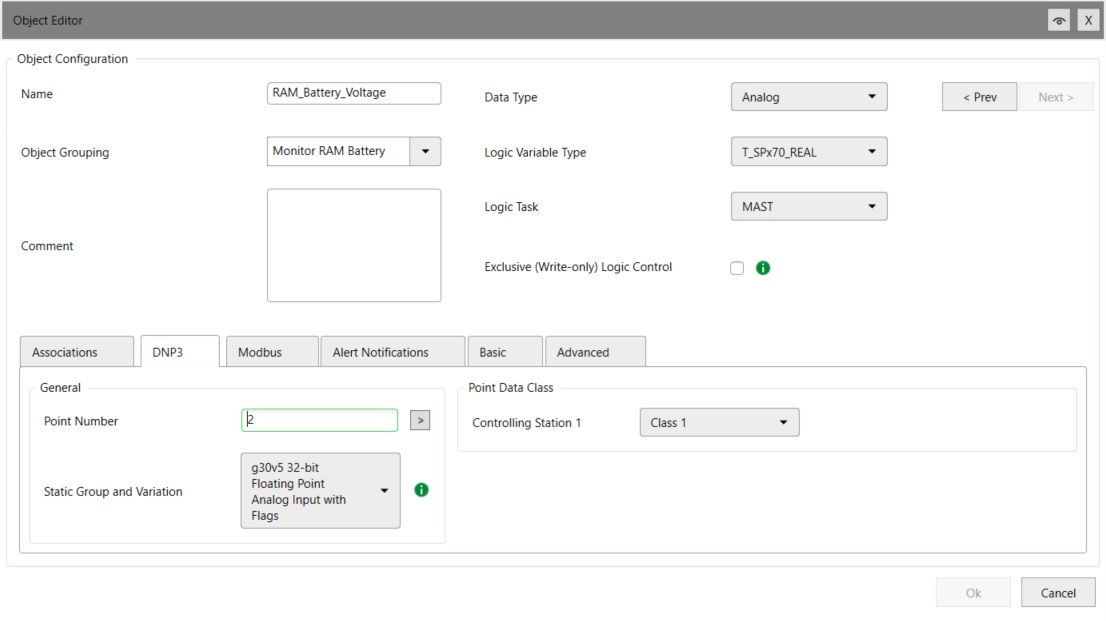
- Name: RAM_Battery_Voltage, Object Grouping: Monitor RAM Battery; Data Type: Analog; Logic Variable Type: T_SPx70_REAL; Source Type: System Data; System Data reference SYS_INFO: MemoryBatteryVoltage. See details below
- Click on Modbus tab and assign a Modbus register, for example 30001 and Modbus Data Type: REAL (Floating Point)
- Click on the DNP point tab and assign a DNP point for example DNP point number 2. Class 1. Then click ok button.
- When you start a new project, the power supply voltage and controller temperature objects are already defined by default.
- Click on the object and follow steps 4 and 5 in assigning Modbus register and DNP point.
- Press the Apply button and upload the updated program to the SCADAPack 47x device.