


Чем мы можем помочь сегодня?
Can the M258 inputs DM72F0 and DM72F1 be used as regular inputs?
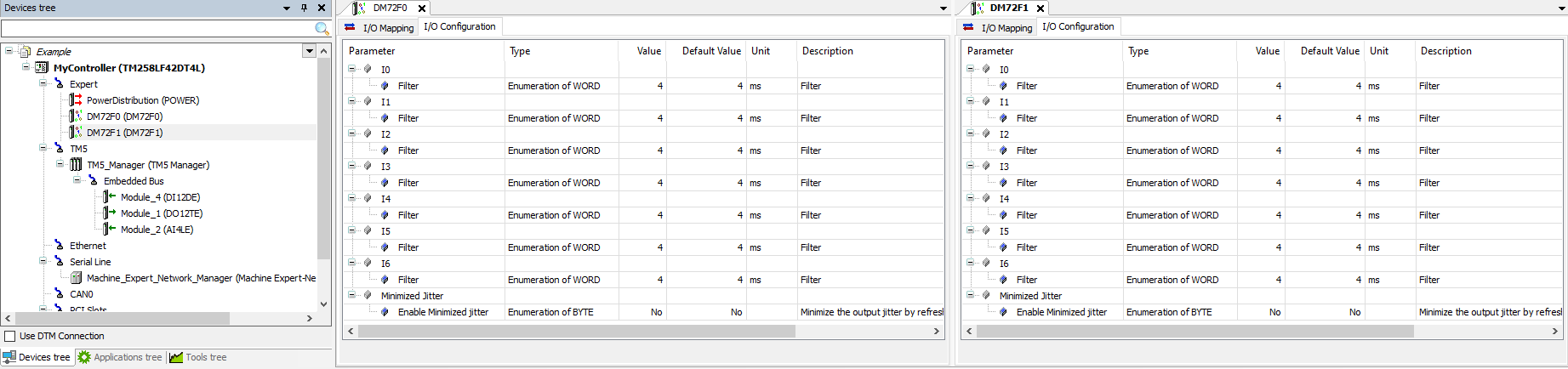
The fast inputs on the M258 are configured as regular inputs. by default:(EcoStruxure Machine Expert v1.2 depicted below)
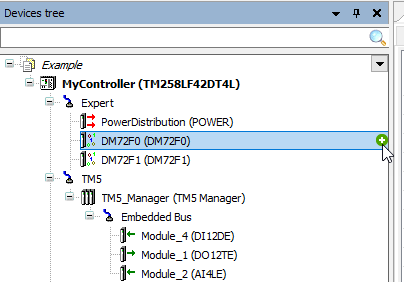
To add a High Speed Counter, Event Latch, Frequency Generator, Standard Encoder or PWM generator, click on the green (+) button to the right of the DM72F0 or DM72F1 node (or use Right-click and "Add Device")
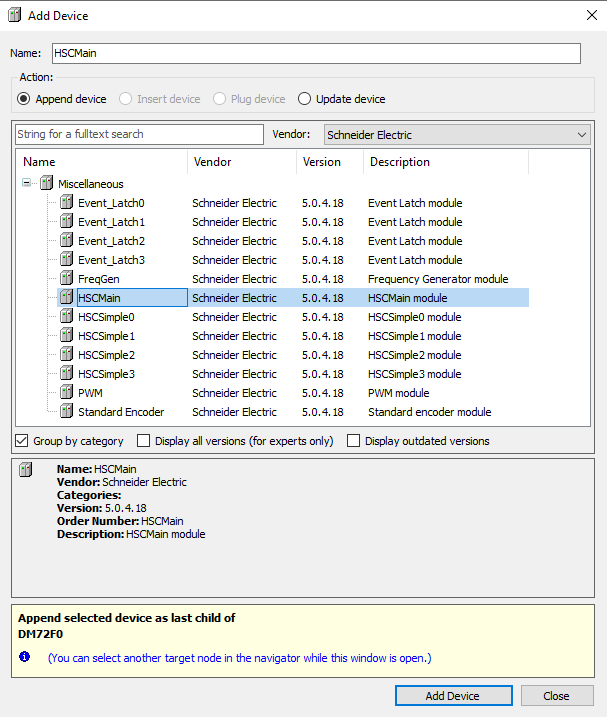
For example with a High Speed Counter:
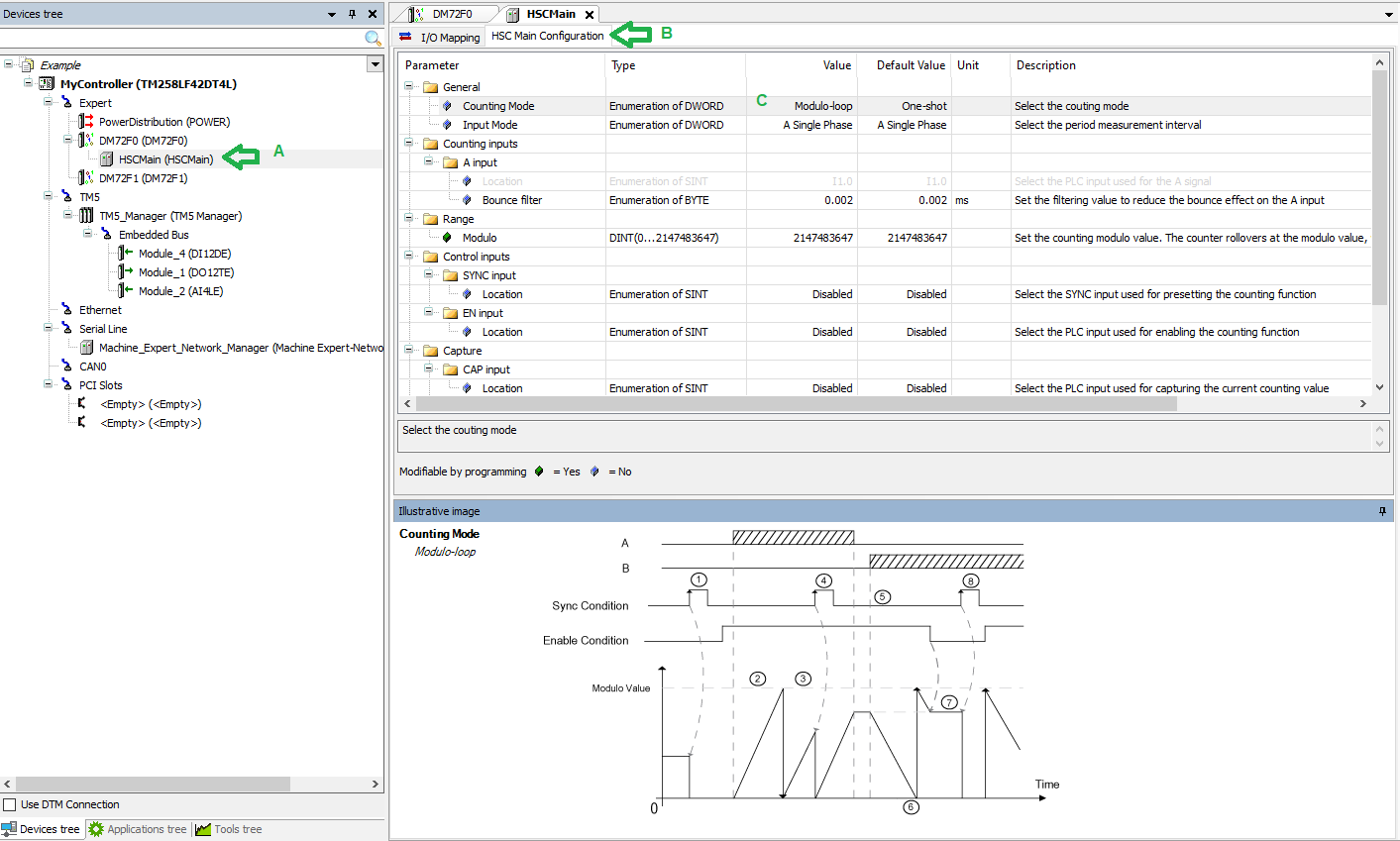
The node you choose (HSCMain in this example) will appear under the DM72Fx node (A).
Click on the "HSC Main Configuration" tab (B) to configure the parameters of Counter/Event Latch/etc.
Choose a Counting Mode under the General Parameters folder (C):
To add a High Speed Counter, Event Latch, Frequency Generator, Standard Encoder or PWM generator, click on the green (+) button to the right of the DM72F0 or DM72F1 node (or use Right-click and "Add Device")
For example with a High Speed Counter:
The node you choose (HSCMain in this example) will appear under the DM72Fx node (A).
Click on the "HSC Main Configuration" tab (B) to configure the parameters of Counter/Event Latch/etc.
Choose a Counting Mode under the General Parameters folder (C):
Опубликовано для: Schneider Electric Казахстан
Узнайте больше
Линейка:
Узнайте больше
Линейка:
Нужна помощь?
Инструмент для подбора продукции
Быстро и легко находите подходящие продукты и принадлежности для ваших условий применения.
Получить коммерческое предложение
Заполните заявку онлайн, и с вами свяжется наш эксперт.
Где купить?
Легко находите ближайшего к вам дистрибьютора Schneider Electric.
Центр поддержки
Находите ресурсы поддержки для всех ваших потребностей в одном месте.