


Чем мы можем помочь сегодня?
Unable to establish communication in PME with Eaton93PM even when the webpage is accessible and the IP address pings OK
Issue
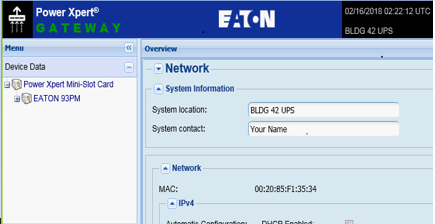
Unable to establish communication in PME with Eaton93PM even when the webpage is accessible and the IP address pings OK.
Product Line
Power Monitoring Expert third-party device type
Environment
PME communication with third-party devices
Cause
No communication to Eaton93PM in Power Monitoring Expert.
Resolution
Unable to establish communication in PME with Eaton93PM even when the webpage is accessible and the IP address pings OK.
Product Line
Power Monitoring Expert third-party device type
Environment
PME communication with third-party devices
Cause
No communication to Eaton93PM in Power Monitoring Expert.
Resolution
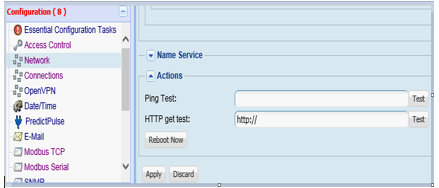
- Log in to the Eaton93PM, select the Network option from the left side and select Reboot Now as shown on the screen shot below just below the "HTTP get test"
- It will take about 2 minutes for the reboot to compete, PME will see the device as soon as the reboot completes
Опубликовано для: Schneider Electric Казахстан
Узнайте больше
Линейка:
Узнайте больше
Линейка:
Нужна помощь?
Инструмент для подбора продукции
Быстро и легко находите подходящие продукты и принадлежности для ваших условий применения.
Получить коммерческое предложение
Заполните заявку онлайн, и с вами свяжется наш эксперт.
Где купить?
Легко находите ближайшего к вам дистрибьютора Schneider Electric.
Центр поддержки
Находите ресурсы поддержки для всех ваших потребностей в одном месте.