


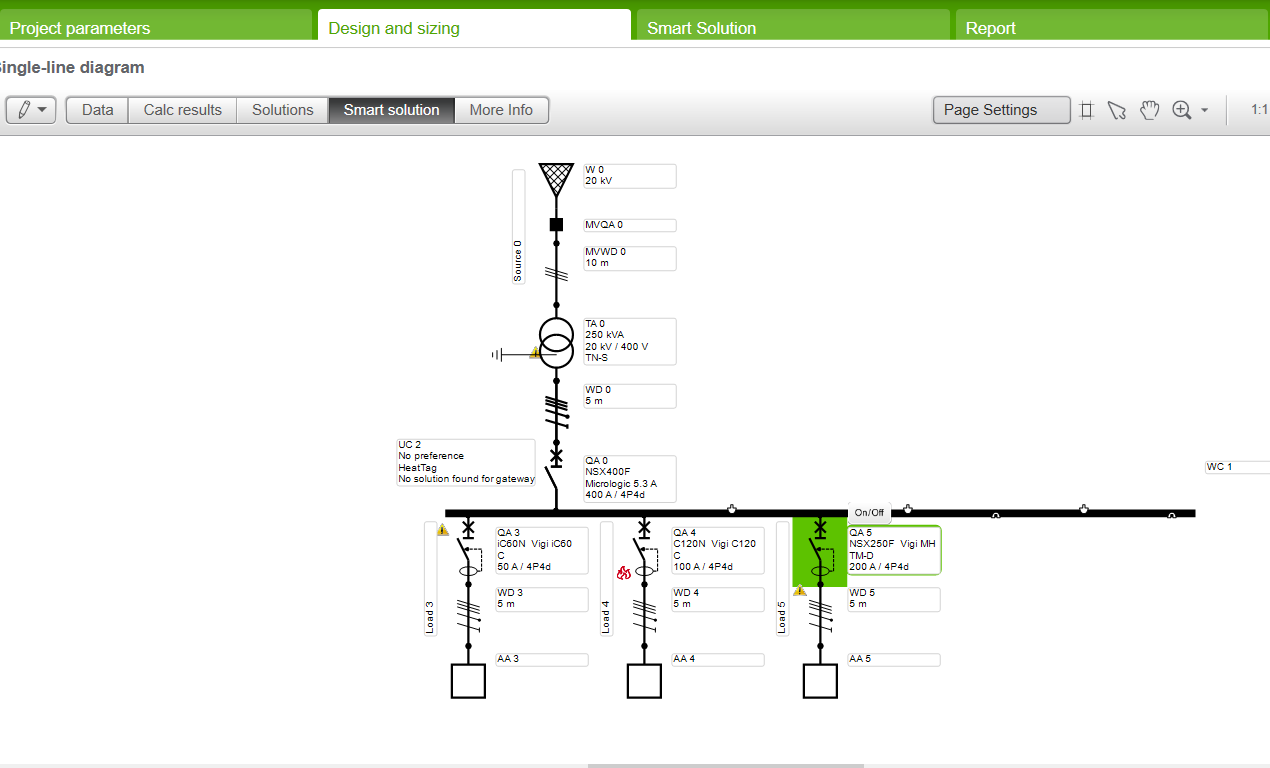
How to check Heat Tag and communication gateways on Smart solutions tab in NL 4.9.3 version of Ecodial .
Steps to check Heat Tag and communication gateways in Smart solution tab in Ecodial :
STEP-1 Launch Ecodial 4.9.3 NL version of Ecodial
STEP-2 Create a network with 50, 100 and 200A load.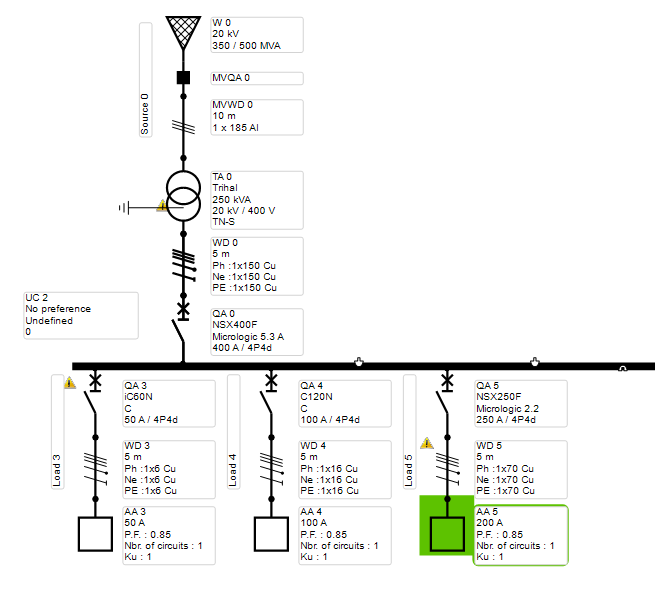
STEP-3 Run the calculation
STEP-4 GO to Smart solution tab
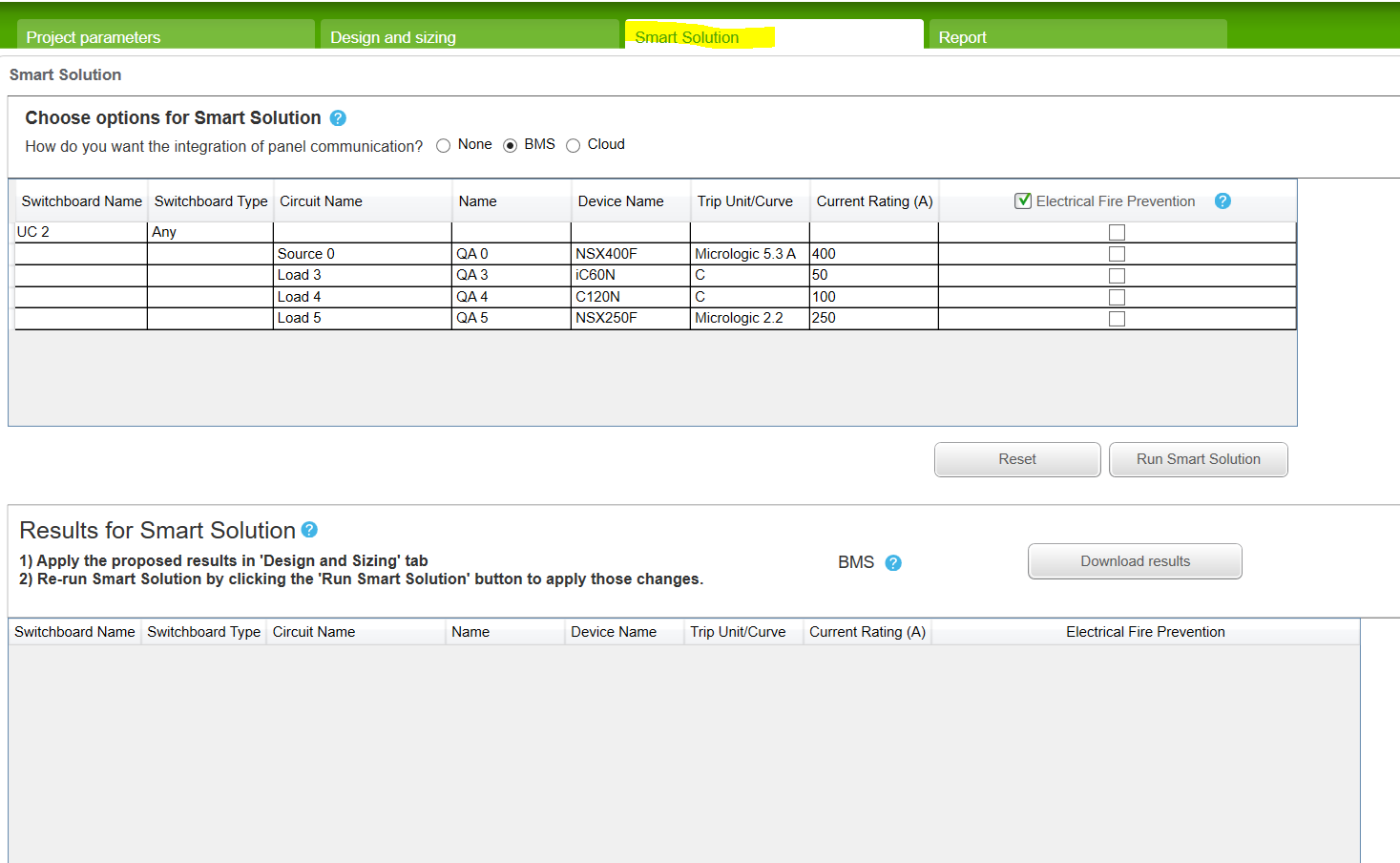 STEP-5 Under fire prevention tab select the required circuit breaker & switchboards to be protected
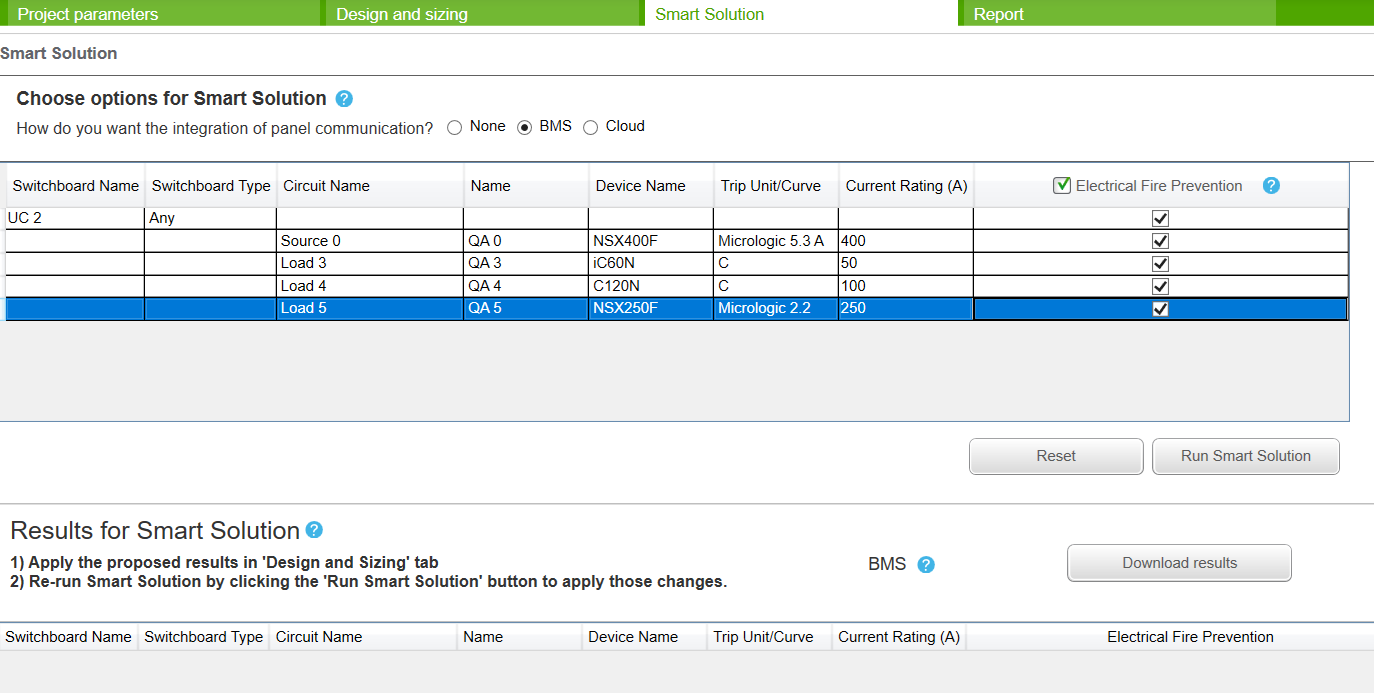 STEP-6 Run Smart solution by clicking “ SMART SOLUTION” TAB
STEP-7 Smart solution results will appear as below :
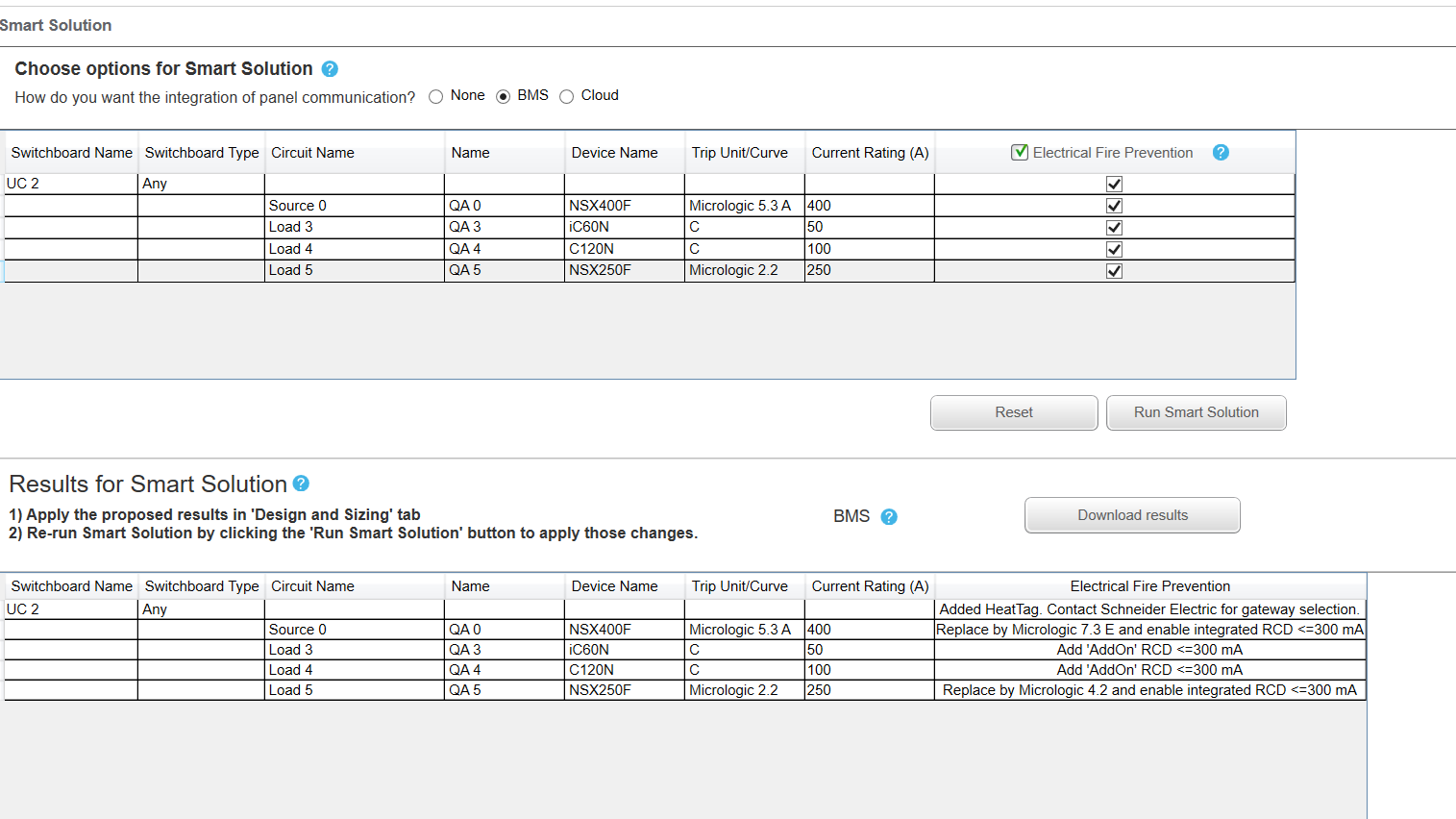 Under “Electrical Fire prevention” solutions check there exists heat tags and communication gateways for the respective switchboards which is required for fire prevention.
STEP -8 Follow the instruction which application is suggesting in “ Electrical Fire prevention “tab.
STEP-9 After following the instruction by adding add on RCD go to “ smart solution tab “ and again “ Run smart solution”
STEP10 – Network will charge out “ Heat tag solution and communication gateways “ for respective circuit breakers and switchboard as below:
STEP-1 Launch Ecodial 4.9.3 NL version of Ecodial
STEP-2 Create a network with 50, 100 and 200A load.
STEP-3 Run the calculation
STEP-4 GO to Smart solution tab
STEP-7 Smart solution results will appear as below :
STEP -8 Follow the instruction which application is suggesting in “ Electrical Fire prevention “tab.
STEP-9 After following the instruction by adding add on RCD go to “ smart solution tab “ and again “ Run smart solution”
STEP10 – Network will charge out “ Heat tag solution and communication gateways “ for respective circuit breakers and switchboard as below: