


Ecostruxure Process Expert[2021]: How to resolve connection problem between PRM & NOC module.
This document explains how to resolve Connection problems between PRM & NOC modules.
After following the proper procedure for establishing communication between PRM module and NOC module and also after ensuring all Physical connections are properly given, still if there is an issue which is particularly PRM connects & disconnects from NOC module, then follow this procedure for resolution.
Issue Identification:
Issue can be identified by opening the PRM configuration from Topology and then connect to PRM.
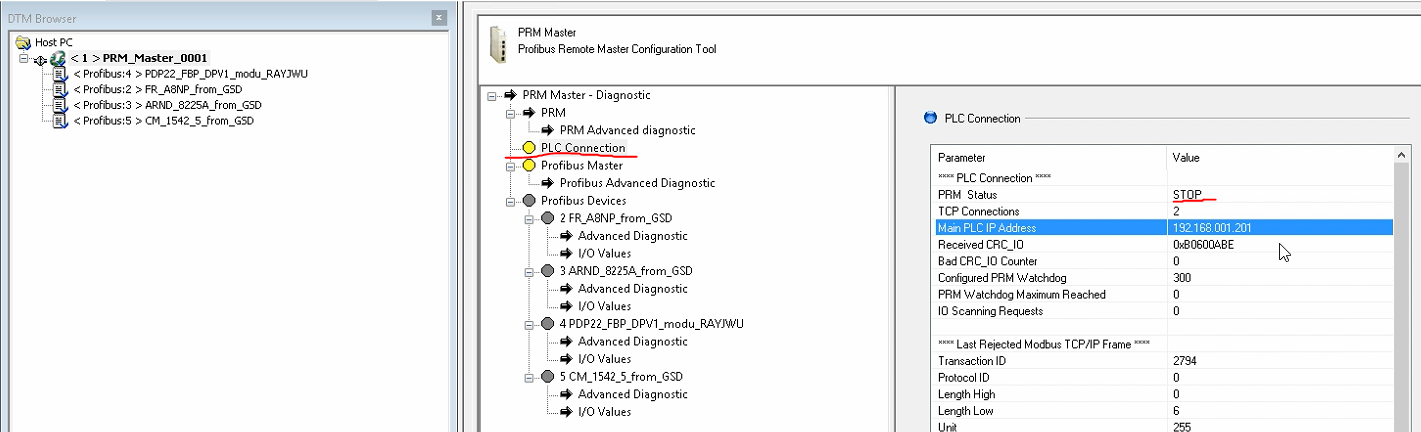
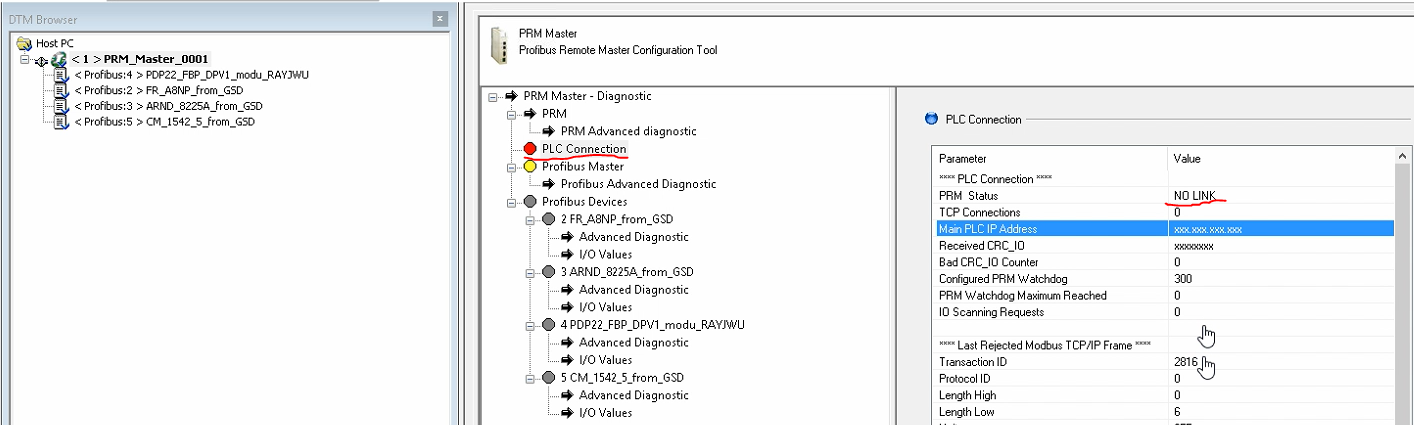
Then Check the "PLC Connection" Status, then you can find the connection status shows connected for couple of seconds (Screenshot1), then disconnects (Screenshot2) and then shows Connected again.
Like this there will be frequent Connection & disconnection between PRM & NOC module.
Resolution:
Normally this issue occurs, when the PRM watchdog time is less than the IOScanning update time.
By Default the PRM module's Watchdog time is 300ms and When you perform Communication mapping for PRM on particular NOC, then by default IOScanning update rate will be 60ms. At these settings, there will be no issue.
If User has modified the IOscanning update period to more than 300ms, Then this kind of issue can happen due to Watchdog Timeout.
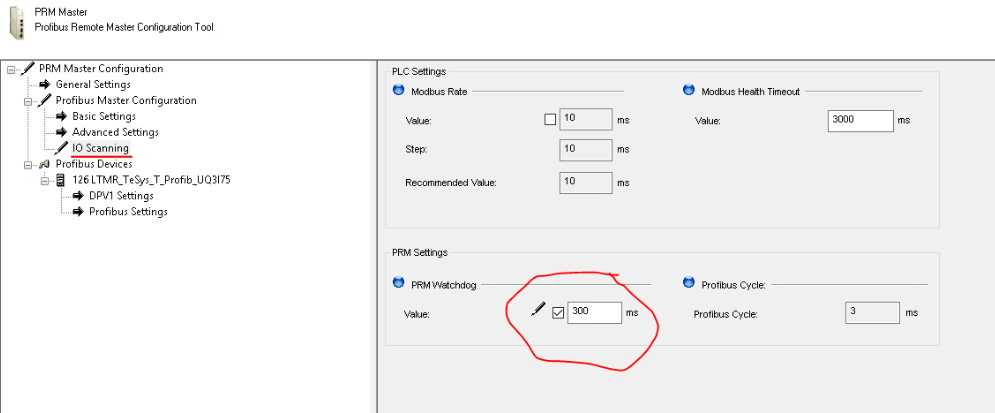
Therefore, If you are increasing the NOC's IOScanning update rate higher than 300ms, then you must modify the PRM Watchdog time to at least 3 times higher than NOC IOScanning update time. The Watchdog time setting can be found in PRM configuration as shown below.
After following the proper procedure for establishing communication between PRM module and NOC module and also after ensuring all Physical connections are properly given, still if there is an issue which is particularly PRM connects & disconnects from NOC module, then follow this procedure for resolution.
Issue Identification:
Issue can be identified by opening the PRM configuration from Topology and then connect to PRM.
Then Check the "PLC Connection" Status, then you can find the connection status shows connected for couple of seconds (Screenshot1), then disconnects (Screenshot2) and then shows Connected again.
Like this there will be frequent Connection & disconnection between PRM & NOC module.
Resolution:
Normally this issue occurs, when the PRM watchdog time is less than the IOScanning update time.
By Default the PRM module's Watchdog time is 300ms and When you perform Communication mapping for PRM on particular NOC, then by default IOScanning update rate will be 60ms. At these settings, there will be no issue.
If User has modified the IOscanning update period to more than 300ms, Then this kind of issue can happen due to Watchdog Timeout.
Therefore, If you are increasing the NOC's IOScanning update rate higher than 300ms, then you must modify the PRM Watchdog time to at least 3 times higher than NOC IOScanning update time. The Watchdog time setting can be found in PRM configuration as shown below.