


PME4DC installer fails on "Create Data Collector Login"
Issue
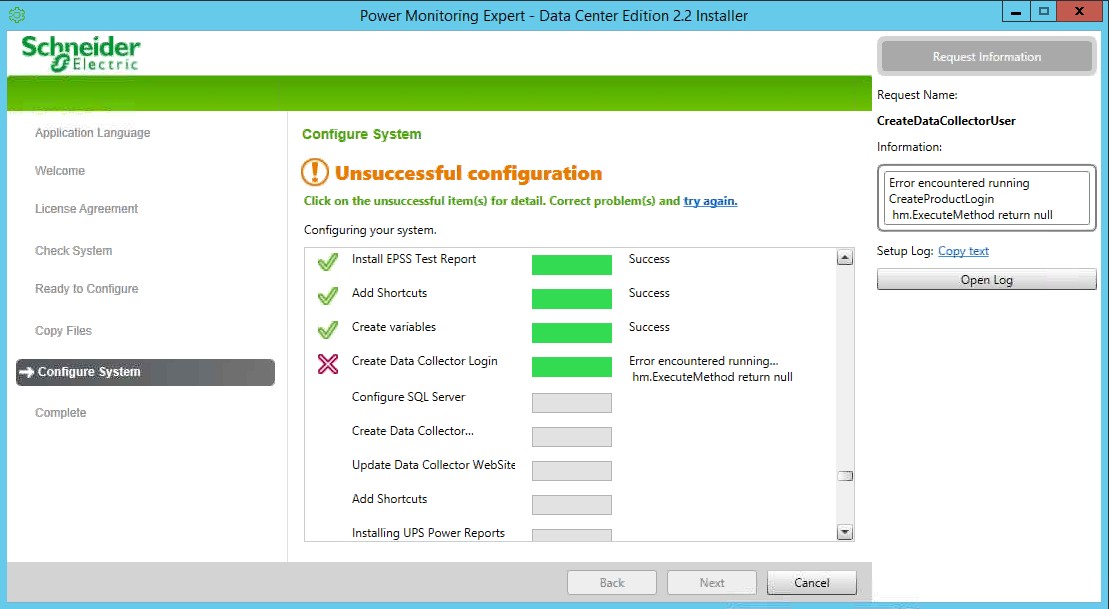
PME4DC installer fails on step "Create Data Collector Login" with error "Error encountered running CreateProductLogin hm.ExecuteMethod return null"
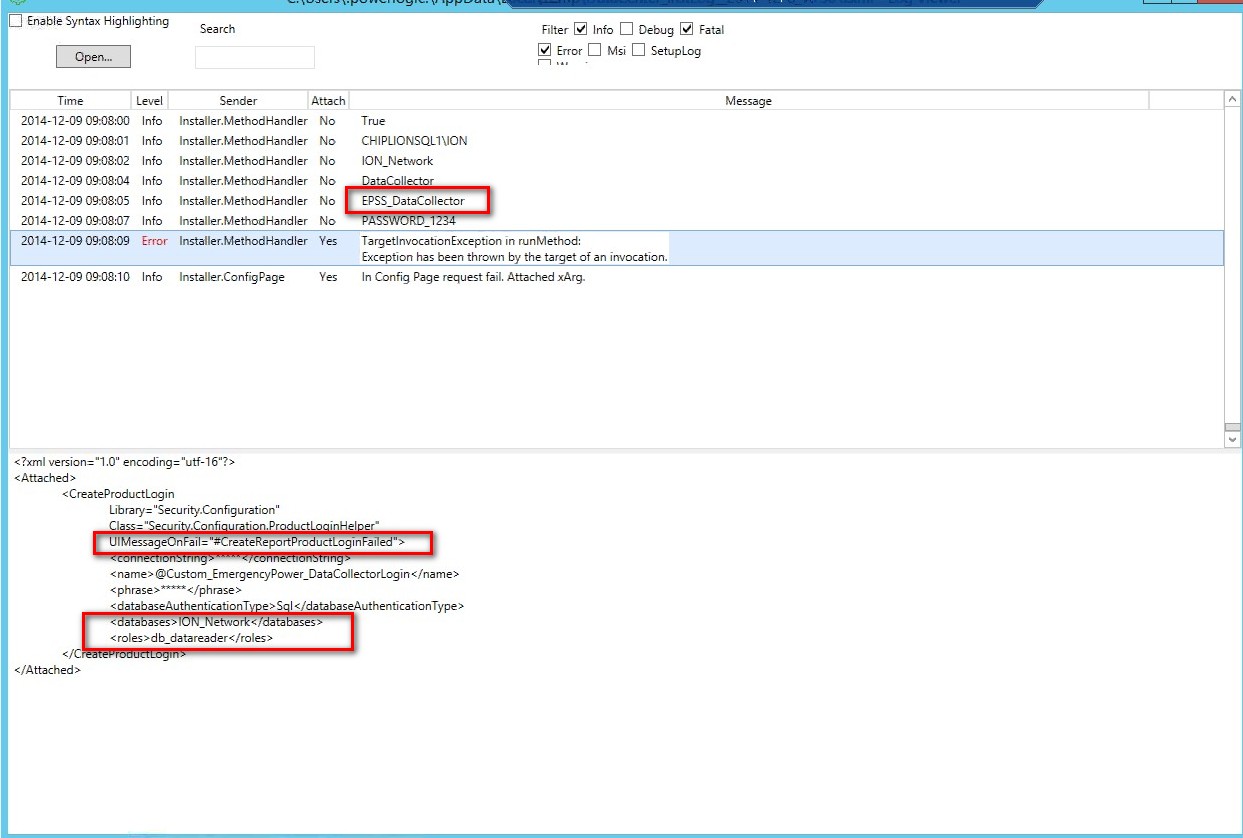
The installer log has the below description:
Product Line
PME4DC
PME4HC with EPSS
Environment
PME4DC installer
PME4HC with EPSS installer
Cause
SQL permissions are not allowing the installer to create the EPSS_DataCollector and apply appropriate database mappings.
Resolution
*Warning: Irreparable database damage can occur. This procedure should only be performed by users familiar with SQL Server Management Studio. Databases should be backed up prior to performing this procedure.*
If the SQL policies are blocking the creation of SQL user EPSS_DataCollector, the user can be created manually by logging into SQL server management studio and following the below steps:
PME4DC installer fails on step "Create Data Collector Login" with error "Error encountered running CreateProductLogin hm.ExecuteMethod return null"
The installer log has the below description:
Product Line
PME4DC
PME4HC with EPSS
Environment
PME4DC installer
PME4HC with EPSS installer
Cause
SQL permissions are not allowing the installer to create the EPSS_DataCollector and apply appropriate database mappings.
Resolution
*Warning: Irreparable database damage can occur. This procedure should only be performed by users familiar with SQL Server Management Studio. Databases should be backed up prior to performing this procedure.*
If the SQL policies are blocking the creation of SQL user EPSS_DataCollector, the user can be created manually by logging into SQL server management studio and following the below steps:
- Open SQL Server Management Studio, and connect to the appropriate Power Monitoring Expert SQL instance.
- Open security-->right click on "Logins" and select "New Login".
- Under the general page, create a login where login name is <computer name>\EPSS_DataCollector. Make sure SQL Server authentication is selected.
- Under "Server Roles", select "Public".
- Under "User Mapping" make sure the user is mapped to the databases;
- ION_Data, with User "EPSS_DataCollector" (do not map <computername>\EPSS_DataCollector) and Default Schema set to "dbo". Make sure the database role membership is set for "db_datareader", "EPSS_DataCollectorAccess" and "Public"
- ION_Network, with User "EPSS_DataCollector" (do not map <computername>\EPSS_DataCollector) and Default Schema set to "dbo". Make sure the database role membership is set for "db_datareader" and "Public"
- ApplicationModules, with User "EPSS_DataCollector" (do not map <computername>\EPSS_DataCollector) and Default Schema set to "dbo". Make sure the database role membership is set for "AMApplicationRole" and "Public"
- ION_Data, with User "EPSS_DataCollector" (do not map <computername>\EPSS_DataCollector) and Default Schema set to "dbo". Make sure the database role membership is set for "db_datareader", "EPSS_DataCollectorAccess" and "Public"
- After the login is created, close SQL server management studio and rerun the installer.