


How do I change the Timeout (ttob) for the Embedded ethernet communication port(s) on my ATV600/ATV900/340 series drive?
Issue:
Configuration of Timeout (ttob) for ethernet communication on my ATV600/ATV900/ATV340 series drive.
Product Line:
ATV600: ATV630, ATV650, ATV660, ATV680
ATV900: ATV930, ATV950, ATV960, ATV980
ATV340 drives that end with E (Embedded Ethernet)
Environment:
Modbus TCP or Ethernet IP communication using an Embedded Ethernet port.
Cause:
Information unclear in current literature.
Resolution:
This can be changed via SoMove software. The Timeout function is named "Holdup Time" in SoMove.
ATV630 example: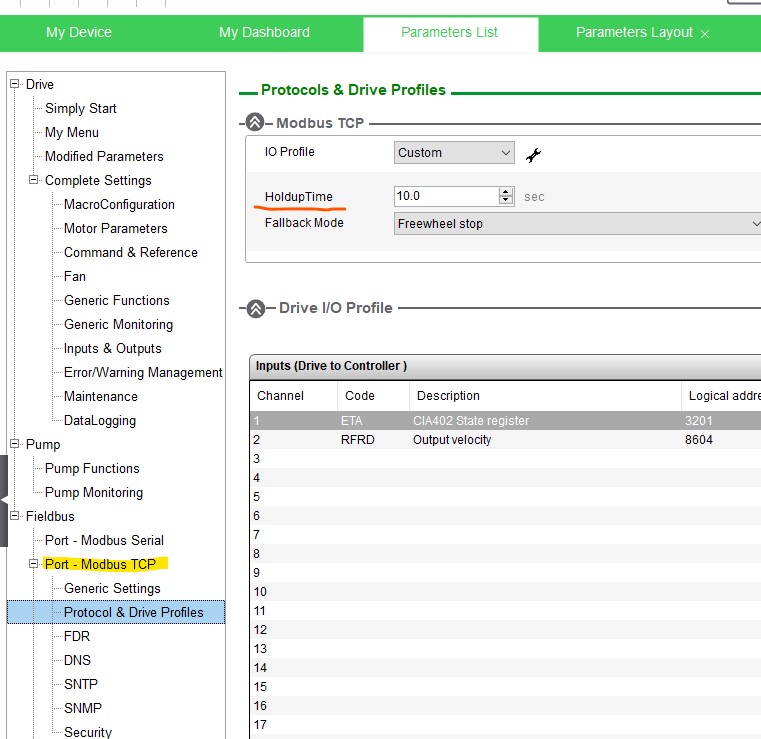
This value is used for Ethernet IP communications on the ATV900 series and ATV340*E series drives as well, not the RPI as listed in the manual. To access it you must first select Modbus TCP as shown below. Then you can adjust the value, save the change and then switch back to Ethernet / IP.
ATV930 example:
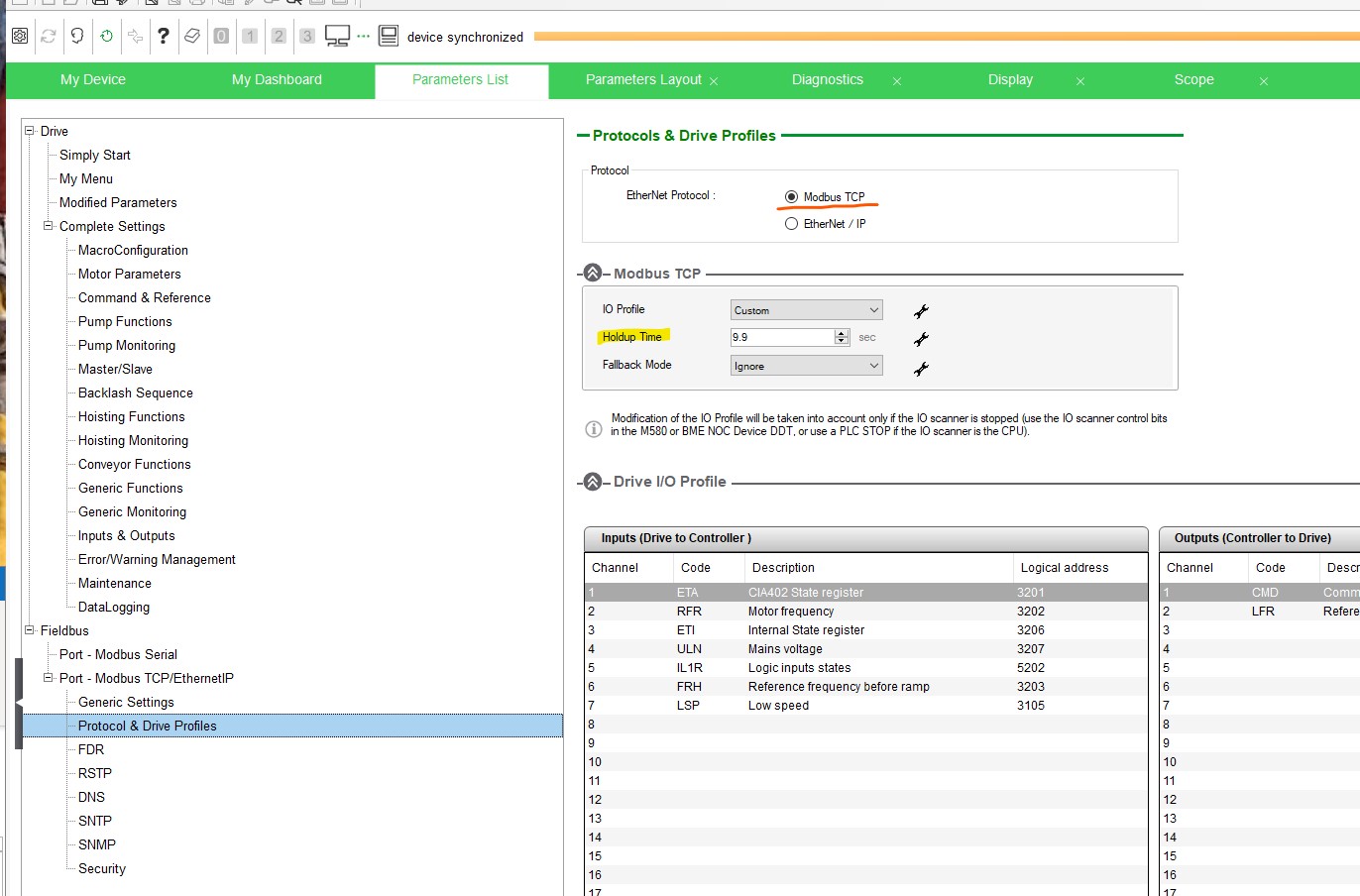
- A request has been submitted to have the manuals updated.
Configuration of Timeout (ttob) for ethernet communication on my ATV600/ATV900/ATV340 series drive.
Product Line:
ATV600: ATV630, ATV650, ATV660, ATV680
ATV900: ATV930, ATV950, ATV960, ATV980
ATV340 drives that end with E (Embedded Ethernet)
Environment:
Modbus TCP or Ethernet IP communication using an Embedded Ethernet port.
Cause:
Information unclear in current literature.
Resolution:
This can be changed via SoMove software. The Timeout function is named "Holdup Time" in SoMove.
ATV630 example:
This value is used for Ethernet IP communications on the ATV900 series and ATV340*E series drives as well, not the RPI as listed in the manual. To access it you must first select Modbus TCP as shown below. Then you can adjust the value, save the change and then switch back to Ethernet / IP.
ATV930 example:
- A request has been submitted to have the manuals updated.