


Is it possible to read Somachine PLC_R structure tag from the Magelis HMI?
In SoMachine and EcoStruxure Machine Expert, it is possible to read PLC_R directly from an HMI programmed with Vijeo Designer.
Steps:
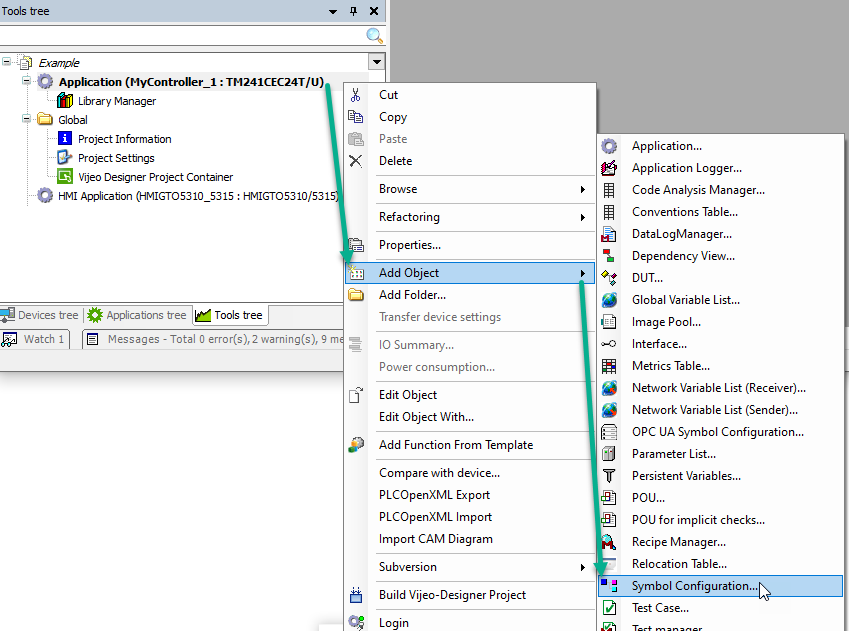
1) Add the Symbol Configuration Node from the Tools tree to your PLC:
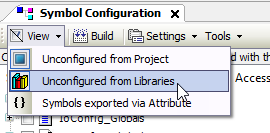
2) In the menu bar of the Symbol Configuration pane, activate "Unconfigured from Libraries"
3) Click Build.

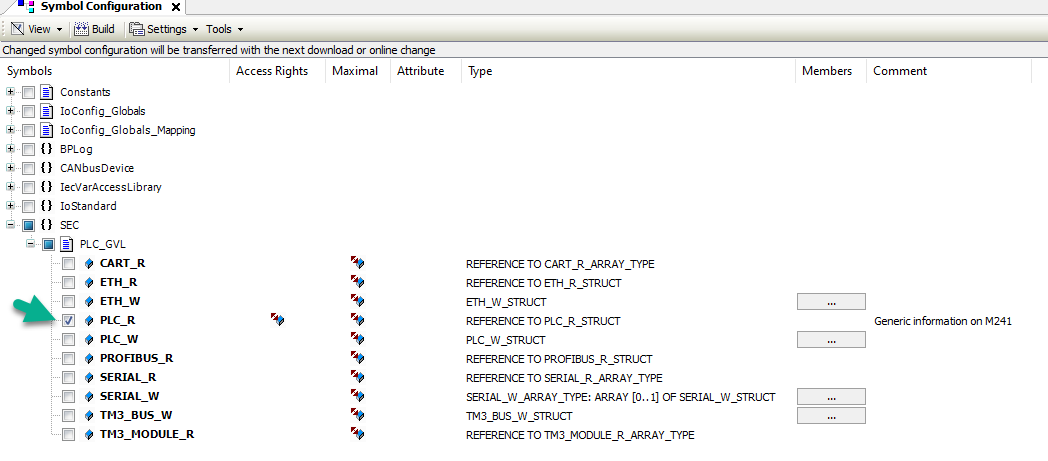
4)From Symbol configuration, expand the SEC -> PLC_GVL -> PLC_R and place a tickmark next to PLC_R:
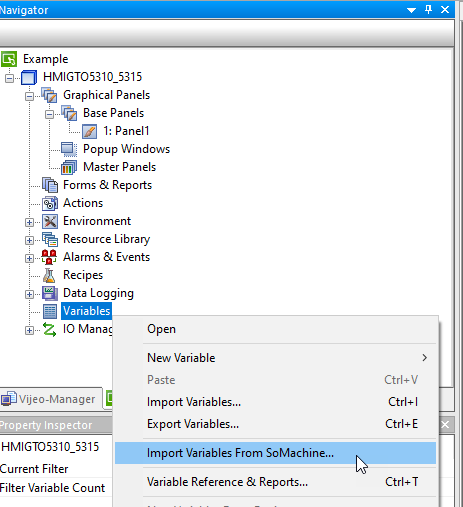
4) In Vijeo Designer, right-click on the Variables node and select "Import Variables From SoMachine..."
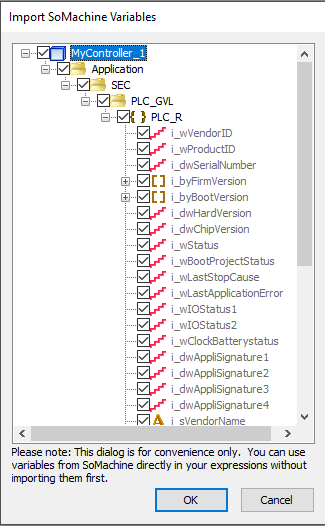
5) In the "Import SoMachine Variables" dialog, expand the nodes and choose the specific variables you want to use in Vijeo Designer:
NOTE:
1) PLC_R.ilwSystemFault_1 and PLC_R.ilwSystemFault_2 variables will not be imported into Vijeo Designer because they are LONG WORDs (64-bit datatypes) - which are not supported by Vijeo Designer
2) Enumerated types that have Strings associated with them from the PLC will only appear as the Integer Value in Vijeo Designer. So you will have to look up the value's context from the manual when seen on the screen.
Steps:
1) Add the Symbol Configuration Node from the Tools tree to your PLC:
2) In the menu bar of the Symbol Configuration pane, activate "Unconfigured from Libraries"
3) Click Build.
4)From Symbol configuration, expand the SEC -> PLC_GVL -> PLC_R and place a tickmark next to PLC_R:
4) In Vijeo Designer, right-click on the Variables node and select "Import Variables From SoMachine..."
5) In the "Import SoMachine Variables" dialog, expand the nodes and choose the specific variables you want to use in Vijeo Designer:
NOTE:
1) PLC_R.ilwSystemFault_1 and PLC_R.ilwSystemFault_2 variables will not be imported into Vijeo Designer because they are LONG WORDs (64-bit datatypes) - which are not supported by Vijeo Designer
2) Enumerated types that have Strings associated with them from the PLC will only appear as the Integer Value in Vijeo Designer. So you will have to look up the value's context from the manual when seen on the screen.