Hoe kunnen wij u vandaag helpen?

How to configure AFDD ( Arc fault Detection Device) in Ecostruxure power design-Ecodial?

In Ecodial, Below are the steps to configure AFDD.
Step-1
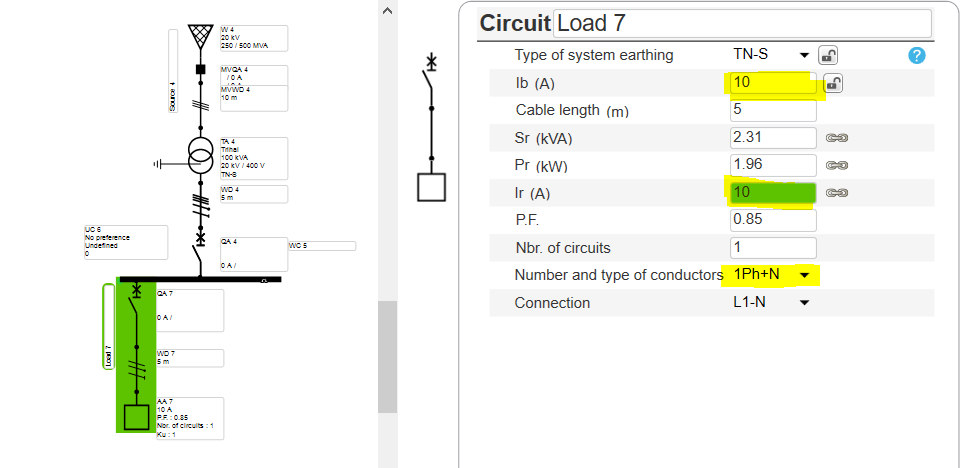
  • Create the network
  • Ensure that the AFD is getting used in 50HZ & Single phase network and up to 25A (NL) & 40A (FR) only for final loads


Step-2
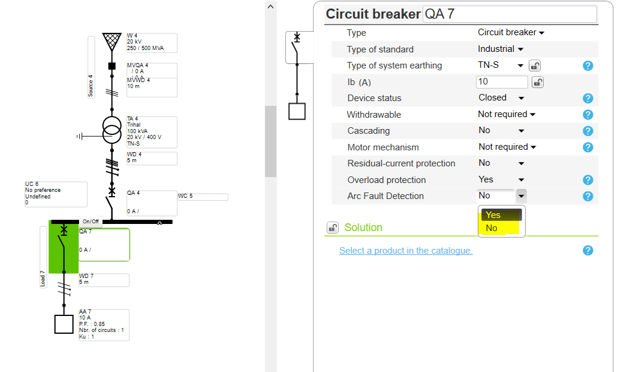
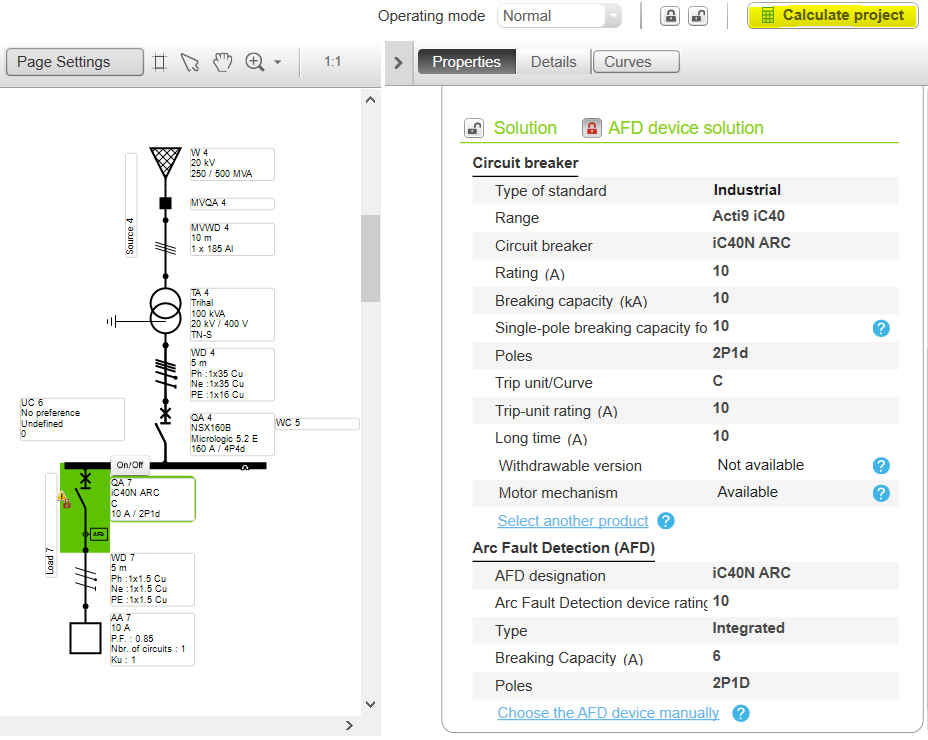
  • Select the Circuit breaker in the Feeder
  • Enable the AFD


Step-3
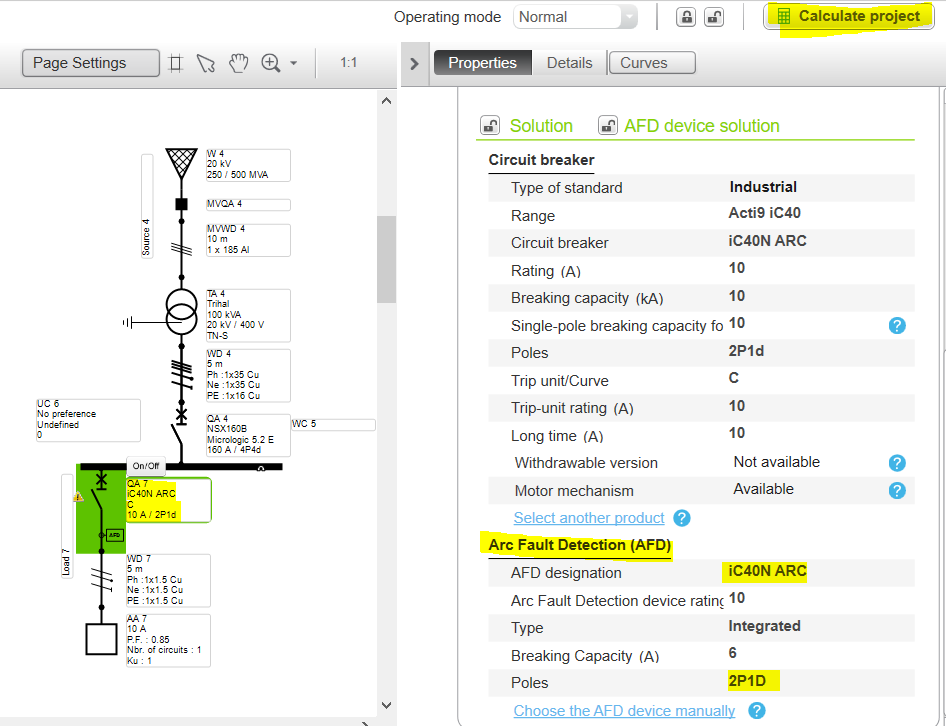
  • Run the calculation for the automatic selection of the AFD


Step 4
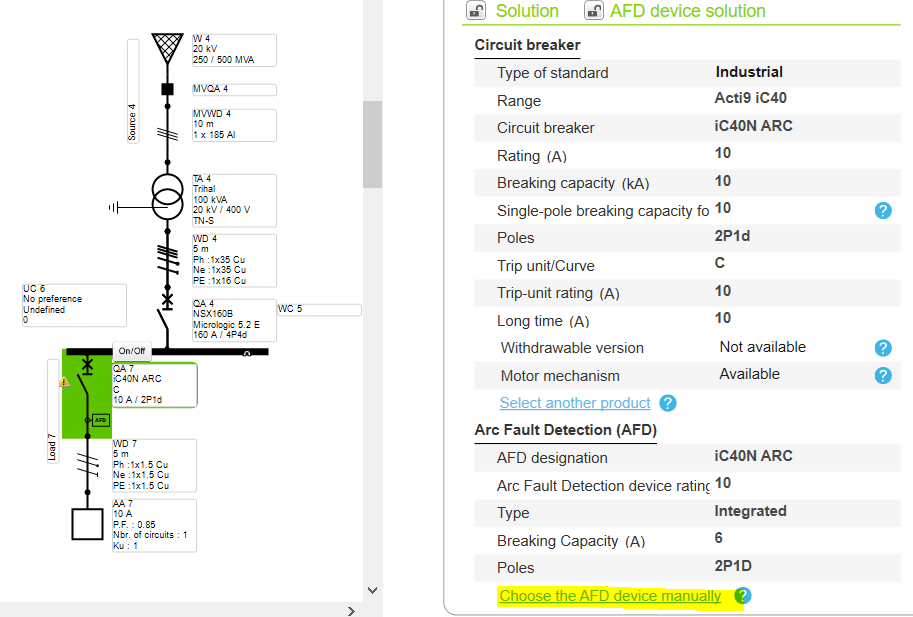
  • For manual selection of AFD, Click on it
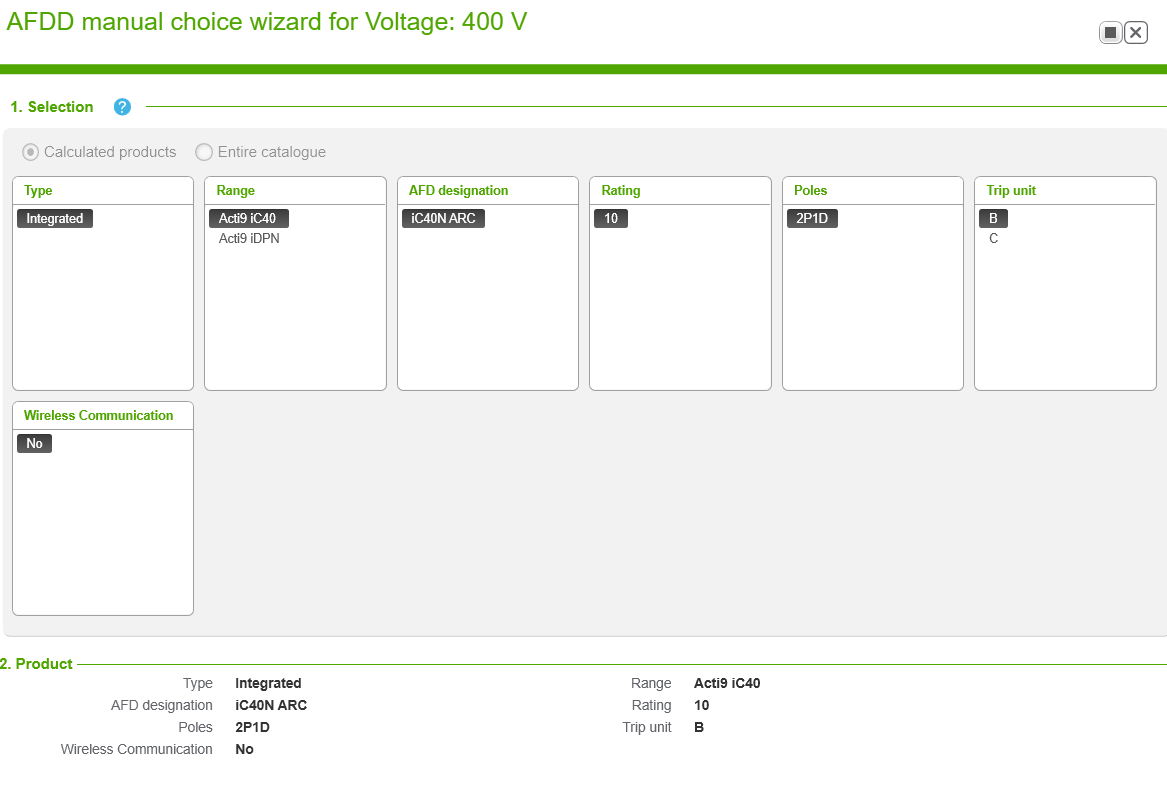
  • Select AFD selection tab for more options

Step 5
  • Check the specification and validate as per requirement

Step 6
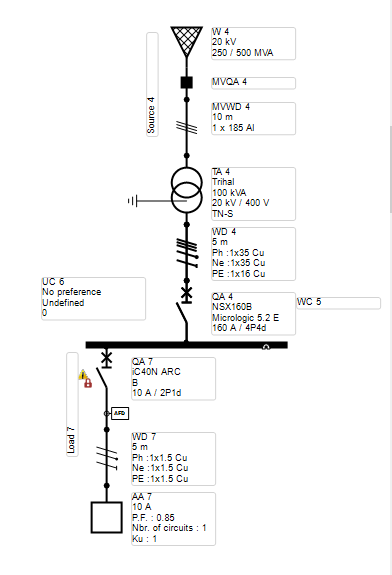
  • Run the calculation


Step 7
  • The Feeder is successfully incorporated with AFDD.

Schneider Electric Belgium

Hulp nodig?

Hulp nodig?

Selecteer zelf het juiste product

Selecteer zelf het juiste product

Vind snel en eenvoudig de juiste producten en toebehoren voor uw toepassingen.

Offerte aanvragen

Offerte aanvragen

Dien uw aanvraag online in en een expert zal contact met u opnemen.

Verkooppunten

Verkooppunten

Vind eenvoudig de dichtstbijzijnde distributeur van Schneider Electric op uw locatie.

Help Center

Help Center

Vind de antwoorden die u nodig heeft via bladeren door veelgestelde vragen over onderwerpen.

  • Productdocumentatie
  • Software & firmware
  • Productselector
  • Productvervanging
  • Help- en Contact Center
  • Vind onze kantoren
  • Offerte aanvragen?
  • Verkooppunten
  • Schneider Electric Community
  • Werken bij
  • Bedrijfsprofiel
  • Wangedrag melden
  • Toegankelijkheid
  • Newsroom
  • Investeerders
  • EcoStruxure
  • Vacature zoeken
  • Blog
  • Als eerste op de hoogte nieuws?
  • Privacybeleid
  • Cookieverklaring
  • Gebruiksvoorwaarden
  • Algemene verkoop- en inkoopvoorwaarden
  • Change your cookie settings