


How to download pdf from Electrical Organisation tab in EPB Rapsody software using dopdf tool
Step1: Download the dopdf tool from internet or also you can use the link : https://dopdf.soft112.com/quick-download.html to download dopdf executable file.
Step2: Install the dopdf tool.
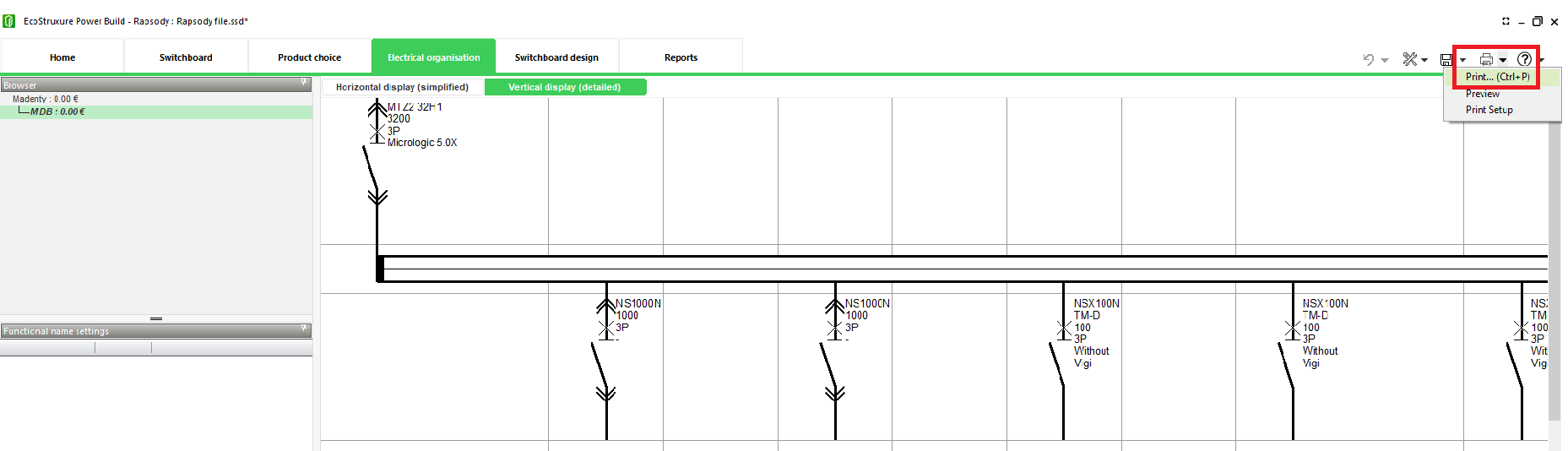
Step3: Now you can go to Electrical Organisation tab in Rapsody software and press Ctrl+P or use the print tool from right side of the software as shown below to print the diagram.
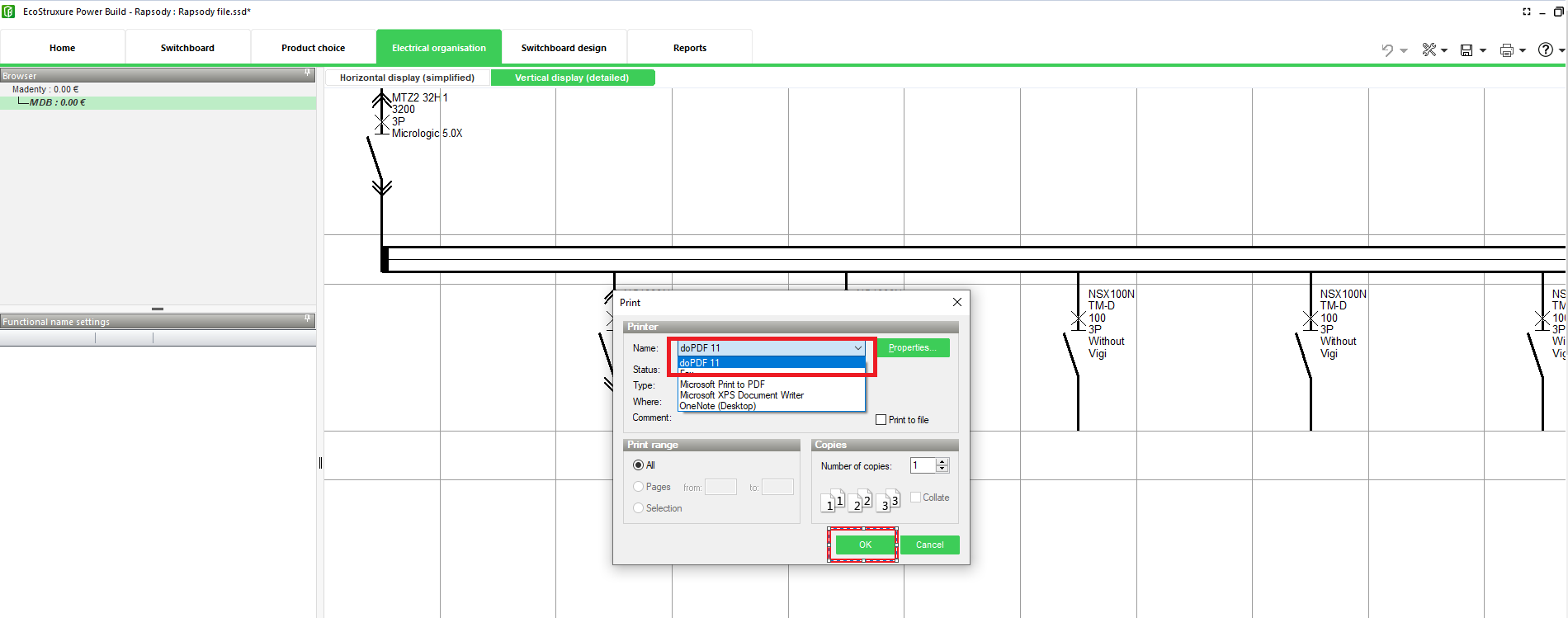
Step4: A print window will open, in Name field you can select dopdf from drop down as shown in screenshot below and click OK.
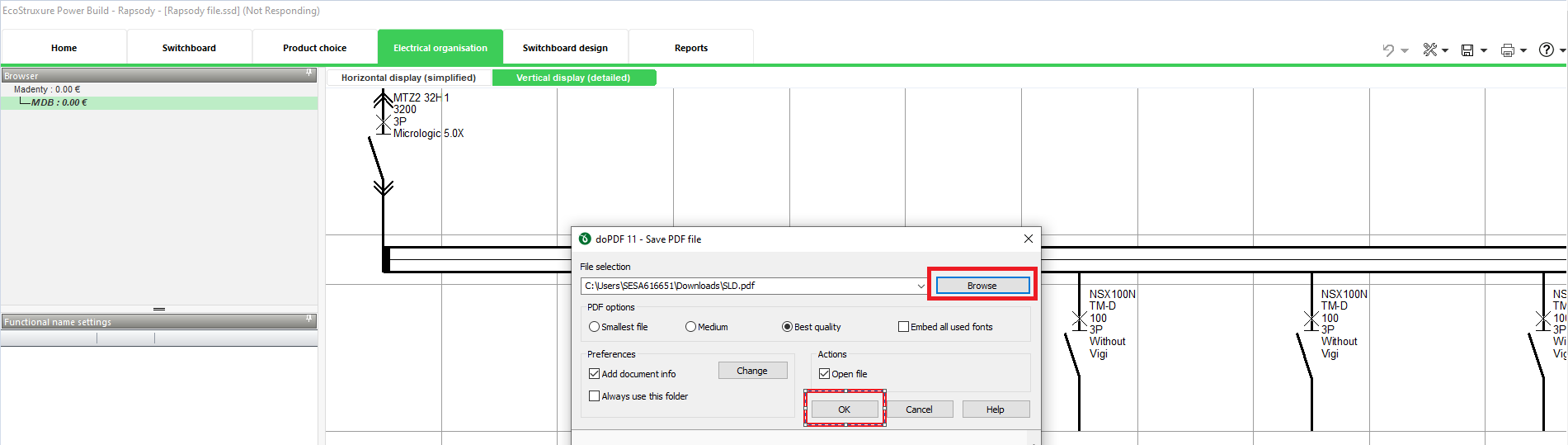
Step5: Select the directory/folder where you want to save the pdf and name the file using Browse button as shown below and then click OK.
Step6: Now you can navigate to the directory/folder where you have saved the pdf and you should be able to view it.
Step2: Install the dopdf tool.
Step3: Now you can go to Electrical Organisation tab in Rapsody software and press Ctrl+P or use the print tool from right side of the software as shown below to print the diagram.
Step4: A print window will open, in Name field you can select dopdf from drop down as shown in screenshot below and click OK.
Step5: Select the directory/folder where you want to save the pdf and name the file using Browse button as shown below and then click OK.
Step6: Now you can navigate to the directory/folder where you have saved the pdf and you should be able to view it.