


Access the official Schneider Electric Altivar Drives and ATS480 Soft Starter directory for ATV660C11T4, ATS480C11Y, ATV212H075M3X, and ATV630C11N4. This technical hub delivers immediate troubleshooting for clearing InFN, InF4, and Ot faults, alongside steps for fixing power communication errors. Streamline your motor control architectures with expert guidance on damper control setups, analog output calibrations, and circuit breaker selection.
Customer has 460V three phase motors available but only 220V single phase power available.No,there are no drive products that can convert 220V single phase power to 460V three phase power. There are drives in our product lineup that can convert single phase 230V to three phase 230V. If the motor is dual rated for 208-230V / 460V operation, then wiring it for 230V may be a better option.
An Altivar Drive can be wired with a bypass whether it's mounted open-style or enclosed. If our drives are ordered with a bypass, they are sold in enclosures. However, a drive can be purchased, and the customer wire in a bypass circuit and mount it all in their own enclosure if they choose to do so. We offer many types of enclosed drives, with and without bypass, as well as our stand-alone drives.
Fuse and Circuit Breaker information for ATS480 can be found in the Quick Start Annex for UL60947-4-2.
https://www.se.com/us/en/download/document/NNZ86539/Wants to wire in a damper control circuit to allow the damper to open before running the motor thru the drive.
Step #1 Customer commands the drive to run by closing terminals (5-6) auto start. (Drive will not start at this time or until damper is opened)
Step #2 Closing the auto start terminals (5-6) will energize the RPR relay which will close user contacts (19-20) to start damper solenoid coil.
Step #3 Damper solenoid will start to open damper.
Step# 4 Once the damper is open the customer will need to provide a end of damper feedback limit switch.
Step #5 Remove the jumper from terminals (3-4) and wire your end of damper feedback dry NO contact to terminal (3-4).
Please note that this damper function will only work in the remote control mode by closing contacts (5-6) and not the local mode run button on the face of the drive.
Read fault access to Indus zone Eeprom (EEPROM APP & EEPROM MC) or EEPROM fault access.
• Factory reset (RAZI: 256 Factotry setting / 512 First power up)
• Replace the control block.
Level1/Level2 corresponds to: PIN1/PIN2.
1. To set the password:
2. To change the password:
3. To remove password:
4. Protecting the SoMove file can be done by File/Project properties:
A request is in progress to update literature with technical publication team
Limit switch function can only to be configured on the master drive. The slave follows internal RUN order given by the master, then if the master stop because of limit switch function it will stop the slave(s) as well. This is why it is not possible to configure limit switch function on slaves side.
We must keep in mind that our Master /Slave function is a torque or speed follower.Slaves are only followers and the master controls the whole system in our approach.
Limit Switch function LAF and LAR can only be assigned a digital input when Master/Slave MSID and MSDT are both set to Master.
To remove the keypad on the ATS480 soft start, would suggest to place your fingers on both sides of the keypad and then on the left side, wiggle to the left and then go to the right side and wiggle to the right and then pull the keypad directly up to remove it.
The MCB or Main Control Board part number for the ATV630 or ATV660 drive is VX4B600100.
Note: In the US and Canada this part is intended to be installed by Schneider Electric Field Services or their delegates, since it may require special software to be used to ensure it's compatibility with the VFD.
If this is done by someone else, there is no guaranty it will work.
See attached document (which is included in the package with the Control Board) for specific message related to this.
These are the available spare parts list for the enclosed ATV660, ATV680, ATV960 and ATV980 drives. Please note that some of the available spare parts may require field services to install and configure.
A communication interruption between the control block and the AFE or the BU bricks has been detected.
- First check to see if they have wired their ethernet cable into the drives modbus ports. This normally cause the main display to go blank and control block goes offline.
- Check the internal wiring between the control module line board and the AFE and or BUO's
- Check the LED801 on the control board of the AFE brick) red means communication interruption.
- Change the module link board.
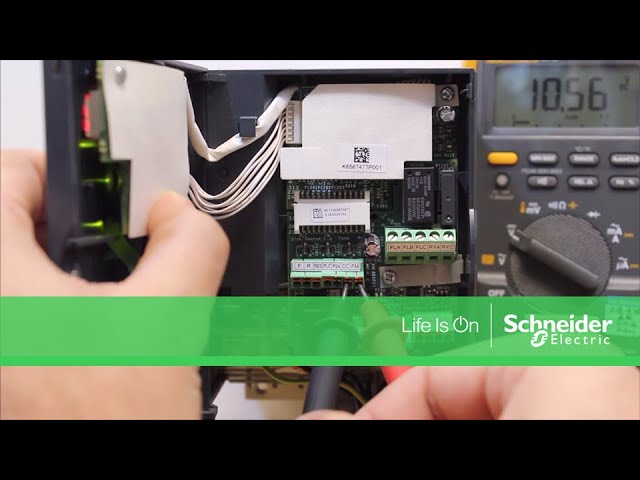
This is a Overtorque fault. The calculated motor torque has reached the level set by Parameter F616 (Overtorque Detection Level)- factory default set to 130%, can increase, if needed.
F615 (Overtorque fault/alarm selection)- can set to 0 for Alarm or 1 for Fault.
Would suggest to power down the soft start and recheck all the internal connections.
This error is triggered if the external +24vdc supply voltage is higher than 30v, or lower than 19v.
This fault can also occur if the 24v output current is greater than 200ma.
Measure the +24v to com on the soft start.
Check the +24Vdc supply or the current requested by the load connected to the output +24
Recheck the wiring: Previous wiring of ATS48 (+24 and LO+) is at the same location (+24 and 0V) for ATS480.
Do not connect LO+ from ATS48 to 0V of the ATS480.
This fault is saying there is No Communication with the soft start while CL1 and CL2 are present. Can power down the soft start and check all the inner connections.
Would also suggest to check the firmware version of the soft start.
This fault can occur if there is a hardwire failure with the soft start.
