


Access the official Schneider Electric Modicon M580 and M340 PAC support directory for BMENUA0100 and BMXP342020 modules. This hub provides immediate troubleshooting for Unity Loader firmware updates, Installer password resets, and HTTPS configurations. Streamline your industrial automation systems with expert answers on cable pinouts, READ_DDT function blocks, and cybersecurity settings
The installer password can be changed. However the module must be in the standard mode by setting the rotary switch located at the back of the module. Once in standard mode, log into the module via your browser using the default user name and password. once connected, you will see "Installer" in green in the top right corner of the browser. click on it, and you will see the option to change password.
The HTTPS service of the BMENUA0100 OPC UA module can be disabled. The module must be in secure mode to disable the service. Once you are logged in, go to the "cyber security setup" tab then select "settings" then select "network services"
Below are the steps to Configure the cybersecurity settings of the OPC UA server module:
1. With the module detached from the rack, use the plastic screwdriver that ships with the module to set the rotary switch to the [Secured] position.
2. Install the module into an Ethernet slot on the local, main Ethernet rack and cycle power.
3. Use your Internet browser to connect your configuration PC to the module, using either the control port or the backplane port, and navigate to the module web pages at the configured IP address.
4. If your Internet browser displays a message indicating a potential security risk, proceed to make the connection by clicking Accept the Risk and Continue (or similar, browser-specific language).
5. In the user login page, enter the default username / password combination.
6. Change and confirm the password. Refer to the User Management topic for password requirements. The module Home page is displayed.
7. Starting from the Home page, navigate to the module web pages and configure its cybersecurity settings.
The default number of times a user may attempt, and fail, to login is five(5). When the configured maximum is reached, the user account is locked. A locked user account is automatically unlocked after 4 minutes(default value).
Current consumption of BMXP342020 is 95 mA 24 V DC.
Yes, you can. To accomplish this, follow the steps below:
NOTE: In order for changes to be made from one protocol to another, the processor serial port must be configured for Modbus Slave mode.
1.First create an IODDT variable linked to the processor’s serial channel, then set the bit that corresponds to the protocol desired:
- TO_MODBUS_MASTER(%MWr.m.c.24.12) (Bit 12): Current protocol is changed to Modbus Master.
- TO_MODBUS_SLAVE(%MWr.m.c.24.13) (Bit 13): Current protocol is changed to Modbus Slave.
- TO_CHAR_MODE(%MWr.m.c.24.14) (Bit 14): Current protocol is changed to Character Mode.
3.You can now read/write the data to the remote device using explicit exchange messaging such as the READ_VAR, WRITE_VAR or DATA_EXCH function blocks.
The I/O scanner for the M340 NOE modules supports Function Codes 3,16 and 23.
The NUA module does not have a buffer to hold events. If comms go down then the events will be lost. Buffering or holding events is not in the OPC UA spec.
For RS232 communication between the Magelis XBTF and M340 PLC, the cable pinout should be as follow:
The M340 serial port must be configured for RS232 as shown below
The XBTF configuration should match the serial port setup of the M340.
Below is a sample code on how to configured the READ_DDT function block
Below is a sample code using the READ_DDT function block to read messages from the BMENUA0100 communication module.
Note: Ensure that the RECP_DDT variable has the data type "T_BMENUA0100" DDT
The cable pinout between the M340 PLC embedded serial port configured for RS232 and the HMIGTO Com 1 is shown below
The number of connections the BMENUA0100 module can open to the M580 CPU depends on the capacity of the CPU. Thus, performance of the BMENUA0100 module will depend on the time required to perform the MAST task and the selected CPU. The maximum number of connections opened by each BMENUA0100 module to the M580 CPU are as follows:
This table below lists all possible connection types between the HMIST6/HMISTM6 models and the M340 PLC with the associated required Serial Cable:
| HMI Part Number | HMI Serial Port | Serial Communication Standard | Cable Part Number |
| HMIST6200 | COM1 (RJ45) | RS-485 | XBTZ9980 |
| HMIST6400 | COM1 (Dsub9) | RS-232 | TCSMCN3M4F3C2 |
| HMIST6400 | COM2 (RJ45) | RS-485 | XBTZ9980 |
| HMIST6500 | COM1 (Dsub9) | RS-232 | TCSMCN3M4F3C2 |
| HMIST6500 | COM2 (RJ45) | RS-485 | XBTZ9980 |
| HMIST6600 | COM1 (Dsub9) | RS-232 | TCSMCN3M4F3C2 |
| HMIST6600 | COM2 (RJ45) | RS-485 | XBTZ9980 |
| HMIST6700 | COM1 (Dsub9) | RS-232 | TCSMCN3M4F3C2 |
| HMIST6700 | COM2 (RJ45) | RS-485 | XBTZ9980 |
| HMISTM6200 | COM1 (RJ45) | RS-485 | XBTZ9980 |
| HMISTM6400 | COM1 (RJ45) | RS-485 | XBTZ9980 |
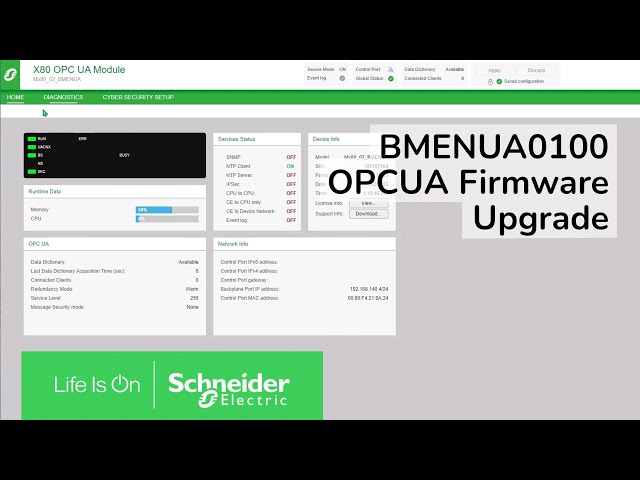
No, The Unity Loader cannot be used for upgrading the firmware of the OPC UA module. You must use the EcoStruxure Automation Device Maintenance utility. You can download the utility and firmware file from the Schneider Electric public site at EcoStruxure Automation Device Maintenance V3.4.120 :https://www.se.com/us/en/download/document/EADM/
BMENUA0100 OPC UA module firmware: https://www.se.com/us/en/download/document/BMENUA0100_FIRMW_SV_02_04_02/
This article is valid for the X80 modules offer, M580 communication modules , M580 Safety Processor and the Control Expert L or XL with M580 Safety Add On software
TÜV certified Control Expert versions and hot fixes:With certificate 01/205/5610.02/22 and the latest revision version 5.0 .
For safety PLC programming the approved TÜV versions of Control Expert and released hot fixes (HF) are the following:
TÜV certified M580 Safety Processors, M580 communication modules and X80 modules:
In the revision list, you can also find the status of the different X80 modules, communication modules and M580 Safety Processors.
X80 modulesNote: The above image is only one part of the list of X80 modules.
M580 communication modules
Note: The above image is only one part of the list of M580 communications modules.
M580 Safety Processors
Check the TÜV certification status:
To check if a software version of Control Expert or Hot fix is TÜV certified or if it is certified to date, we must do the following:
- Go to: https://www.certipedia.com/
- In Search tool prompt “M580”, then select the newest certificate from the SCHNEIDER ELECTRIC certificate holder.
- Then click on the list located in Appendixes.
- And then search for the hardware part, software version or hot fix you need.
If the hardware, software version or hot fix is not in the list, it means it is not TÜV certified.
This is not a 'safety module' but rather a 'non-interfering' one. It will not have direct access to anything related to the safety side, only the process side.
The color code for the BMXFCW301S & BMXFCW501S is shown below.
