


How to resolve the error "Integrity check - Severe Warning!" of Unity Pro 12?
Goals and Symptoms
Unity Pro v12 pop up a window with a warning message "Integrity check - Severe Warning!"
Facts and Change
Unity Pro v12.0
Causes and Fixes
Unity Pro v12.0 shows the message below after install the UnityPro_V120_HF0435420R + UnityPro_V120_HF0437627R and recommends to re-install the Unity to correct the Sim.exe and Exec.dll, but this can be solved following the procedure below.
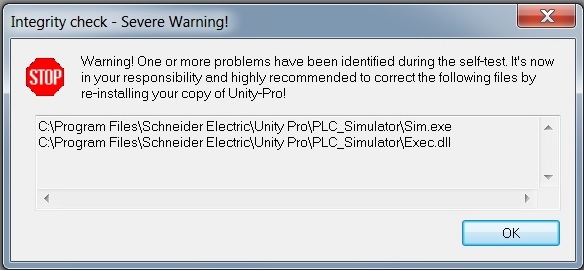
If this issue happens after the installation of these Hot Fixes, you can resolve it unziping the zip file and replace it on the directory showed on the message. By default the directory is C:\Program Files\Schneider Electric\PLC_Simulator
Unity Pro v12 pop up a window with a warning message "Integrity check - Severe Warning!"
Facts and Change
Unity Pro v12.0
Causes and Fixes
Unity Pro v12.0 shows the message below after install the UnityPro_V120_HF0435420R + UnityPro_V120_HF0437627R and recommends to re-install the Unity to correct the Sim.exe and Exec.dll, but this can be solved following the procedure below.
If this issue happens after the installation of these Hot Fixes, you can resolve it unziping the zip file and replace it on the directory showed on the message. By default the directory is C:\Program Files\Schneider Electric\PLC_Simulator