


How to move a graphical panel from VJD Basic Project to VJD Project
How to move a graphical panel from Vijeo Designer Basic project to Vijeo Designer Project.
Vijeo Designer 6.2 [SPx] and Vijeo Designer Basic 1.1.
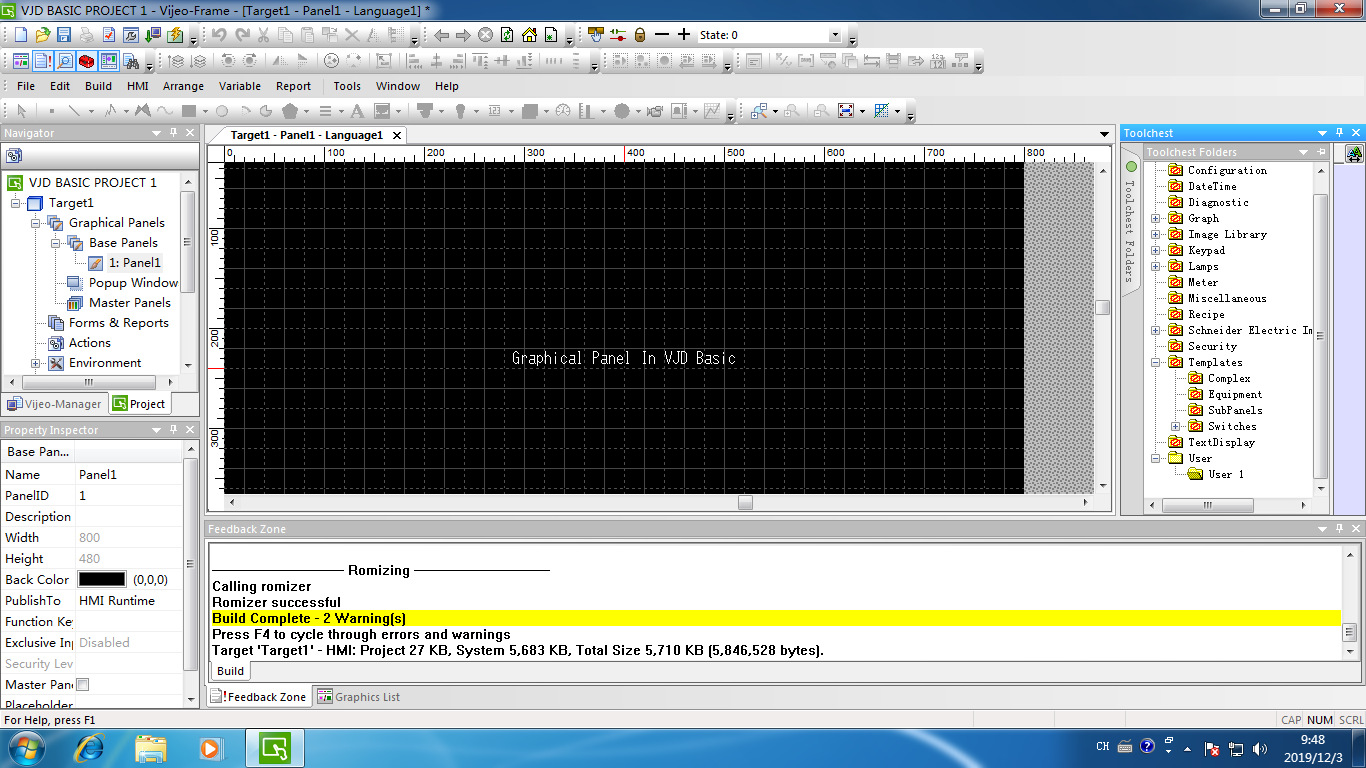
Step 1. Create a new folder and named it “User 1” in Toolchest in VJD Basic project.
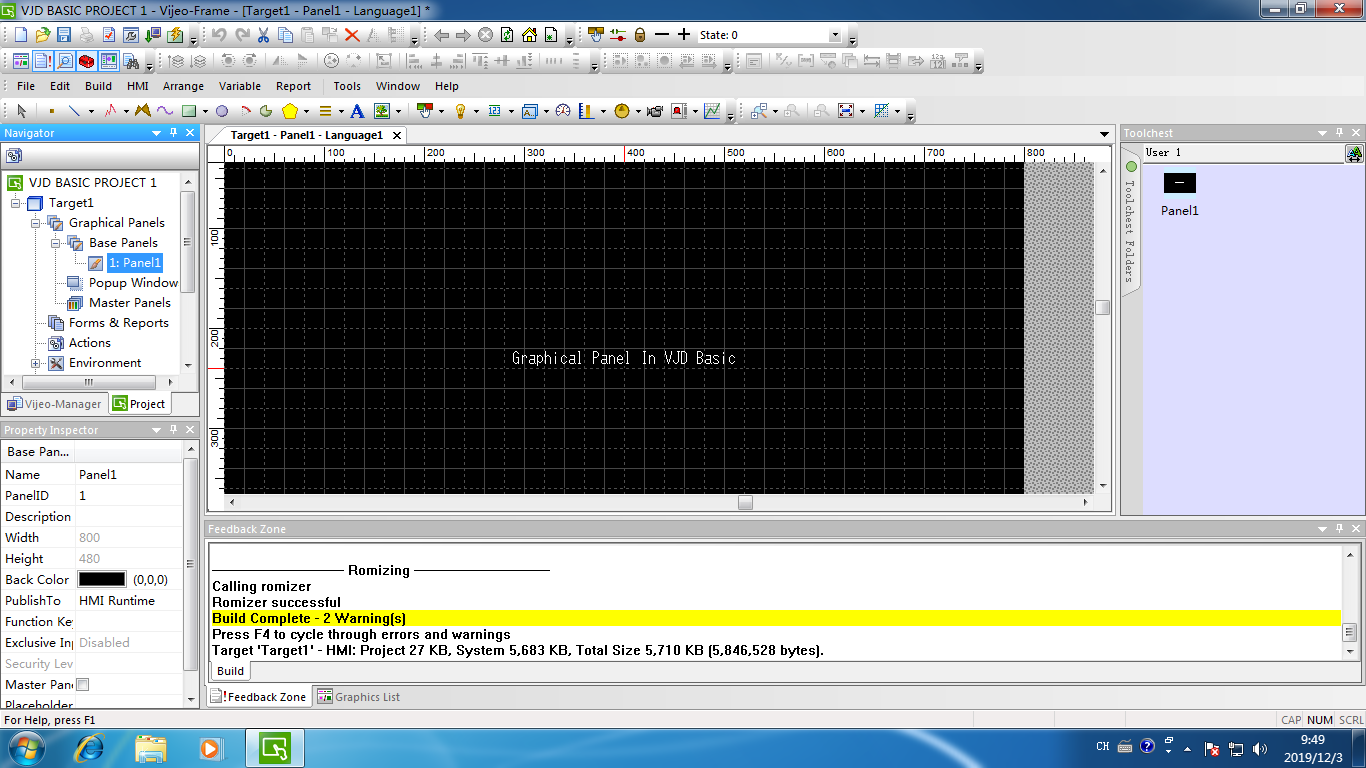
Step 2.Drag the graphical panel into the folder “User 1” .
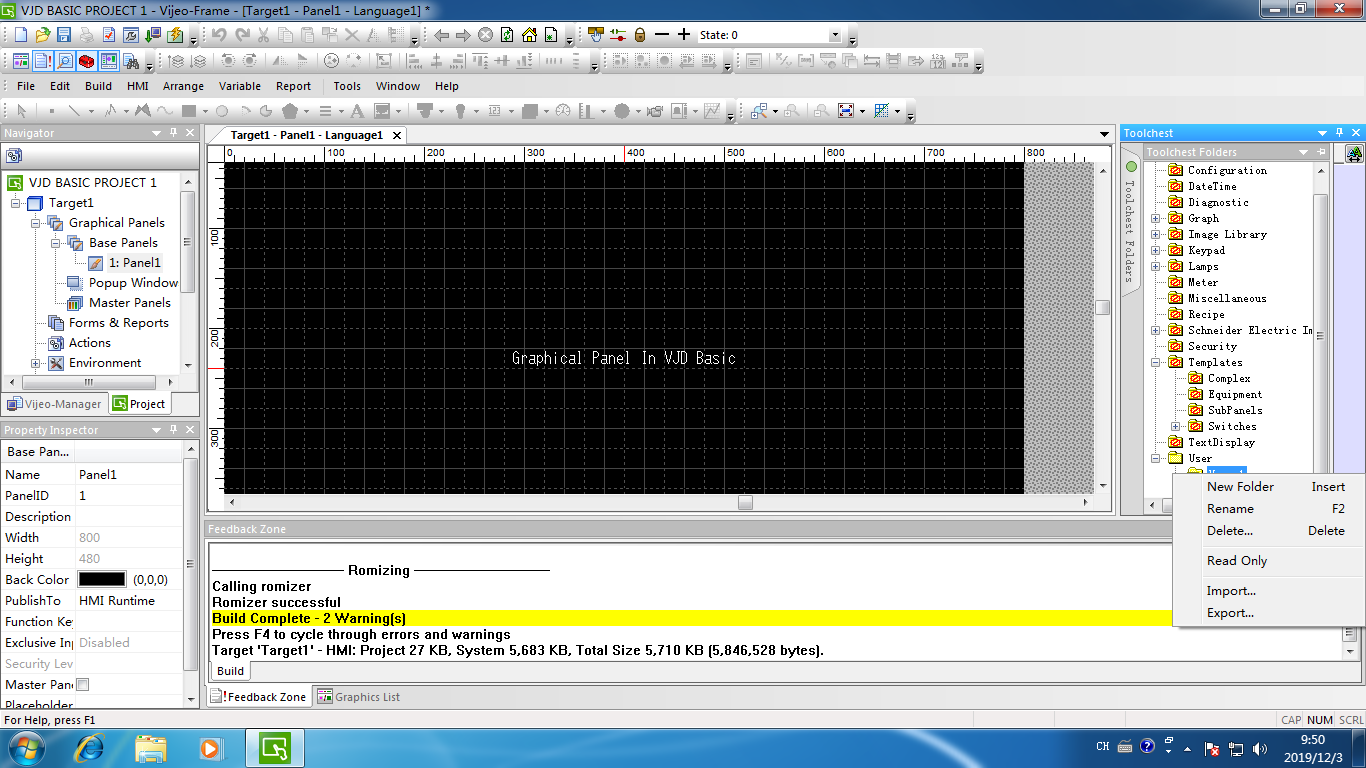
Step 3.Right click the folder “User 1” and click export. User will get a file named “User 1.ztc”.

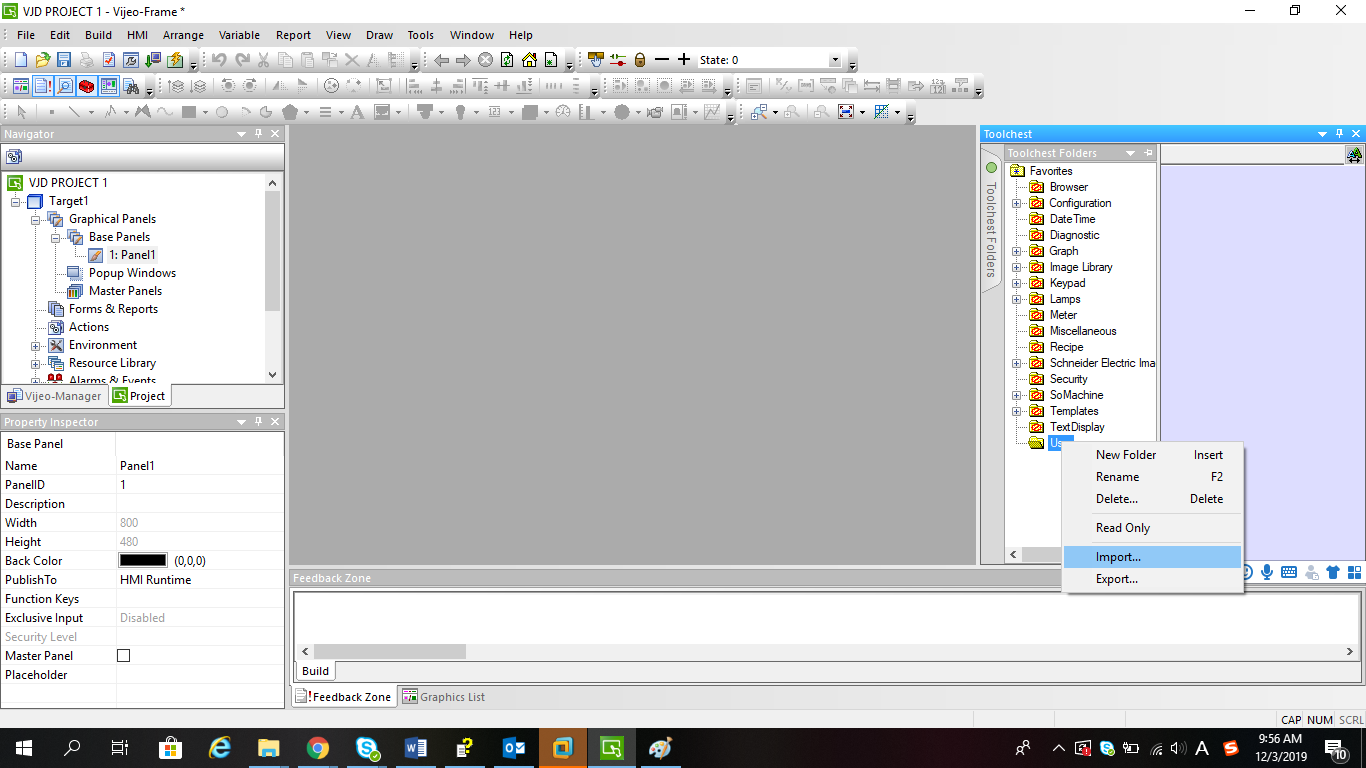
Step 4.Open VJD project and import the file “User 1.ztc” into Toolchest. User will see the graphical panel in Toolchest.
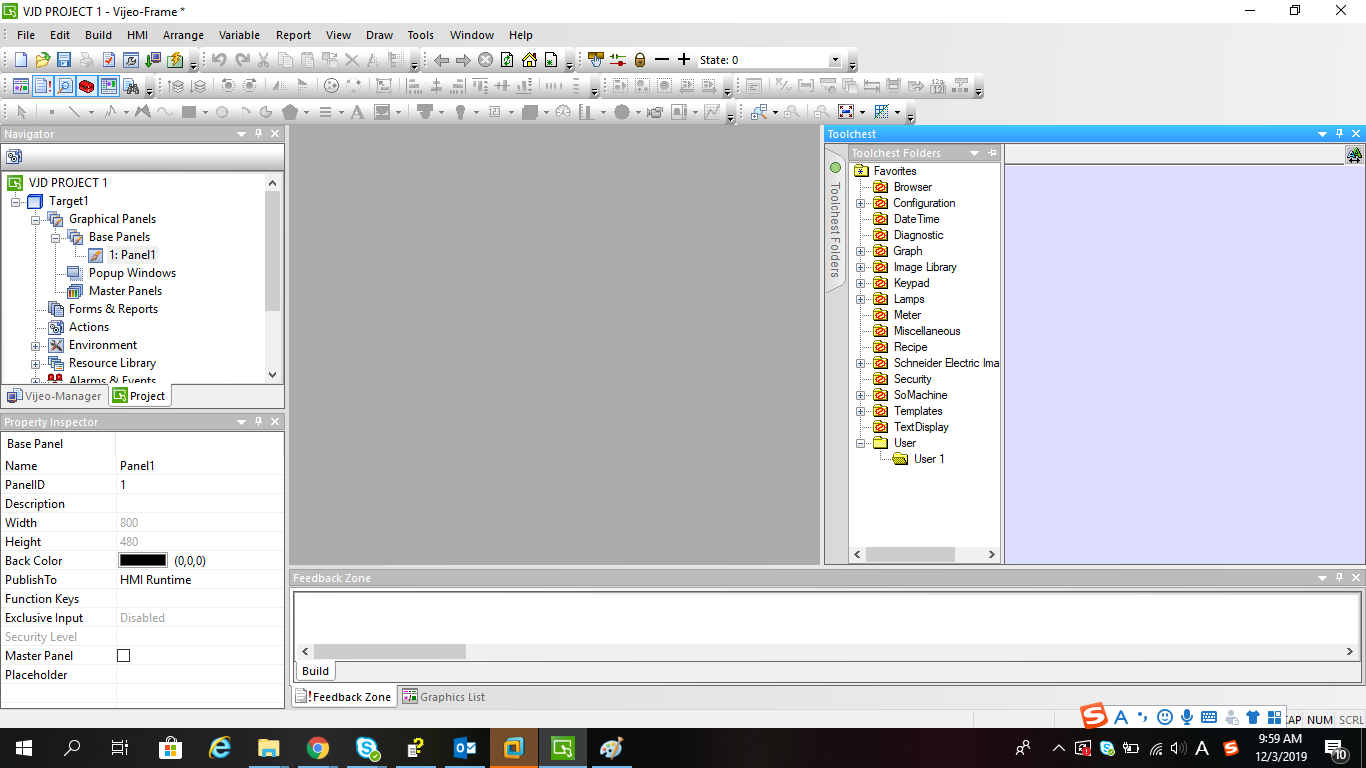
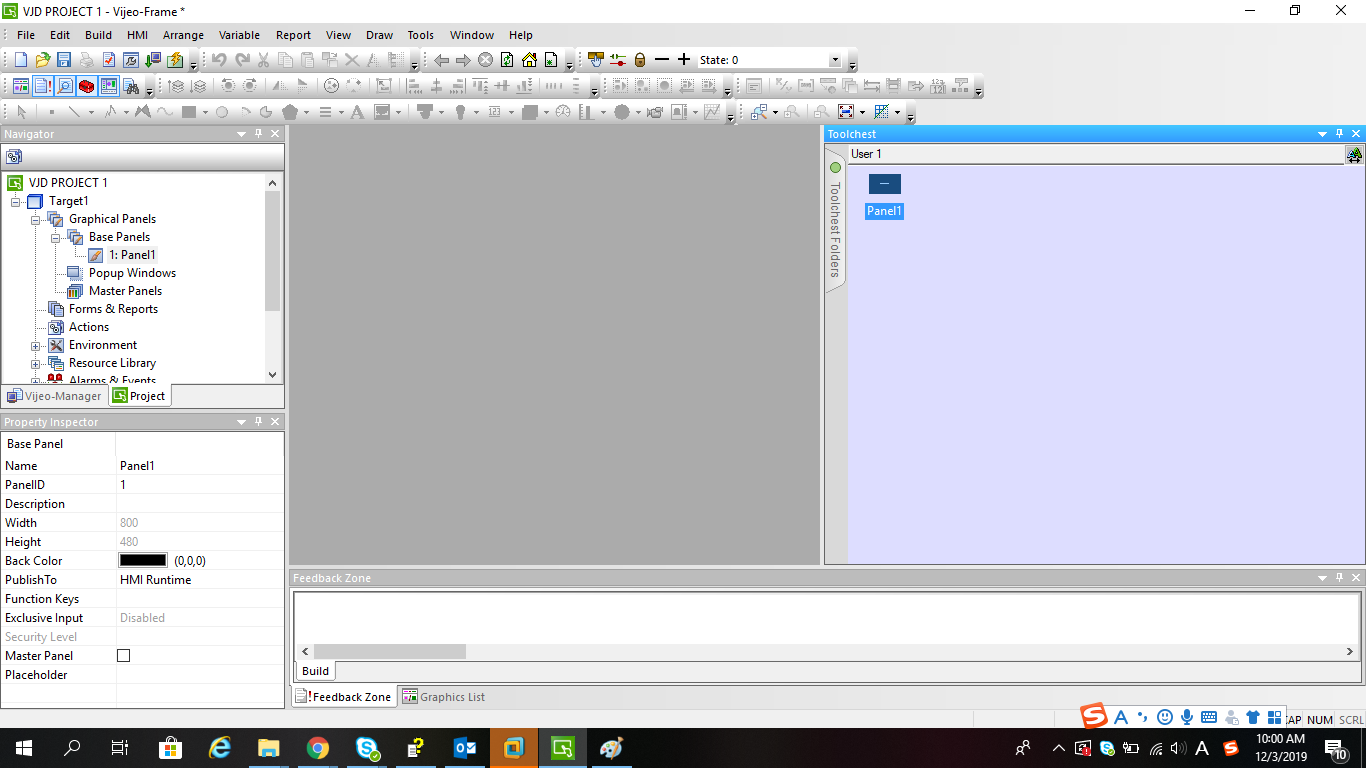
Step 5.Drag the panel into “Base Panels” in the left. The graphical panel will be moved to VJD project.
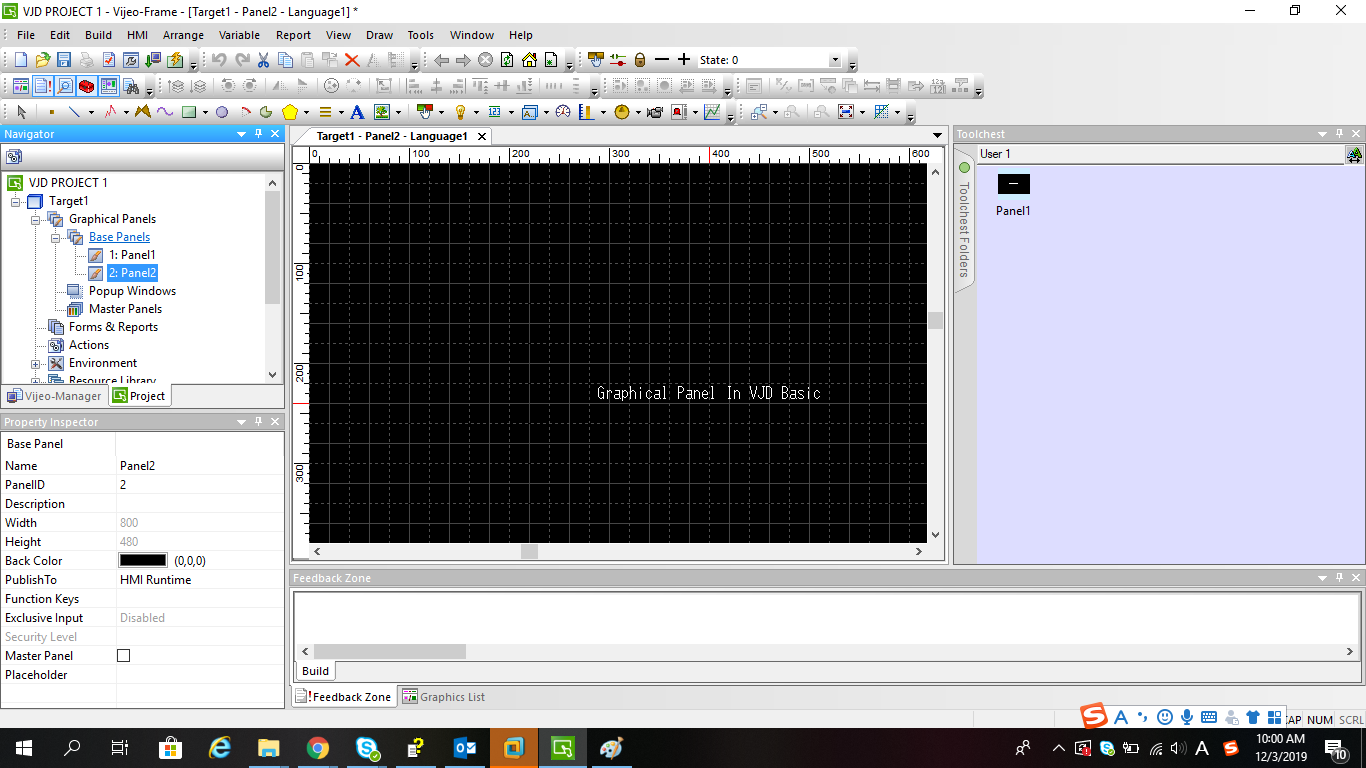 FAQ applies to all Vijeo Designer 6.2 SPx and Vijeo Designer Basic 1.1.
Vijeo Designer 6.2 [SPx] and Vijeo Designer Basic 1.1.
Step 1. Create a new folder and named it “User 1” in Toolchest in VJD Basic project.
Step 2.Drag the graphical panel into the folder “User 1” .
Step 3.Right click the folder “User 1” and click export. User will get a file named “User 1.ztc”.
Step 4.Open VJD project and import the file “User 1.ztc” into Toolchest. User will see the graphical panel in Toolchest.
Step 5.Drag the panel into “Base Panels” in the left. The graphical panel will be moved to VJD project.